Stepless changing of the needle position
Operating elements
34
Manual • Sewing machine W6 N 2000 Exklusive W6 N 2000 Exklusive • 27/04/2018 • 1.0 • GBR
5.12 Changing the needle position
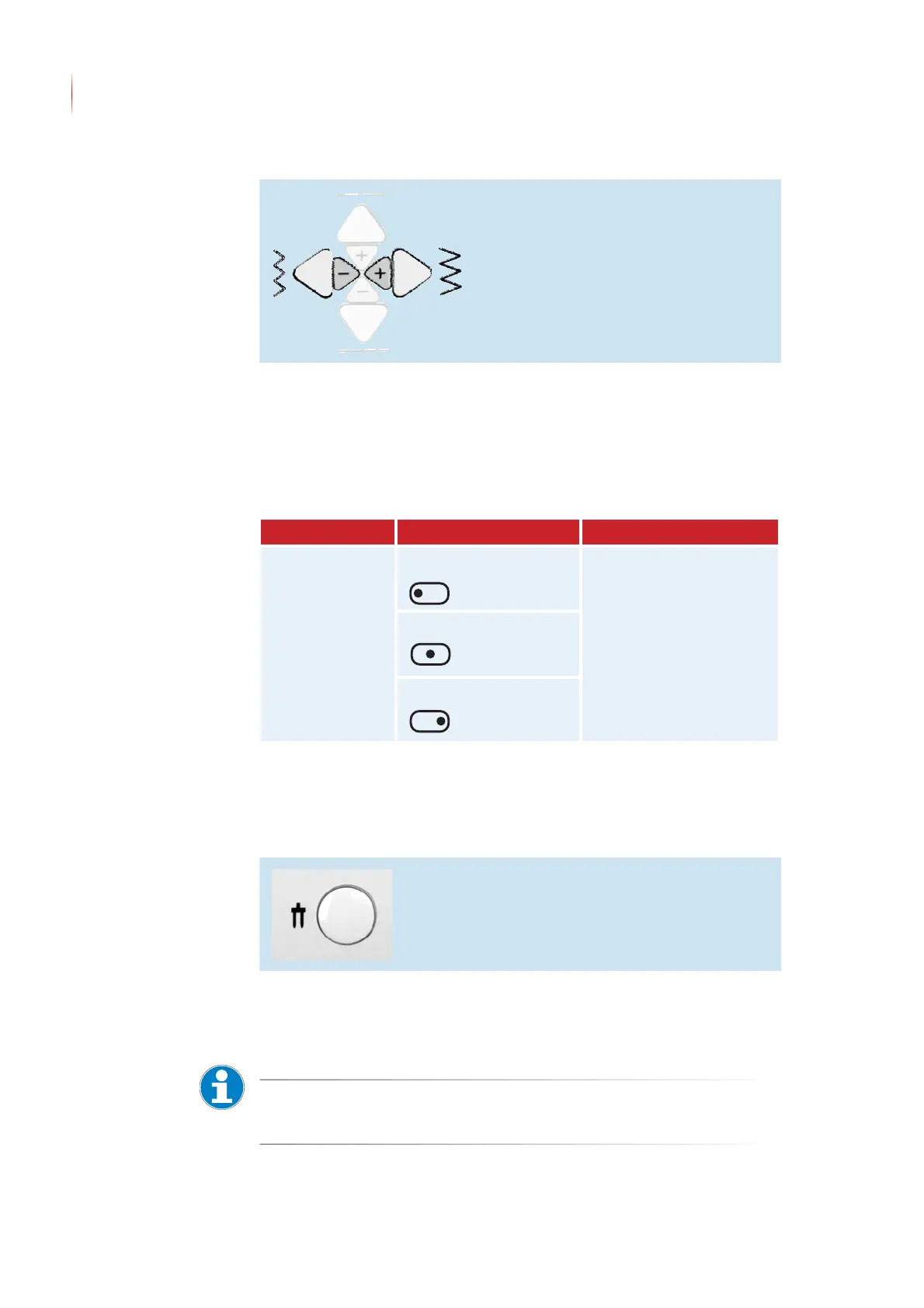
Pattern width button
If you have selected a straight stitch program, you may use the pattern
width buttons to adjust the needle position steplessly.
Press the right-hand (+) button to move the needle position to the right.
Press the left-hand (-) button to move the needle position to the left.
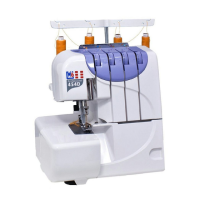
The following table shows an example.
5.13 Twin needle protection button /
Sewing with the twin needle
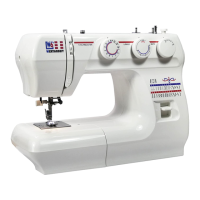
Twin needle protection button
Always press the twin needle protection button when sewing with a twin
needle.
W6 Tip
If you have activated the twin needle protection system by pressing the
button and the icon appears in the display, the stitch width is automatically
limited to a value of 5 by the program.
Needle position settings
Stitch Needle position Application
Straight stitch Far left For patching, straight
stitching close to the edge,
etc.
central
Far right


 To Next Page