9 Appendix II
100
WABCO Maintenance Manual MM-0112 (Revised 07-18)
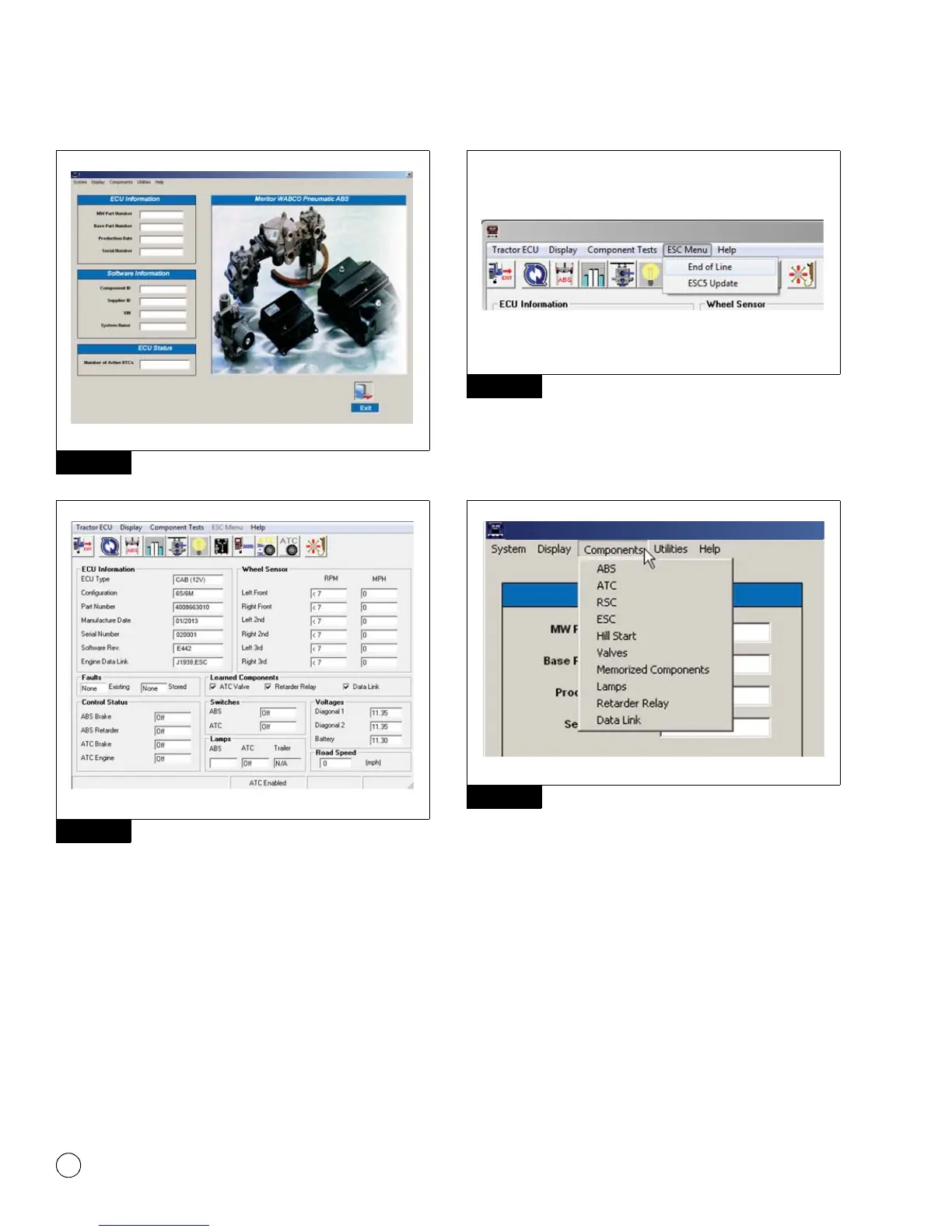
Figure 9.3
Figure 9.4
To access the ESC EOL:
앫 From the bar menu at the initial screen, click on the “ESC Menu”
button. A drop-down box will appear. Select the option “End of
Line.” Figure 9.5.
Figure 9.5
앫 If you are using TOOLBOX™ Software version 11 or higher, click
on “Components” button. A drop box will appear, Select “ESC”
then select “Start EOL”. Figure 9.6 and Figure 9.7.
Figure 9.6
Figure 9.3
Figure 9.4
4010672a
WABCO Toolbox – Pneumatic ABS Diagnostics
Figure 9.5
Figure 9.6
4010689a
WABCO ABS
4010674a
WABCO Toolbox – Pneumatic ABS Diagnostics



 To Next Page