11 Appendix IV
114
WABCO Maintenance Manual MM-0112 (Revised 07-18)
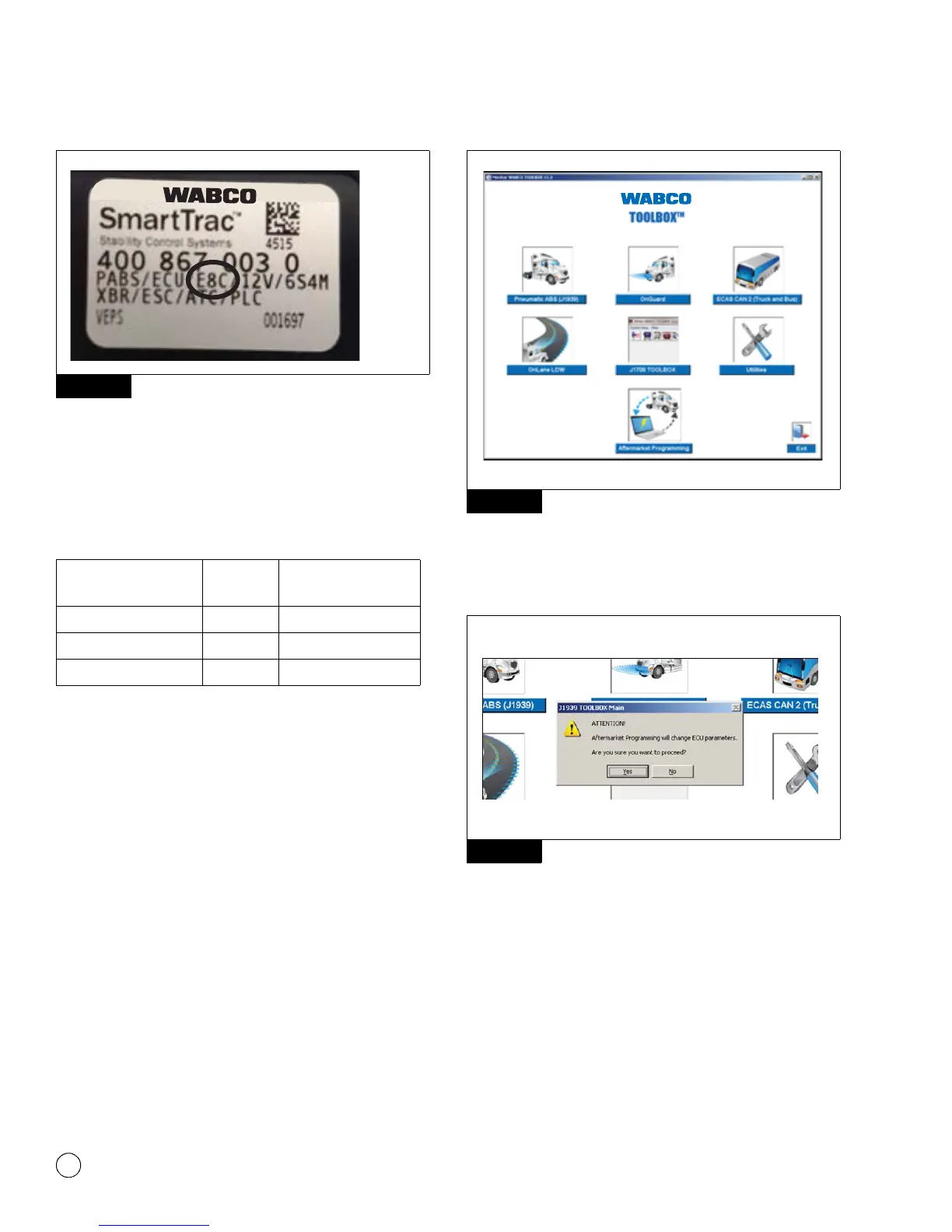
Figure 11.13
The programmable ECU label will read E4F, E4C, or E8C. Determine
the ABS ECU baud rate (specified by the vehicle manufacturer) and
match it with the stated software to determine the minimum
TOOLBOX™ version required to complete programming using Table
E.
Table E: Minimum Requirements
Once you have verified you are using the correct version of
TOOLBOX™ Software, connect to the vehicle using any J1939
RP1210 diagnostic adapter. Turn the ignition on, open the
TOOLBOX™ Software, and click the aftermarket programming
application to start programming the ECU. Figure 11.14.
NOTE: Wireless diagnostic adapters should not be used for
aftermarket programming or any other WABCO programming
operation.
NOTE: It is recommended that aftermarket programming be
completed with ignition on only. Do not cycle the key until the
programming operation is complete. Verify the battery is fully
charged prior to performing the programming operation; the vehicle
should not be connected to a battery charger during programming.
NOTE: For complete instructions for using TOOLBOX™ Software,
refer to the TOOLBOX™ User’s Manual, TP-99102.
Figure 11.14
A message will be displayed indicating that the ECU will be changed
as a result of programming. Click Yes to continue with programming
the ECU. Figure 11.15.
Figure 11.15
The Aftermarket Programming application will then locate the
configuration file. Click OK to select the file. Figure 11.16.
Figure 11.13
ECU Type Software
Minimum TOOLBOX™
Software Version
E4 250 kbaud E4x 11.5
E4 500 kbaud E4x 12.2
E4 250 or 500 kbaud E8C 12.2
Figure 11.14
Figure 11.15
4012642a
4012643a



 To Next Page