3 Diagnostics, Troubleshooting and Testing
28
WABCO Maintenance Manual MM-0112 (Revised 07-18)
Modulator Valve Testing Available in WABCO
TOOLBOX™ Software (PC Diagnostics)
The ABS modulator valves as well as the trailer modulator valve can
be cycled using WABCO TOOLBOX™ Software.
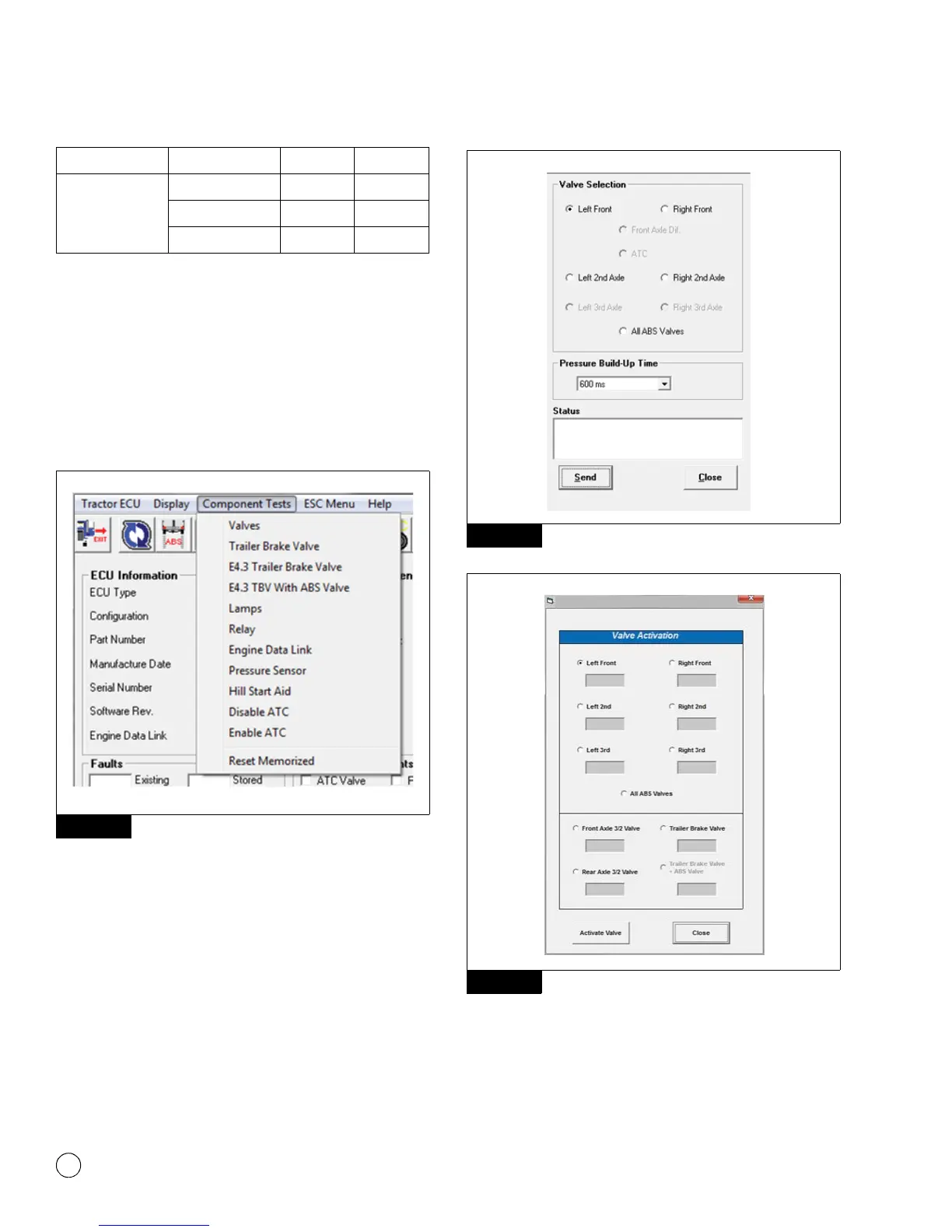
To cycle the modulator valves, choose the option “Valves” from the
“Component Tests” drop-down menu. Or, if you are using
TOOLBOX™ Software version 11 or higher, from “Components”.
Figure 3.20.
Figure 3.20
The valve selection screen will appear where you can choose to
cycle each valve individually or you can choose to cycle all valves in
a pre-determined order. Figure 3.21 and Figure 3.22.
Then, listen to ensure the correct valve is cycling. This is helpful in
verifying correct operation, installation and wiring.
Figure 3.21
Figure 3.22
NOTE: If you are using versions older than TOOLBOX™ Software
V11, to test the function of the Trailer Stability Control Modulator
valve, choose “E4.3 TBV with ABS Valve” from the “Component
Tests” drop-down menu. Listen to ensure the correct valve is
cycling.
Optional with
Stability Control
Trailer IV X2-Green 1
Trailer OV X2-Green 10
Trailer Common X2-Green 13
Figure 3.20
ECU Modulator Circuit Connector Pins
Figure 3.21
Figure 3.22
4010619a
4010620a
WABCO Toolbox - Activate Valves



 To Next Page