28
Operation RCP
Cutting
1. Set pressure release lever in cutting operation position.
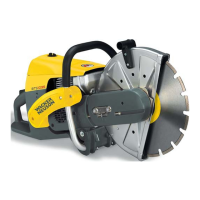
2. Open the protective hood (only installed on some machine designs).
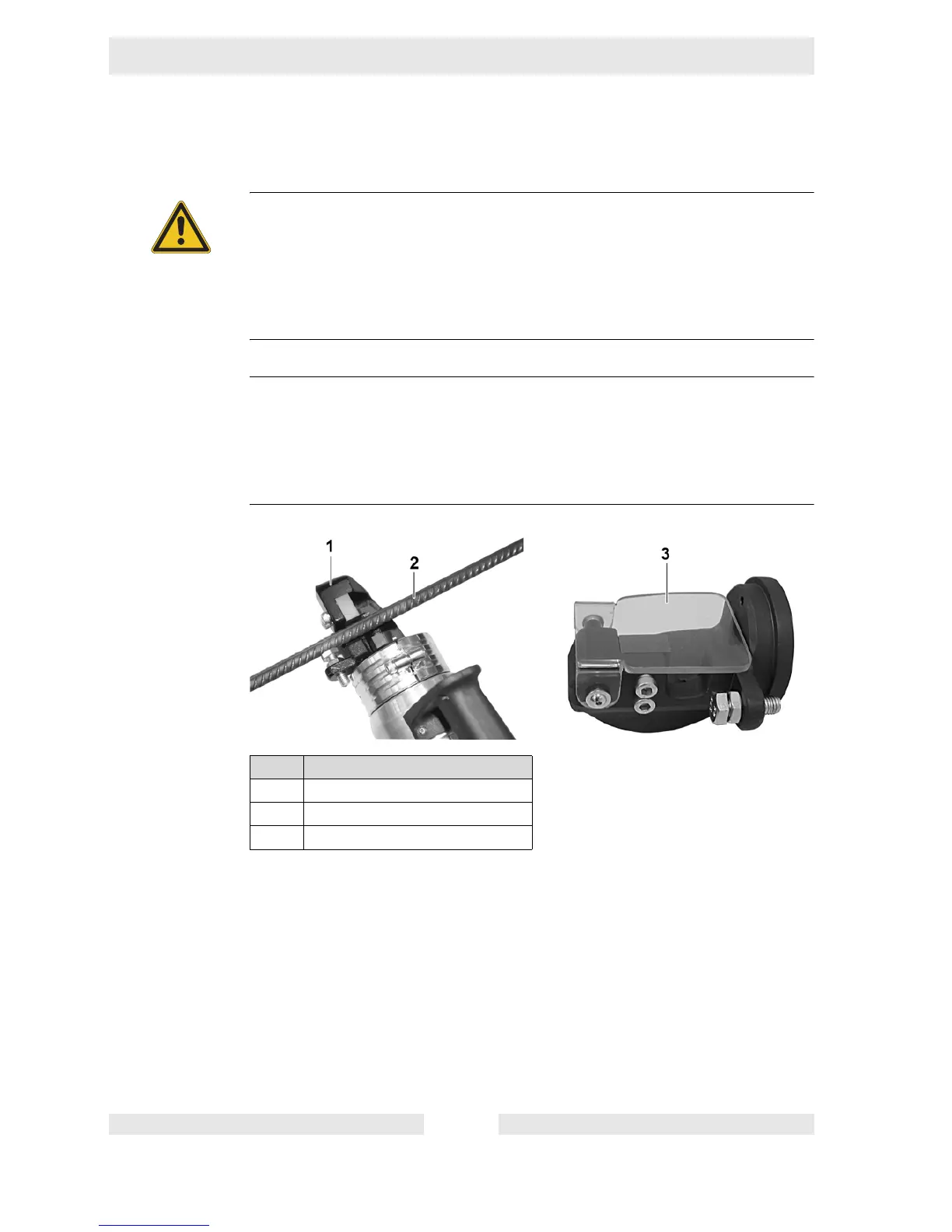
3. Guide the workpiece in the cutting head.
4. Close the protective hood.
5. Press and hold ON/OFF switch.
6. If the knife again is in the original position, release the ON/OFF switch.
WARNING
Injuries from insufficiently guided or uncontrolled machine.
Body parts could be cut off.
f If the machine is guided to the workpiece, the machine must always be held
tight with both hands and stand securely.
f If the machine is on a stable foundation, hold the machine with one hand on
the handle and hold the workpiece with the other hand.
NOTICE
Incorrect placement.
Premature wear of the knife.
f Make sure that the stop screw is adjusted to the diameter of the workpiece.
f Make sure that the cutting head and workpiece are perpendicular to each
other.
Item Designation
1 Cutting head
2Workpiece
3 Protective hood


 To Next Page