110
Index
Contents
110
Index
Contents
USING THE EXPRESS VIEW DISPLAY
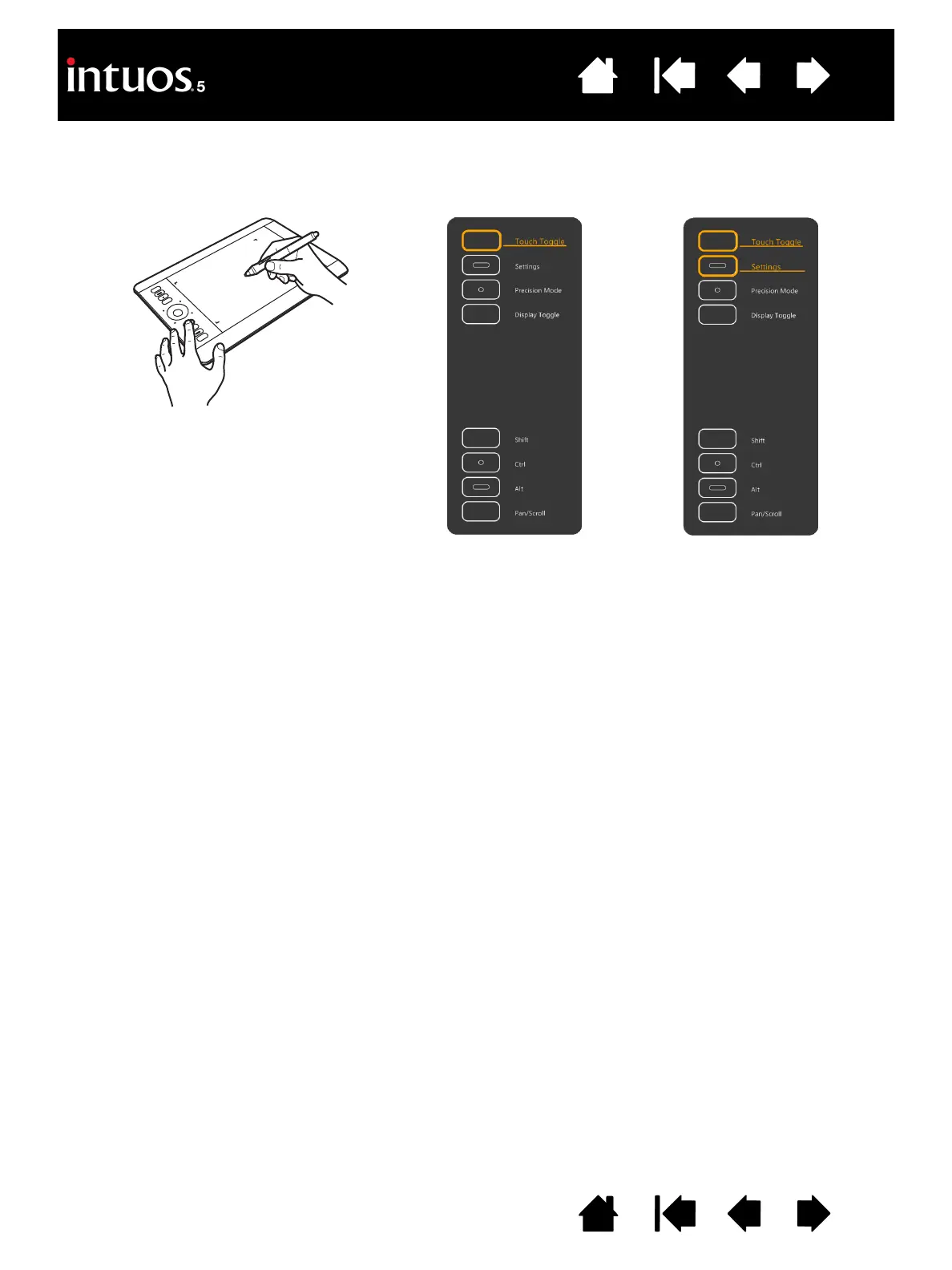
Rest your finger on an ExpressKey to activate the Express View display on your primary monitor.
This display shows the current ExpressKey setting(s).
• The ExpressKey you touch appears highlighted in the display. Move your finger along the ExpressKeys
to highlight other keys in the display. If an ExpressKey has been disabled, it will be shown as disabled
or there may be no display for that key.
• The display closes when you remove your finger from the ExpressKey, or if you rest your finger on the
key for an extended period of time.
Notes:
Pressing an ExpressKey will not activate the Express View display.
To disable the display, open the Wacom Tablet control panel and choose the E
XPRESSKEYS tab.
Uncheck the S
HOW EXPRESS VIEW box. Check the box to again activate the display.









 To Next Page