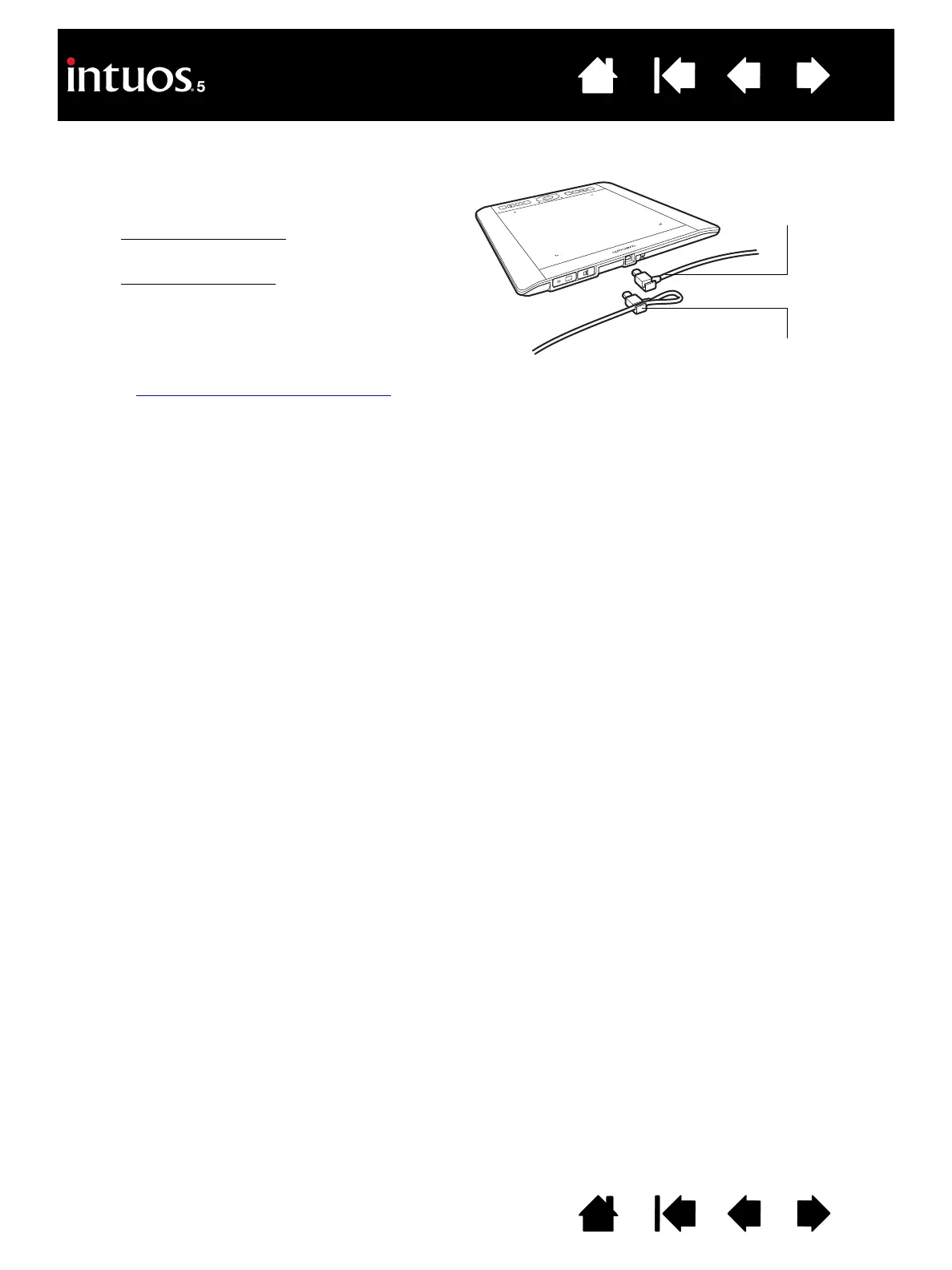
1. The USB cable can be connected to best suit
your preferred handedness.
• For right-handed use
, connect the USB
cable to the tablet as is.
• For left-handed use
, make a loose loop
and press the cable into the looping clip
located on the USB plug.
2. Connect the other end of the cable to your
computer.
See also configuring the tablet orientation
.
Right-handed use
Left-handed use









 To Next Page