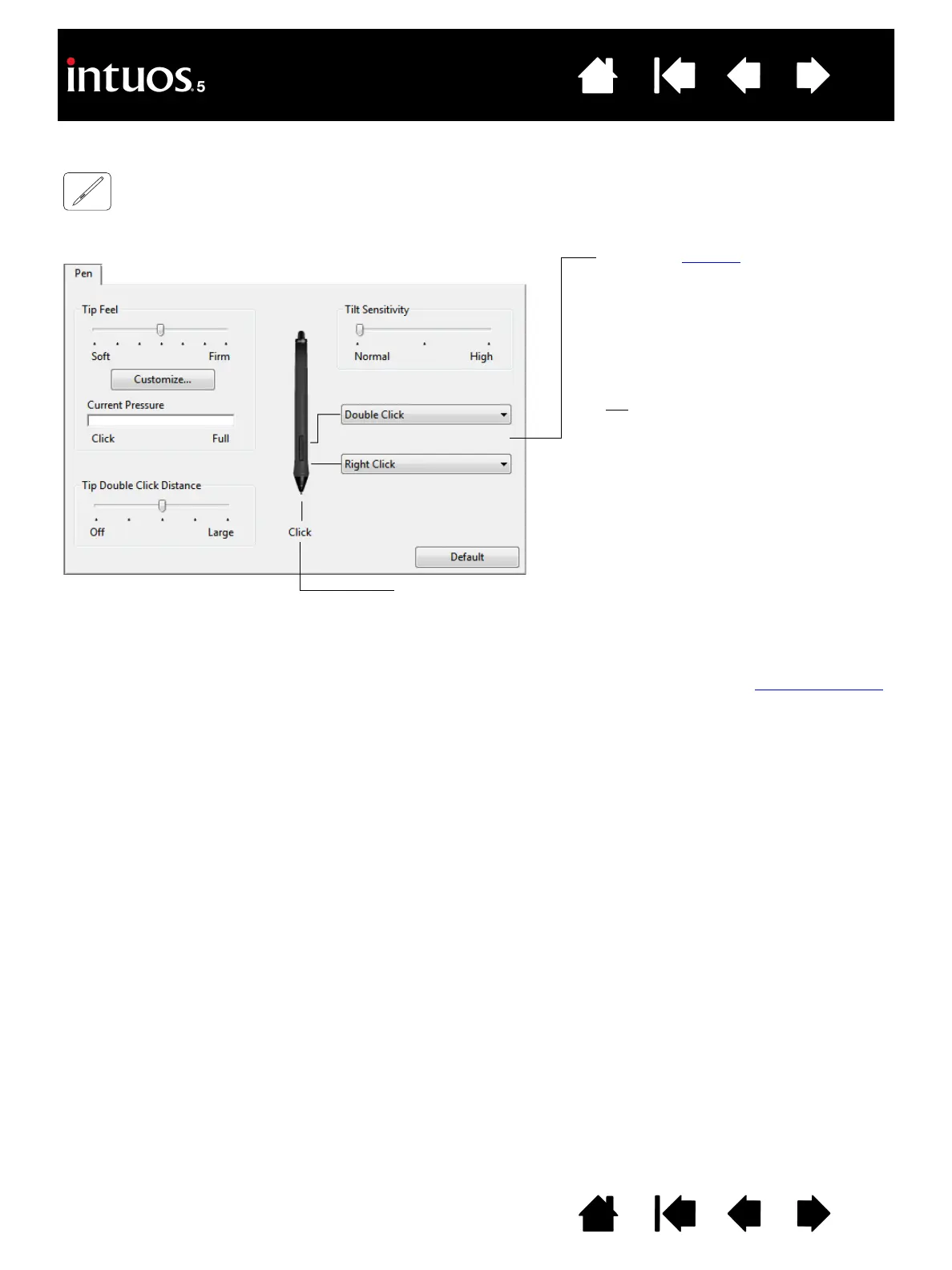
Select the function to perform when
pressing the upper or lower side
switch.
The selected function occurs when you
bring the pen tip within 10 mm (0.4
inch) of the tablet surface without
touching the tablet and then press the
upper or lower side switch.
Tip
: To make double-clicking easier,
set the side switch to DOUBLE
C
LICK.
Double-click here to change the pen tip function.
• At least one tool button should be set to the C
LICK function.
• The tip must be set to C
LICK in order to draw in most graphics
applications.
Note: You can change how the side switch operates for right clicks or other click functions. See advanced options
.









 To Next Page