44
Index
Contents
44
Index
Contents
DISABLING TOUCH
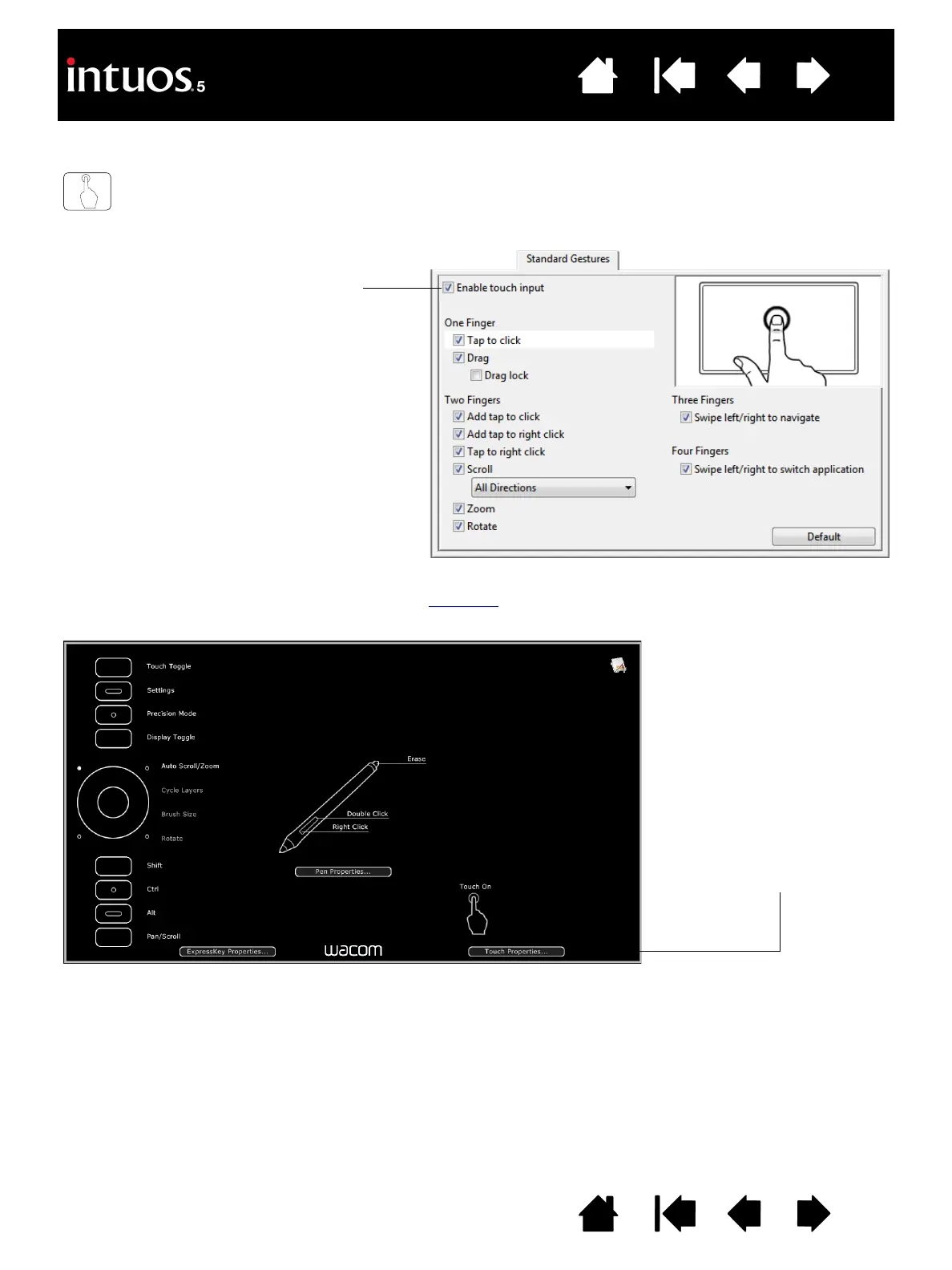
Choose the STANDARD GESTURES, MY GESTURES, or TOUCH OPTIONS tab to disable and enable touch.
You can also disable or enable touch using the S
ETTINGS option, which displays an interactive diagram of
the current tablet settings on your display screen.
• Deselect to disable touch. You can still
work with the ExpressKeys and pen.
• Select to E
NABLE TOUCH.
• This option can also be changed by
pressing an ExpressKey to which the
T
OUCH ON/OFF function has been
assigned.
S
TANDARD GESTURES tab shown.
Click TOUCH PROPERTIES... to
access your touch settings.









 To Next Page