35
Index
Contents
35
Index
Contents
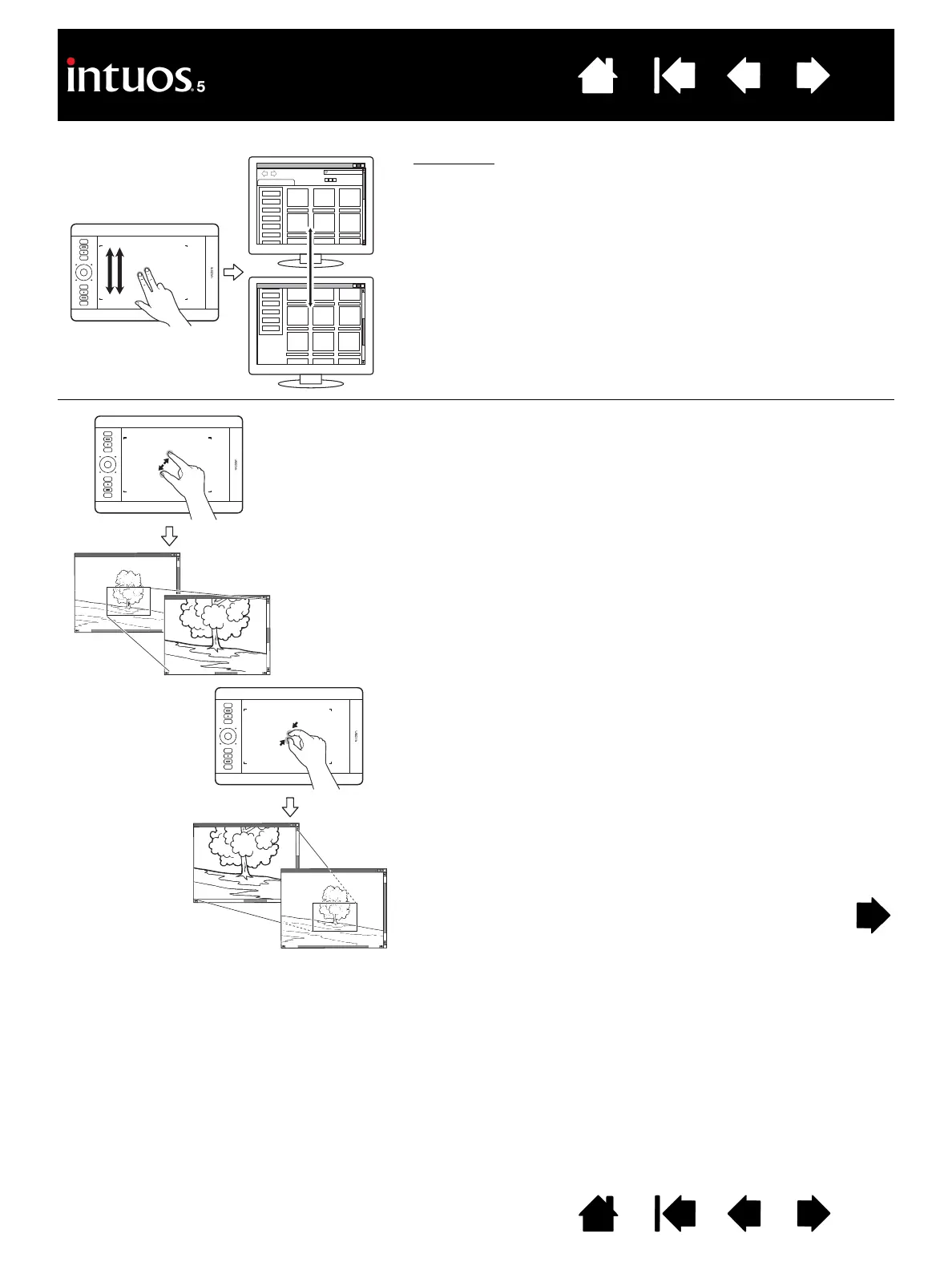
Fast scroll. Quickly move (or flick) two fingers together,
lifting your fingers at the end of the motion.
• Fast scroll up by flicking your fingers in an upward
motion.
• Fast scroll down by flicking your fingers in a downward
motion.
Note: Fast scrolling works only for vertical scrolling.
Z
OOM
First place two fingers on the tablet surface.
• Zoom-in by moving (expanding) your fingers away from
one another.
• Zoom-out by moving (pinching) your fingers toward one
another.
Note: If zoom functions do not operate correctly within
Adobe
®
Photoshop
®
, verify that the ZOOM WITH
S
CROLL WHEEL function is not selected within the
Photoshop P
REFERENCES options.









 To Next Page