17
EPG-SPRINT.
OPERATING MANUAL
VERSION 08/2010 ORDER NUMBER DOC 2305222
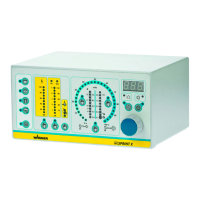
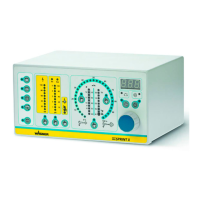
3 Display: Tribo gun
● Lights up when a Tribo gun is connected and selected.
4 Display: Corona gun
● Lights up when a Corona gun is connected and selected.
5 Push button: Program for surface parts
6 Push button: Program for second-coating
7 Push button: Program for profi les
8 Push button: Program for double clickk
● To access the program, press the trigger lever on the spray gun twice in quick
succession and hold down.
9 Display LED: Program for surface parts
● Lights up green when the surface part program is selected.
10 Display LED: Program for second-coating
● Lights up green when the second-coating program is selected.
11 Display LED: Program for profile parts
● Lights up green when the profile part program is selected.
12 Display LED: Program for double click
● Lights up green, when the double click program is selected.
13 Display LED: Fault
● Lights up, when a malfunction at the unit occurs.
14 Display LED: Automatic gun
● Lights up, when an automatic gun is connected.
15 Push button: Standby
● To switch into standby mode.
● High-voltage and powder feed cannot be activated in standby mode.
● To reactivate normal mode, press the button again.
16 Display LED: Standby
● Lights up when the unit is in standby mode.
17 Push button: Rinse
● To activate the injector and the hose rinsing.
18 Display LED: Rinse
● Lights up blue, when the rinse function is acivated.


 To Next Page
 Loading...