EasyManua.ls Logo

Walgreens WGNBPA-230 - User Manual

Walgreens WGNBPA-230
73 pages
Print Icon
To Next Page IconTo Next Page
Loading...
5-Year
Limited Warranty
El manual en español
empieza en la pgina 36
WGNBPA230
WIC 899838
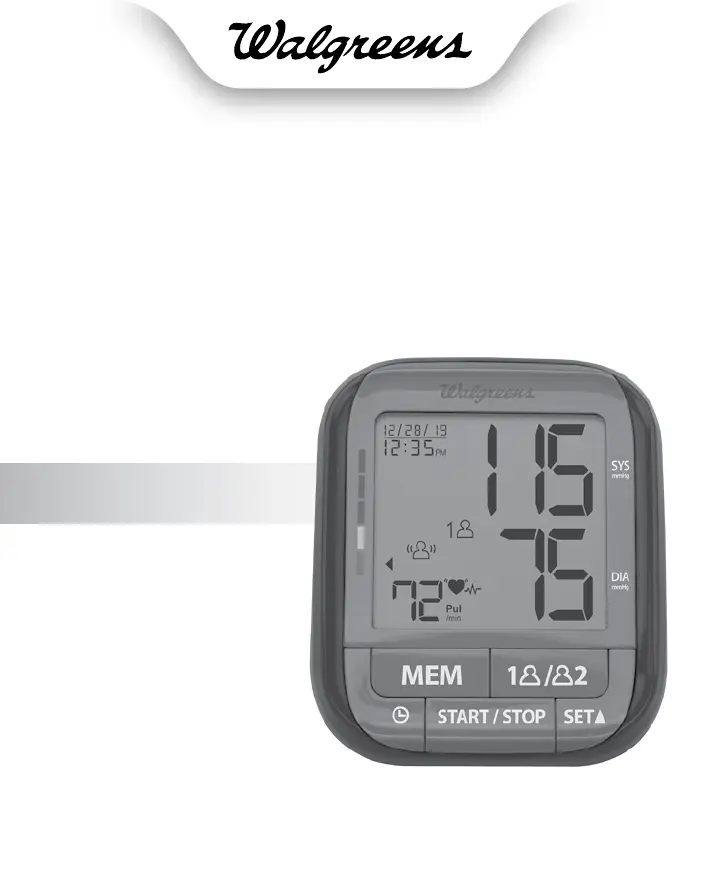
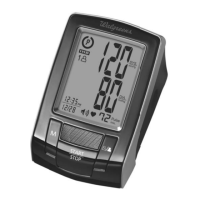
DELUXE ARM
Blood Pressure
Monitor

Table of Contents

Questions and Answers

Summary

IMPORTANT PRODUCT NOTICES AND SAFETY INSTRUCTIONS

Safety Precautions for Device Use

General safety warnings about device usage for diagnosis or treatment.

Cuff Sizing and Placement for Accuracy

Importance of correct cuff size and proper arm placement for accurate readings.

Special User and Health Condition Notes

Notes for users with mastectomy surgery or specific health conditions.

Key Factors for Measurement Accuracy

Factors influencing measurement accuracy, such as cuff fit and arm positioning.

Device Compatibility and Limitations

Devices not suitable for users with arrhythmias or certain health issues.

Prohibited Device Usage Scenarios

Prohibitions on using the device on infants, children, or those unable to express intent.

Battery Type and Voltage Requirements

Specifies the type and voltage of batteries required for operation.

UNDERSTANDING BLOOD PRESSURE FUNDAMENTALS

Rationale for Blood Pressure Monitoring

Explains the importance of monitoring blood pressure for health awareness.

Factors Influencing Blood Pressure Reading Variability

Discusses normal variations in blood pressure readings throughout the day.

Discrepancies Between Home and Doctor Readings

Explains phenomena like 'White Coat Hypertension' affecting readings.

BLOOD PRESSURE STANDARD GUIDELINES AND INDICATORS

American Heart Association Hypertension Levels

Defines blood pressure categories based on AHA standards for risk assessment.

Monitors Risk Category Indicator Function

Explains how the monitor indicates potential increased risk based on readings.

HOW THE BLOOD PRESSURE MONITOR OPERATES

GentleInflate Technology Functionality

Details the automatic inflation and deflation process for comfort and speed.

Factors Causing Measurement Inaccuracies

Highlights how muscle movement during inflation affects measurement accuracy.

Interpretation of Risk Category Cues

How the monitor maps readings to AHA standards for risk assessment.

Irregular Heartbeat Detection Feature Explanation

Explains the icon for detecting pulse irregularities during measurement.

DEVICE COMPONENT IDENTIFICATION

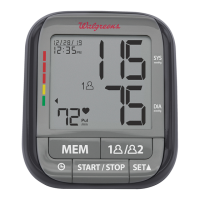
DISPLAY SCREEN EXPLANATIONS AND SYMBOLS

DISPLAY SYMBOLS AND ERROR CODE INTERPRETATION

User, Status, and Average Symbol Meanings

Explains symbols for User 1, User 2, Low Battery, AVG.3, etc.

Measurement and Detection Symbol Meanings

Explains symbols for Pulse, Irregular Heartbeat, Body Motion detection.

Error Codes, Causes, and Solutions

Details common error codes (EE, E1, E2, E3, EP) and their remedies.

BATTERY INSTALLATION AND REPLACEMENT PROCEDURES

Indicators for Battery Replacement Necessity

Lists symptoms indicating the need to replace batteries.

Battery Handling, Storage, and Disposal Guidelines

Safety guidelines for handling, storing, and disposing of batteries properly.

USING THE AC POWER ADAPTER

AC Adapter Connection and Usage

Instructions on how to connect the AC adapter and important usage notes.

Notes on AC Adapter Power Source

Important considerations when using the AC adapter as the primary power source.

DATE AND TIME SETTING PROCEDURE

Setting and Confirming the Month

Step-by-step guide for setting the month using the SET button.

Adjusting and Confirming Other Date;Time Fields

Process for adjusting and confirming day, year, hour, and minute.

Initial Setup: Display Screen Protection Removal

Instruction to remove the protective film from the display for first-time use.

ARM CUFF USAGE AND SIZING GUIDELINES

Importance of Correct Cuff Size for Accuracy

Emphasizes the critical role of proper cuff size for accurate measurements.

Cuff Fit and Arrow Placement Guidance

Guidance on positioning the cuff and aligning the arrow within the colored line.

Impact of Incorrect Cuff Size on Readings

Explains how oversized or undersized cuffs can affect measurement accuracy.

ARM CUFF APPLICATION AND POSITIONING STEPS

Cuff Assembly Instructions

Instructions for assembling the cuff by passing the end through the D-ring.

Connecting the Cuff Air Tube to the Unit

How to properly attach the cuff's air tube to the monitor's port.

Applying the Cuff to the Arm

Steps for opening the cuff and placing it around the upper arm.

Clothing Considerations for Cuff Application

Recommendations on wearing the cuff over bare skin or thin clothing for accuracy.

ARM CUFF PLACEMENT AND OPTIMAL POSTURE

Cuff Positioning Above the Elbow

Specifies the correct vertical position of the cuff relative to the elbow crease.

Centering the Arm Tube Over the Brachial Artery

Guidance on aligning the air tube over the center of the arm.

Securing the Cuff for a Snug Fit

How to tighten the cuff evenly and ensure a secure fit using hook and loop material.

Arm Position for Accurate Measurement

Instructions for resting the arm at heart level with palm upward.

ADDITIONAL ARM CUFF USAGE NOTES AND PRECAUTIONS

Precautions for Wounded or Injured Arms

Advises against using the device on arms with wounds or injuries.

Impact of Clothing on Measurement Accuracy

Reiterates that thick clothing or rolled sleeves negatively affect readings.

Right Arm Measurement Procedure and Artery Location

How to correctly position the cuff and locate the artery on the right arm.

CHECK-WITH-CONFIDENCE FEATURE OPERATION

Feature Default Setting and Manual Activation

Explains the feature is ON by default and how to turn it OFF.

Automatic Self-Check Process Description

Describes the cuff inflation/deflation for self-checks on first/30th use.

Error Indication During Self-Check Procedure

What the 'Err' display means and who to contact for assistance.

Memory Clear Interaction with Self-Check Feature

How clearing memory triggers a self-check on the next measurement.

BLOOD PRESSURE MEASUREMENT PROCEDURE

Key Pre-Measurement Notes and Considerations

General reminders about blood pressure fluctuation and measurement factors.

Essential Pre-Measurement Preparation Steps

Instructions on rest, avoiding stimulants, and environmental conditions.

Recommended Posture and Arm Support During Measurement

Guidelines on sitting position, leg crossing, and arm support.

User Selection Before Starting Measurement

How to choose between User 1 and User 2 before initiating a reading.

EXECUTING A BLOOD PRESSURE MEASUREMENT

Initiating the Measurement Process via START;STOP

Pressing START/STOP after cuff application to begin measurement.

Check-with-Confidence Feature Notification

Indicator showing the self-check status if the feature is active.

Measurement Completion and Data Storage Process

What happens after measurement, including cuff deflation and data saving.

Auto Shutoff and Measurement Interruption Options

How the monitor turns off automatically or can be stopped manually.

RISK CATEGORY INDEX EXPLANATION AND USAGE

Function of the Risk Category Indicator Feature

How the monitor compares readings to AHA standards to indicate risk.

Disclaimer on Table and Cue Interpretation

Notes that the table is for convenience and not a substitute for medical advice.

IRREGULAR HEARTBEAT DETECTOR FUNCTIONALITY

Meaning of the Irregular Heartbeat Icon

Explains that the icon indicates pulse irregularities during measurement.

Factors Affecting Heartbeat Detection Accuracy

How movement or talking can cause false detection of irregular heartbeats.

Suitability for Users with Arrhythmias and Special Conditions

Important information regarding device limitations for individuals with arrhythmias.

EXCESSIVE BODY MOTION DETECTOR FUNCTION

Explanation of the Excessive Motion Icon

Describes the icon indicating body movement detected during measurement.

Accuracy Impact of Body Motion Detection

Notes that readings may be inaccurate if the motion icon is displayed.

Motion Detection Considerations with XL Cuff

How a gap between the cuff and arm with an XL cuff can trigger motion detection.

MEMORY RECALL AND MANAGEMENT FEATURES

Memory Capacity and User Profile System

Details that the monitor stores 100 measurements per user for 2 users.

Selecting User Profile for Memory Access

How to choose User 1 or User 2 to view stored measurement data.

Accessing Stored Measurement Data from Memory

Steps to press the MEM button to retrieve readings from memory.

ADVANCED MEMORY READING OPTIONS

Viewing the Average of the Last 3 Memories

Displaying the calculated average of the three most recent readings.

Viewing AM;PM Memory Averages

Accessing averages of the last 3 morning and last 3 evening readings.

Recalling Individual Previous Readings Sequentially

How to cycle through past measurements sequentially by pressing MEM.

CLEARING MEMORY DATA AND RECORDS

Selecting User Profile for Data Erasure

How to choose which user's stored data to delete.

Entering Memory Recall Mode for Data Clearing

Steps to access memory functions before initiating data deletion.

Procedure for Clearing Memory Data

How to press and hold specific buttons to erase stored readings for a user.

Warning Regarding Data Restoration

Notes that once memory data is deleted, it cannot be restored.

IMPORTANT NOTES FOR BLOOD PRESSURE MEASUREMENT ACCURACY

Consistency in Measurement Timing and Arm Selection

Suggestion to take readings at the same time daily and on the same arm.

Recommended Rest Period Between Measurements

Advises waiting a minimum of 5 minutes before taking subsequent readings.

Interpretation and Reference of Measurement Results

Clarifies that results are for reference and medical consultation is advised.

Device Safety Feature: Automatic Deflation

Information about the automatic deflation at 300 mmHg for user safety.

Suitability for Users with Specific Health Conditions

Reiterates device limitations for users with arrhythmias or other health issues.

CARE AND MAINTENANCE GUIDELINES FOR THE DEVICE

Cleaning the Monitor and Cuff

Instructions for cleaning the device using a slightly damp, soft cloth.

Battery Leakage and Unit Damage Prevention

Warning about battery leaks potentially damaging the unit and proper storage.

Disposal and Recycling of Device Components

Guidance on following local regulations for proper device disposal.

GENERAL DEVICE OPERATING AND SAFETY PRECAUTIONS

Storage Acclimation and Non-Serviceable Unit Policy

Advice on acclimating the unit after cold storage and not attempting self-service.

Prohibited Usage Actions and Environmental Exposure

Lists actions to avoid, like immersion in water, extreme temperatures, or disassembling.

Cuff and Tubing Handling Precautions

Advises against tightly folding the cuff and tubing or inserting objects into openings.

Shock Prevention and Object Insertion Warning

Warnings against dropping the unit or inserting objects into any opening or hose.

CHILD SAFETY AND ENVIRONMENTAL OPERATING LIMITATIONS

Child Safety Warning: Strangulation Hazard

Keep product away from children to prevent accidental strangulation from the tube.

Environmental Operating Range Compliance Notes

Notes that performance may be affected if stored or used outside specified temperature/humidity ranges.

ELECTROMAGNETIC INTERFERENCE CONSIDERATIONS AND MITIGATION

Avoiding Electromagnetic Interference from Devices

Recommendations to prevent interference from nearby electronic devices like phones or ovens.

FCC Part 15 Compliance Statement

States the device adheres to FCC rules for digital devices, subject to certain conditions.

FCC COMPLIANCE AND INTERFERENCE MITIGATION STRATEGIES

Manufacturer Approval for Equipment Modifications

Warns that unauthorized modifications to the equipment void user authority.

FCC Class B Digital Device Compliance Testing

Explains the equipment has been tested and meets Class B limits for residential installations.

Measures to Correct Radio;TV Interference

Lists steps like reorienting antennas or increasing separation to resolve interference issues.

ELECTROMAGNETIC COMPATIBILITY (EMC) GUIDANCE

Electromagnetic Emissions Guidance and Compliance

Provides guidance on RF emissions and compliance levels for the device.

Electromagnetic Immunity Guidance and Test Levels

Details immunity test levels and environments for ensuring electromagnetic compatibility.

TROUBLESHOOTING COMMON ISSUES AND SOLUTIONS

Unit Power-On Issues and Battery Correction

Addresses problems with the unit not turning on, linking to battery checks.

Measurement Error and Incorrect Reading Troubleshooting

Solutions for EE errors or readings that are excessively low or high.

Air Circuit and Connection Error Resolution

Troubleshooting E1 errors related to cuff tube connection issues.

Pressure and Data Determination Error Solutions

Solutions for E2 (pressure exceeding limit) and E3 (data determination) errors.

System Error and Body Motion Detection Troubleshooting

Addresses EP system errors and excessive body motion detector symbols.

Final Troubleshooting Contact Information

Instructs users to contact HoMedics Consumer Relations if issues persist after troubleshooting.

PRODUCT SPECIFICATIONS OVERVIEW AND DETAILS

Power Source, Measurement Method, and Accuracy

Details power options, measurement technique, and accuracy of readings.

Product Lifespan, Operation Environment, and Storage

Information on product longevity and recommended operating/storage conditions.

Physical Dimensions and Arm Circumference Compatibility

Provides device dimensions and cuff size compatibility details.

List of Included Accessories

Lists all items included in the product package, such as batteries and manuals.

LIMITED 5-YEAR WARRANTY INFORMATION AND PROCEDURES

Warranty Coverage Terms and Conditions

Outlines what the 5-year warranty covers regarding manufacturing and workmanship defects.

Procedure for Obtaining Warranty Service

Instructions on how to contact Consumer Relations for warranty claims and service.

Warranty Limitations and Exclusions

Lists conditions, misuse, or actions that may void the product warranty.

Legal Rights Provided by the Warranty

Information on specific legal rights consumers have related to the product warranty.

Walgreens WGNBPA-230 Specifications

General IconGeneral
BrandWalgreens
ModelWGNBPA-230
Automatic Shut-offYes
Irregular Heartbeat DetectionYes
Hypertension IndicatorYes
WHO IndicatorYes
DisplayLCD
Measurement Range - Pressure0 to 300 mmHg
Measurement Range - Pulse40-199 beats per minute
Accuracy - Pressure±3 mmHg
Accuracy - Pulse+/- 5% of reading
User Profiles2
Power Source4 AA batteries
Average FunctionYes
CategoryBlood Pressure Monitor

Related product manuals