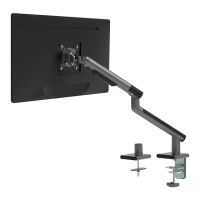
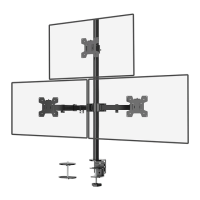
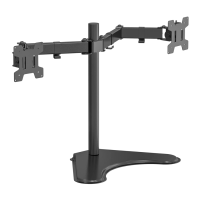
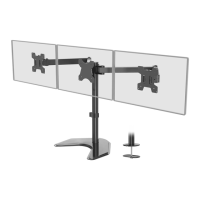
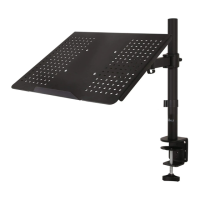
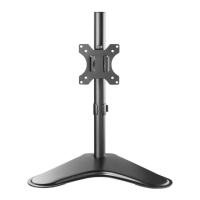
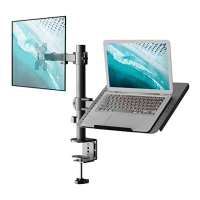
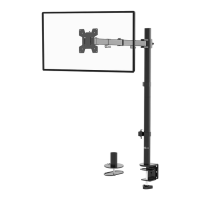
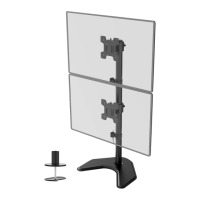
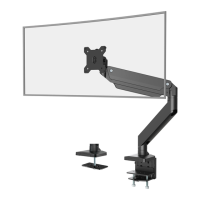
The WALI Dual Monitor Desk Mount (models MATI002-G and MATI002-W) is an installation manual for a desk-mounted dual monitor arm designed to support two monitors. This product aims to provide a flexible and ergonomic solution for positioning computer monitors, allowing users to adjust their screens for optimal viewing comfort and to free up desk space.
Function Description:
The WALI Dual Monitor Desk Mount is a mechanical arm system that attaches to a desk via either a C-clamp or a grommet base. It features two independent arms, each capable of holding a monitor, allowing for simultaneous adjustment of both screens. The mount is designed to provide a wide range of motion, including rotation, tilt, and swivel, to accommodate various viewing preferences and tasks. The system includes cable management features to help organize and conceal monitor cables, contributing to a cleaner and more organized workspace. The primary function is to elevate monitors off the desk surface, reduce clutter, and enable ergonomic positioning to alleviate strain on the neck, eyes, and back.
Important Technical Specifications:
- Monitor Size Compatibility: Supports monitors up to 32 inches (MAX).
- Weight Capacity: Each arm is rated to hold 2 to 9.9 kg (4.4 to 22 lbs), for a total of 4 to 19.8 kg (8.8 to 44 lbs) for two monitors.
- VESA Compatibility: Supports VESA mounting patterns of 75x75mm and 100x100mm. This ensures compatibility with a wide range of monitors that adhere to these industry standards.
- Desk Thickness Compatibility (Clamp Installation): Fits desks with a thickness between 0.4 inches and 3.3 inches.
- Desk Thickness Compatibility (Grommet Installation): Fits desks with a thickness between 0.4 inches and 3.1 inches.
- Grommet Hole Diameter (Self-drilled): Requires a 3/8 inch (10mm) diameter hole.
- Rotation: Allows for 360° rotation of the monitor.
- Tilt: Provides a tilt range of +40° to -40°.
- Swivel: Offers a swivel range of -90° to +90°.
Usage Features:
The WALI Dual Monitor Desk Mount offers several features to enhance usability and adaptability:
- Dual Mounting Options: Can be installed using either a C-clamp for desks without existing holes or a grommet base for desks with a pre-drilled hole or for users who prefer a more permanent and flush installation.
- Adjustable Height: The C-clamp and grommet base allow for height adjustment of the main pole to suit different desk thicknesses and user preferences.
- Spring Tension Adjustment (Step 6): The arms feature an adjustable spring tension mechanism, controlled by an Allen Key (5mm). This allows users to balance the arm with the weight of their monitors, ensuring that the monitors stay in the desired horizontal position without drifting up or down. For heavier monitors, the adjustment screw is turned clockwise; for lighter monitors, it's turned counter-clockwise. A tension indicator helps prevent over-tightening.
- Cable Management (Step 7): Integrated cable slot covers on the arms allow users to route and conceal monitor cables, contributing to a tidy and professional workspace.
- Adjustable Rotation (Step 9): Monitors can be manually rotated 360 degrees, enabling quick switching between landscape and portrait orientations.
- Adjustable Tilt (Step 9): The VESA plate allows for a tilt adjustment of +40° to -40° using an Allen Key (4mm), providing flexibility to reduce glare and optimize viewing angles.
- Adjustable Swivel (Step 9): Monitors can be manually swiveled -90° to +90°, facilitating screen sharing and collaborative work.
- Limiting Screw for Swing (Step 8): A limiting screw can be tightened to prevent the monitor arm from swinging too far and hitting walls or other screens, offering control over the arm's range of motion (adjustable to ±90° or ±180°).
- Allen Key Storage (Step 9): The mount includes a holder for the Allen keys, ensuring they are always accessible for adjustments.
Maintenance Features:
- Regular Checks: The manual emphasizes the importance of checking for missing or defective parts during installation and advises calling a qualified technician if there are any doubts about safety.
- Weight Capacity Adherence: Users are warned not to exceed the specified weight capacity to prevent damage or injury.
- Proper Installation: The manual provides detailed instructions for both C-clamp and grommet installations, ensuring correct setup for stability and safety.
- Spring Tension Adjustment: The ability to adjust spring tension is crucial for maintaining the arm's balance and preventing monitor drift. This adjustment is a key maintenance feature to ensure the longevity and proper functioning of the mount.
- Screw Tightening: Instructions for tightening screws (e.g., for VESA plate tilt and rotation) are provided to maintain stability and prevent monitors from sagging or moving unintentionally.
- Tipover Warning: The manual includes a prominent "TIPOVER WARNING" section, advising users never to allow children to climb, stand, hang, or play on any part of the monitor or stand, and to use tipover restraints or anchor the stand to a wall. This highlights a critical safety aspect and a maintenance consideration for preventing accidents.
- Small Parts Warning: A warning about small parts not being suitable for children under 3 years old, requiring adult supervision, is included for safety.

 Need help?
 General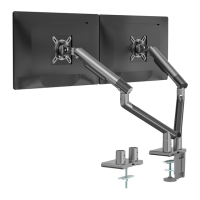

 To Next Page