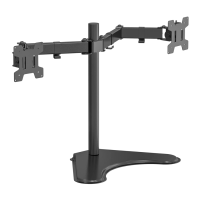
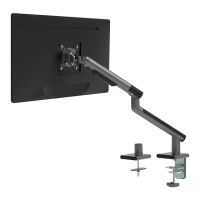
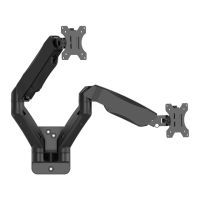
This document is an installation manual for the WALI Single Monitor Desk Stand, models MF001 and MF001-W. It provides instructions for assembling and using the stand, along with important safety warnings and a list of supplied parts.
Function Description
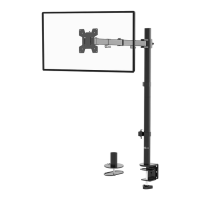
The WALI Single Monitor Desk Stand is designed to securely hold a single computer monitor on a desk, providing adjustable height, tilt, swivel, and rotation for an optimal viewing experience. It helps to free up desk space and improve ergonomics by allowing users to position their monitor at a comfortable level.
Important Technical Specifications
- Model Numbers: MF001 / MF001-W
- VESA Mounting Compatibility: 75x75mm and 100x100mm
- Maximum Screen Size: 32 inches
- Weight Capacity: 10kg (22lbs)
- Adjustments:
- Swivel: 180°
- Tilt: +45° to -45°
- Rotation: 360° (portrait to landscape)
- Components:
- VESA Plate (A)
- Monitor Arm (B)
- Weighted Base (C)
- Pole (D)
- Bolts (E)
- Nut (F)
- Allen Keys (3mm G, 5mm H, 6mm I)
- Wire Clip (J)
- Various M4 and M5 bolts (M-A, M-B, M-C, M-D)
- D5 Washer (M-E)
- Spacer (M-F)
Usage Features
The stand offers a range of features designed for user convenience and ergonomic benefits:
- Easy Assembly: The manual provides a step-by-step guide for installation, starting with attaching the pole to the weighted base, then mounting the monitor arm, and finally securing the monitor.
- Height Adjustment: The monitor arm can be adjusted along the pole to achieve the preferred viewing height.
- VESA Compatibility: Supports common VESA patterns (75x75mm and 100x100mm) for a wide range of monitors.
- Monitor Mounting Options:
- Flat Back Monitors: Uses M4x12 (M-A) or M5x12 (M-C) bolts with D5 washers (M-E) to attach the VESA plate directly to the monitor.
- Curved Back Monitors: Uses M4x16 (M-B) or M5x16 (M-D) bolts with D5 washers (M-E) and spacers (M-F) to accommodate the curvature.
- Tilt Adjustment: The tilt joint can be tightened or loosened using the 5mm Allen Key (H) to adjust the monitor's vertical angle (+45° to -45°).
- Swivel and Rotation: The monitor can be manually swiveled 180° and rotated 360° to switch between landscape and portrait orientations, providing flexibility for different tasks and viewing preferences.
- Cable Management: A wire clip (J) is provided to guide and organize cables, helping to maintain a tidy workspace.
- Tool Storage: The Allen keys (G, H, I) can be conveniently stored in the wire clip (J) for easy access.
Maintenance Features
While the manual does not explicitly detail maintenance procedures, the design implies certain aspects:
- Secure Fastening: Regular checks of all bolts and nuts are recommended to ensure the stand remains stable and secure. The manual emphasizes tightening bolts during assembly.
- Cable Organization: The wire clip helps in managing cables, which can prevent damage to cables and maintain the aesthetic of the setup.
- Cleaning: The stand can likely be cleaned with a soft, damp cloth. Avoid abrasive cleaners that could damage the finish.
Safety Warnings
The manual includes critical safety warnings to prevent injury and damage:
- General Safety: Users are advised to understand all directions, call a qualified technician if in doubt, check for missing or defective parts, and avoid improper installation.
- Intended Use: The product should only be used for its explicitly specified purpose, and the weight capacity should not be exceeded.
- Tipover Warning: This is a serious warning highlighting the risk of crushing injuries from tipover.
- Prevention: Never allow children to climb, stand, hang, or play on any part of the monitor or stand.
- Restraint: Use a tipover restraint or anchor the stand to the wall.
- Limitation: Tipover restraints may reduce, but not eliminate, the risk of tipover.
- Small Parts: The product contains small parts and is not suitable for children under 3 years; adult supervision is required.
The manual concludes with a thank you message and contact information for customer support, including a phone number and email address.

 Need help?
 General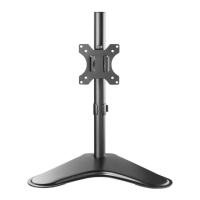

 To Next Page