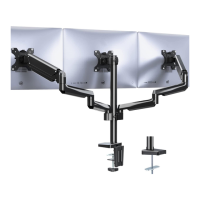
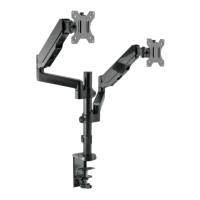
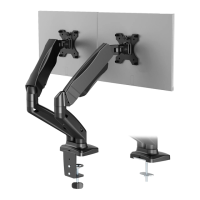
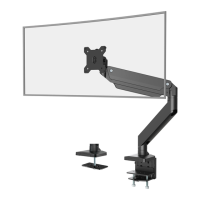
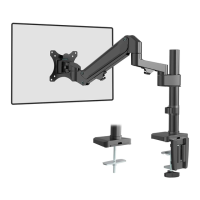
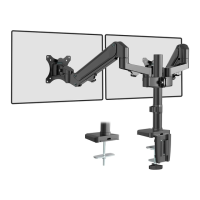
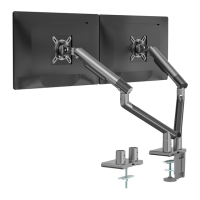
This document serves as an installation manual for the WALI Dual Monitor Wall Mount, model GSWM002, designed to securely hold two monitors on a wall. The mount is engineered to provide a flexible and ergonomic setup for users, allowing for various adjustments to achieve optimal viewing angles and comfort.
Function Description
The WALI Dual Monitor Wall Mount is a robust solution for mounting two computer monitors to a wall, freeing up desk space and enhancing the aesthetic of a workspace. Its primary function is to support two displays, each up to 27 inches in size, with a weight capacity ranging from 4.4 to 14.3 pounds per monitor. The mount is compatible with VESA mounting patterns of 75x75mm and 100x100mm, ensuring broad compatibility with a wide range of monitors.
The core of the mount's functionality lies in its dual-arm design, which incorporates gas spring technology. This allows for smooth and effortless adjustment of monitor height, tilt, swivel, and rotation. The gas spring mechanism is a key feature, enabling users to easily reposition their monitors without the need for tools once the tension is set. This dynamic adjustability is crucial for creating an ergonomic workstation, reducing strain on the neck, eyes, and back by allowing users to align their screens at the perfect height and distance.
The mount is designed for installation on specific wall types: wood stud walls, solid concrete walls, or brick walls. It explicitly warns against mounting on drywall alone, emphasizing the importance of a secure installation to prevent damage or injury. The installation process is detailed, providing clear instructions for both wood stud and concrete wall applications, ensuring a safe and stable setup.
Cable management is also an integrated feature of this mount. The arms are equipped with cable cases that allow users to route and conceal monitor cables, contributing to a clean and organized workspace. This attention to detail helps maintain a professional and clutter-free environment, which is beneficial for productivity and aesthetics.
Usage Features
The WALI Dual Monitor Wall Mount offers a comprehensive set of usage features that prioritize user comfort and flexibility:
- Dual Monitor Support: The mount is specifically designed to accommodate two monitors, making it ideal for multi-tasking professionals, gamers, or anyone requiring an extended display setup.
- Gas Spring Adjustability: Each arm features a gas spring mechanism that allows for smooth and precise height adjustment. Users can effortlessly raise or lower their monitors to achieve an ergonomic viewing height. The tension of the gas spring can be adjusted using an Allen key to suit the weight of the monitors, ensuring stable positioning for both lighter and heavier screens.
- Tilt Adjustment: Monitors can be tilted up or down, typically within a range of +75° to -45°, to reduce glare and optimize viewing angles. This feature is particularly useful for adapting to different lighting conditions or standing/sitting positions.
- Swivel Functionality: The arms allow for a wide range of swivel motion, enabling users to rotate their monitors horizontally. The manual indicates a swivel range of ±90° for the arm itself and ±180° for the monitor plate, providing significant flexibility to share screen content or adjust the viewing angle from different positions in the room.
- Rotation (Portrait/Landscape): Monitors can be rotated ±180° from landscape to portrait orientation and vice-versa. This feature is highly beneficial for tasks such as coding, reading long documents, or graphic design, where a vertical screen orientation is preferred.
- Wall-Mounted Design: By mounting monitors directly to the wall, the product effectively clears up valuable desk space. This creates a more spacious and organized work area, which can improve focus and reduce clutter.
- Cable Management System: Integrated cable cases along the arms help to route and hide monitor cables, contributing to a neat and professional appearance. This prevents cables from dangling unsightly and keeps the workspace tidy.
- Easy Monitor Attachment: The VESA plates are designed for easy attachment and detachment of monitors, simplifying the initial setup and any future monitor changes. The "Top Screw" mechanism mentioned in Step 5 suggests a straightforward method for securing the monitor to the arm.
- Robust Construction: The mount is built to be sturdy and durable, capable of supporting the specified weight capacity for two monitors. The installation instructions emphasize secure mounting to appropriate wall structures (wood studs, concrete, or brick) to ensure long-term stability and safety.
Maintenance Features
While the WALI Dual Monitor Wall Mount is designed for durability and minimal ongoing maintenance, the manual highlights a few key aspects related to its upkeep and safe operation:
- Gas Spring Tension Adjustment: The primary maintenance feature involves adjusting the gas spring tension. This is crucial for ensuring the monitors remain at the desired height without drifting. The manual provides clear instructions on how to use the 5mm Allen Key to either increase tension for heavier monitors or decrease it for lighter ones. This adjustment might be needed if monitors are replaced with different weights or if the gas spring performance changes over time. The manual notes that "it may take numerous turns for gas spring tension adjustment," indicating that users should be patient during this process to achieve optimal balance.
- Regular Safety Checks: Although not explicitly detailed as a "maintenance step," the initial warning section implicitly suggests ongoing vigilance. Users are advised to "Check carefully to make sure there are no missing or defective parts" during installation. This principle extends to regular checks after installation to ensure all bolts remain tight and the mount is securely fastened to the wall. Loose connections could compromise stability and safety.
- Cable Management Upkeep: The cable cases are designed to keep cables tidy. Periodically, users might need to open these cases to add, remove, or re-route cables if their setup changes. Ensuring cables are properly managed prevents strain on the connections and maintains the clean aesthetic.
- Cleaning: Like any piece of office equipment, the mount can accumulate dust. Wiping it down with a soft, dry cloth can help maintain its appearance. Avoid harsh chemicals that could damage the finish.
- Adherence to Weight Capacity: A critical aspect of maintenance is ensuring that the total weight of the monitors never exceeds the specified capacity. Overloading the mount can lead to premature wear, instability, and potential failure, posing a safety risk.
- Tipover Prevention: The manual includes a prominent "TIPOVER WARNING" which, while primarily an installation safety measure, also serves as a reminder for ongoing safe usage. It emphasizes never allowing children to climb, stand, hang, or play on any part of the monitor or stand. This is a crucial "maintenance" of safe practices around the installed unit. The use of tipover restraints, if applicable, is also mentioned as a way to reduce risk.
In summary, the WALI Dual Monitor Wall Mount is a feature-rich product designed for ergonomic and space-saving dual monitor setups. Its robust construction, flexible adjustability, and integrated cable management make it a practical solution for various users, with maintenance primarily focused on ensuring correct gas spring tension and ongoing safety checks.

 Need help?
 General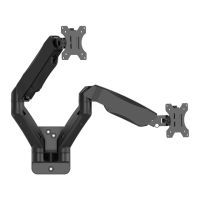

 To Next Page