Need help?
Do you have a question about the Wali GSMP002 and is the answer not in the manual?
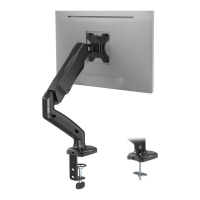
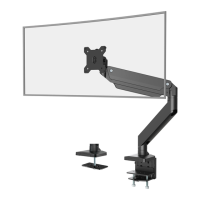
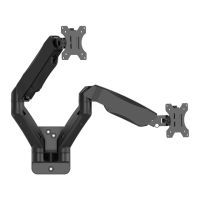
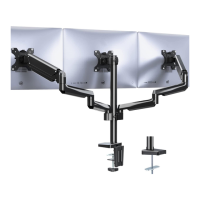
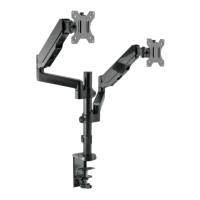
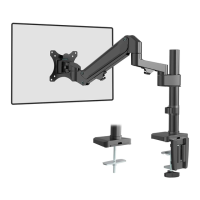
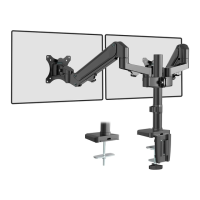
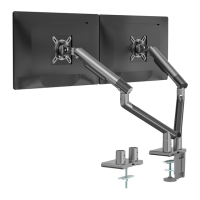
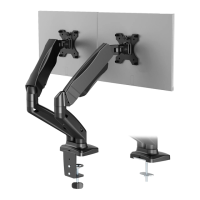
This document is an installation manual for a dual monitor desk mount, specifically the WALI GSMP002 and GSMP002W models. The device is designed to securely hold two monitors, providing an ergonomic and space-saving solution for workstations. Its primary function is to elevate monitors off the desk surface, allowing for adjustable positioning to suit individual user preferences and improve viewing comfort.
The monitor desk mount offers several usage features that enhance its versatility and user experience. It supports two main installation methods: C-Clamp and Grommet Base. The C-Clamp installation is suitable for desks with an edge, allowing the mount to be clamped directly onto the surface. This method is ideal for users who prefer a non-invasive setup that doesn't require drilling. The manual provides detailed steps for connecting the arm and C-clamp brace, selecting the preferred height, and tightening the clamp to the desktop using a plastic knob. The C-clamp offers flexibility in height adjustment, accommodating various desk thicknesses and user needs.
For users with existing grommet holes or those willing to drill one, the Grommet Base installation provides an alternative, often more permanent, mounting solution. This method involves attaching a metal pad and bolt to the bottom of the arm, which then passes through a hole in the desk. The support plate and nut are used to secure the mount from underneath the desk, ensuring stability. The manual differentiates between existing grommet hole installation, where a plastic protector might need to be removed, and self-drilled grommet hole installation, which requires marking and drilling a 3/8-inch (10mm) diameter hole. Both grommet options cater to different desk setups and user preferences for a clean, integrated look.
Once the mount is securely installed, the next crucial step involves attaching the monitors. The device is compatible with VESA mounting patterns, specifically 75x75mm and 100x100mm, which are standard for most monitors. The manual guides users through selecting the correct screws (M4x12 or M5x12) based on their TV/monitor's threaded inserts. It advises hand-threading screws first to determine the correct diameter, ensuring a secure fit without damaging the monitor. D5 washers are used with the screws to protect the monitor's surface and distribute pressure evenly. The VESA plate is then attached to the monitor, and the assembled TV/monitor is carefully placed onto the arm, secured by a top screw.
A key feature of this dual monitor desk mount is its adjustability, which is vital for ergonomic setup. After mounting the monitors, users can adjust the gas spring tension to match the weight of their monitors. This adjustment is performed using an Allen key and is crucial for ensuring the monitors stay in place at the desired height without drifting. The manual illustrates how to adjust tension for both heavier and lighter monitors, emphasizing the importance of proper tensioning for smooth movement and stability. Furthermore, the mount allows for manual swivel, tilt, and rotation of the monitors, enabling users to achieve the best viewing angle. The swivel range is ±180°, the tilt range is +75° to -45°, and the rotation is ±90°, offering extensive flexibility to customize the display orientation for various tasks and preferences.
Cable management is another thoughtful feature integrated into the design. The manual details how to screw out bolts and remove cable cases, guide cables through the arm, and then put the cable cases back. This helps in organizing and concealing monitor cables, contributing to a tidy and professional-looking workspace. Effective cable management not only improves aesthetics but also prevents cable clutter, which can be a safety hazard and an impediment to productivity.
Regarding maintenance, the manual implicitly suggests regular checks for tightness, especially after initial installation and any adjustments. The use of Allen keys for tightening various bolts indicates that users should ensure all connections are secure to maintain stability and prevent accidental monitor movement or detachment. While explicit maintenance instructions are not extensively detailed, the emphasis on proper installation and adjustment implies that keeping the mount in good working order involves ensuring all fasteners are appropriately tightened. The warning section also highlights the importance of not exceeding the weight capacity and checking for missing or defective parts, which are fundamental aspects of device maintenance and safe operation.
The product is designed with user safety in mind, as indicated by the "TIPOVER WARNING." This warning emphasizes critical safety measures to prevent serious injuries, such as never allowing children to climb, stand, hang, or play on any part of the monitor or stand. It also recommends using tipover restraints or anchoring the stand to the wall, although it notes that restraints only reduce, not eliminate, the risk of tipover. The manual also cautions that the product contains small parts and is not suitable for children under 3 years, requiring adult supervision. These warnings underscore the importance of safe handling and installation practices to ensure the longevity of the device and the safety of its users.
 General
| Material | Steel |
|---|---|
| Weight Capacity | 22 lbs |
| Color | Black |
| VESA Compatibility | 75x75mm, 100x100mm |
| Mounting Type | Grommet |
| Adjustability | Height |
| Compatibility | 13" - 27" monitors |

 To Next Page