Need help?
Do you have a question about the Wali WL-M002 and is the answer not in the manual?
Carefully open carton, check contents against parts list, and read all instructions before installation.
Operate device with care, read instructions, use safety equipment, and call a contractor if unsure.
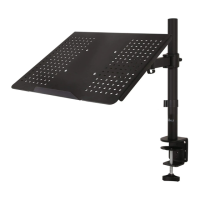
Install C-Clamp Brace to Pole with bolts, then attach C-Clamp to pole assembly and desktop.
Install Grommet Base Plate to Pole, then secure Pole using Support Plate and M10 Bolt.
Mark and drill a 3/8" (10mm) hole for the grommet base plate installation.
 General
| Brand | Wali |
|---|---|
| Model | WL-M002 |
| Category | Racks & Stands |
| Language | English |


 To Next Page