Need help?
Do you have a question about the Wali GSDM003 and is the answer not in the manual?
Serious crushing injuries from tipover. Prevent by not letting children climb and using tipover restraints.
Connects C-Clamp Brace to Base and attaches anti-skid pads.
Attaches C-Clamp to C-Clamp Brace at desired height.
Covers the clamp brace and secures it for stability.
Connects Support Plate and anti-skid pad to Base using M6x12 Bolt and Allen Key.
Installs Pole through desk grommet hole with Support Plate, Washer, and Nut.
Drills a hole and secures Pole through desk using Support Plate, Washer, and Nut.
Determines the correct screw size (M4 or M5) for TV mounting.
Identifies when spacers are needed for flat or round monitors.
Attaches VESA plate to TV using selected bolts, washers, and spacers.
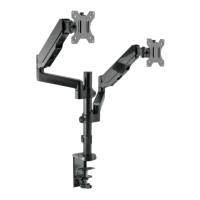
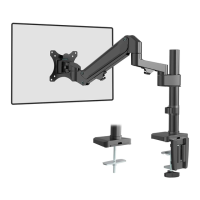
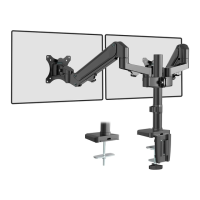
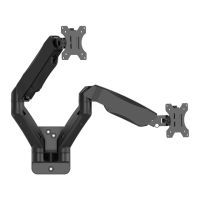
The WALI GSDM003 Monitor Desk Mount is a versatile and robust solution designed to enhance your workspace by providing an ergonomic and adjustable setup for multiple monitors. This installation manual outlines the steps for setting up and maintaining the mount, ensuring a secure and optimal viewing experience.
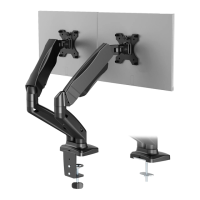
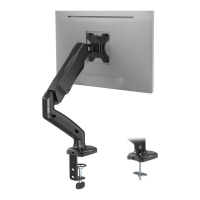
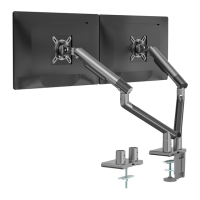
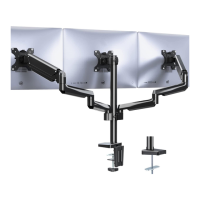
The WALI GSDM003 is a triple monitor desk mount that allows you to attach three monitors to a single desk, freeing up valuable desk space and promoting a more organized and efficient work environment. The mount features articulating arms that provide a wide range of motion, enabling users to position their monitors precisely for optimal viewing angles and comfort. It supports both clamp and grommet base installations, offering flexibility to suit various desk types and user preferences. The design incorporates gas spring tension adjustment, which allows for effortless height and tilt adjustments, accommodating different monitor weights and user needs. Cable management features are integrated into the arms to help keep cables tidy and out of sight, contributing to a clean and professional aesthetic.
The GSDM003 mount is designed for ease of use and adaptability. The installation process begins by measuring the thickness of your mounting surface to ensure compatibility with either the clamp or grommet base options. The clamp installation is suitable for desks with a thickness between 0.4" and 3.3", while the grommet installation supports desks between 0.4" and 3.1".
For clamp installation, the C-Clamp Brace is connected to the base from the bottom using M6x12 bolts, and anti-skid pads are attached to the base to prevent slipping and protect the desk surface. The C-clamp is then secured to the desk, with adjustable height settings to accommodate different desk thicknesses. A décor cover is provided to conceal the C-clamp, offering a neat finish.
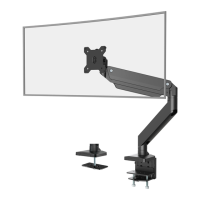
For grommet base installation, there are two options: existing grommet holes or self-drilled holes. If an existing grommet hole is used, any plastic protector should be removed to ensure a flat surface. The assembled pole is then inserted through the desk hole, and secured from the bottom with a support plate, washer, and nut. For self-drilled grommet holes, a 3/8" (10mm) diameter hole needs to be drilled at the desired position on the mounting surface before proceeding with the same securing steps as for existing grommet holes.
Once the base is securely installed, the main arm assembly is attached to the pole. The arm's height can be adjusted along the pole and then tightened using an Allen key. Similarly, the individual monitor arms are attached to the main arm, allowing for further height adjustments.
The VESA plates, which attach to the back of your monitors, are compatible with 75x75mm and 100x100mm VESA patterns. The manual provides guidance on selecting the correct screw size (M4 or M5) and length (M4x12, M4x16, M5x12, M5x16) based on your monitor's threaded inserts. Spacers are included for monitors with inset holes or curved backs to ensure a proper fit. After attaching the VESA plates to the monitors, the assembled monitors are then mounted onto the arms and secured with top screws.
A key feature of this mount is its gas spring tension adjustment. After mounting the monitors, users can press the arm to a horizontal level and adjust the gas spring tension using an Allen key. This adjustment allows the arms to hold monitors of varying weights effortlessly, providing smooth and stable movement. The tilt tension can also be adjusted to prevent monitors from drooping or tilting too freely.
The mount offers extensive adjustability for optimal viewing. Monitors can be manually swiveled, tilted, and rotated to achieve the best operating environment. This includes a swivel range of ±180°, a tilt range of +45° to -45°, and the ability to rotate the monitor between landscape and portrait orientations (±180°).
The WALI GSDM003 is designed with maintenance in mind to ensure long-term functionality and a tidy workspace. Integrated cable management is a significant feature. The arms include cable slot covers that can be detached to route monitor cables through the arms. This helps to keep cables organized and out of sight, preventing clutter and potential hazards on your desk. To access the cable slots, the bottom two cable slot covers slide off towards the VESA plate direction, and the four corners of the top cable slot cover can be lifted to detach it. Once cables are routed, the covers are reattached, maintaining a clean appearance.
For future convenience, the Allen keys (4mm and 6mm) required for adjustments are designed to be stored in a holder on the décor cover. This ensures that the tools are always readily available when you need to make adjustments to the gas spring tension, tilt tension, or arm height.
Regular checks of all tightened bolts and screws are recommended to ensure the mount remains secure and stable. If any part feels loose, re-tighten it with the appropriate Allen key. The anti-skid pads on the base should also be checked periodically for wear and tear, especially if the desk mount is frequently moved or adjusted.
The product emphasizes safety with a "TIPOVER WARNING." Users are advised never to allow children to climb, stand, hang, or play on any part of the monitor or stand. To further prevent tip-over, the use of tip-over restraints or anchoring the stand to the wall is recommended. While these restraints can reduce the risk, they may not eliminate it entirely. The manual also warns that the product contains small parts and is not suitable for children under 3 years, requiring adult supervision.
In summary, the WALI GSDM003 Monitor Desk Mount is a comprehensive solution for multi-monitor setups, offering robust construction, extensive adjustability, and thoughtful features for cable management and tool storage, all while prioritizing user safety and an organized workspace.
 General
| Color | Black |
|---|---|
| Quantity | 1 |
| Maximum Load Capacity | 22 lbs |
| Material | Steel |
| Weight Capacity | 22 lbs |
| VESA Compatibility | 75x75mm, 100x100mm |
| Adjustability | Tilt |
| Mounting Type | Wall Mount |

 To Next Page