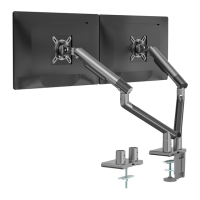
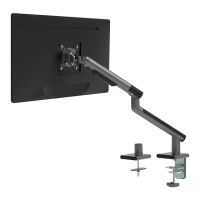
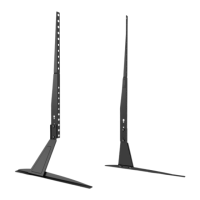
M002XL
WARNING
!
!
USE OF TIPOVER RESTRAINTS MAY ONLY REDUCE, BUT NOT ELIMINATE RISK OF TIP OVER.
SMALL PARTS- NOT FOR CHILDREN UNDER 3 YEARS. ADULT SUPERVISION IS REQUIRED.
If you do not understand these directions, or if you have any doubts about the safety of the installation, please call a
qualified technician. Check carefully to make sure there are no missing or defective parts. Improper installation may
cause damage or serious injury. Do not use this product for any purpose that is not explicitly specified in this manual.
Do not exceed weight capacity. We cannot be liable for damage or injury caused by improper mounting, incorrect
assembly or inappropriate use.
SERIOUS OR FATAL CRUSHING INJURIES CAN OCCUR FROM TIPOVER. TO HELP PREVENT TIPOVER:
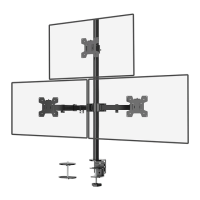
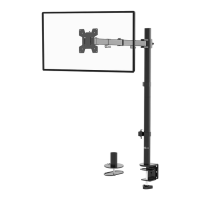
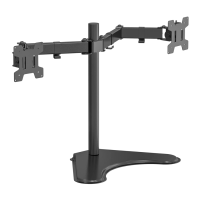
Extra Tall Dual Monitor Mount
75x75\100x100
VESA Plate
e (x2)
Swivel Arm
d (x1)
C-Clamp
b (x1)
C-Clamp Brace
c (x1)
Lower Pole
a1 (x1)
Wire Clip
n2 (x4)
Wire Clip
n1 (x2)
Grommet Base Plate
m (x1)
M4 Spacer
s (x8)
M8x12 Bolt
g (x2)
Nut
h (x2)
M5x14 Bolt
f (x3)
Wrench
p (x1)
Allen Key
o (x1)
M4x30 Bolt
r (x8)
M4x12 Bolt
q (x8)
M10 Bolt
i (x1)
Support Plate
j (x1)
M10 Washer
k (x1)
Spring Washer
l (x1)
INSTALLATION MANUAL
1-844-SATTLER (18447288537)
support@walielectric.com
www.walielectric.com
(10kg/22lbs)x2
RATED
MAX 27”
TIPOVER WARNING
● NEVER ALLOW CHILDREN TO CLIMB, STAND, HANG, OR PLAY ON ANY PART OF MONITOR OR STAND.
● USE TIPOVER RESTRAINT OR ANCHOR STAND TO WALL.
Supplied Parts List
Pole Cover
t (x1)
1
a2
a2
a1
a1
a1
o
o
Option A :31.5'' Pole Installation
Loosen the screw on the Lower Pole a1 with Allen key 2mm o . Connect
Lower Pole
a1 to Upper Pole a2 and tighten the screw with Allen key
2mm o to fix the two poles.
a1
a1
Pre-Assembly
o
a2
o
t
a1
t
Option A : Clamp Installation
1. Connect Lower Pole a and C-Clamp Brace c from the bottom using M5x14
Bolt f and tighten with Allen Key 3mm o .
Option B :16.3'' Pole Installation 2
2. Select the preferred height according to your desk thickness. Connect C-Clamp b to C-Clamp
Brace c using M8x12 Bolt g and tighten with Allen Key 5mm o . Rotate the hand knob
clockwise to fasten for stability.
Hand Knob
a1
c
c
c
f
o
o
o
g
g
b
b
a1
c
f
o
Press Pole Cover T into the top of Lower Pole a1.
a1
a1
Pre-Assembly
t
t
Upper Pole
a2 (x1)

 Need help?
 General

 To Next Page