11
Wallbox App
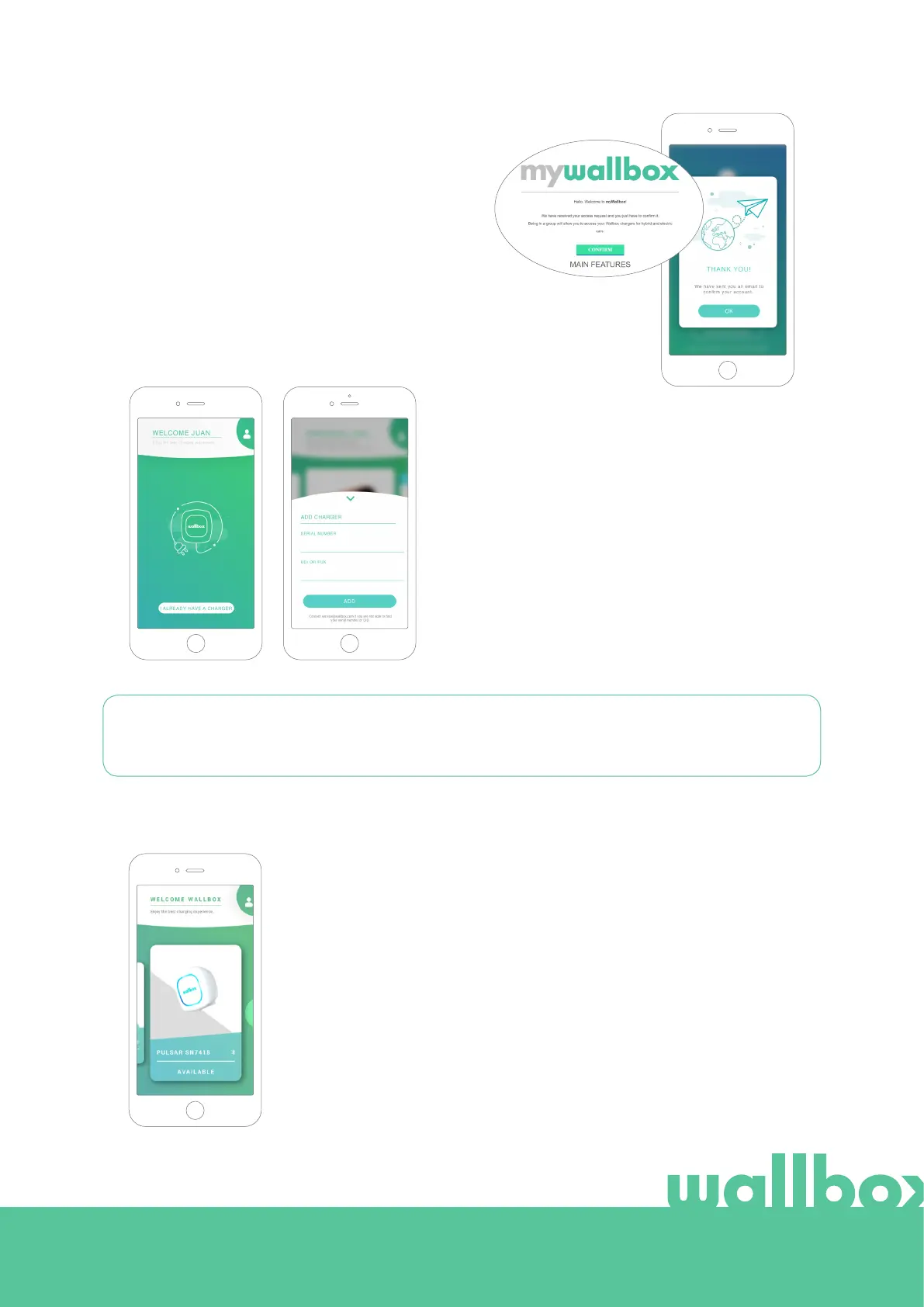
You will receive an email in your inbox to confirm
your account. In case you do not have the email in
your inbox, please check the spam folder.
Once in the email, click on the “Confirm” button
to start using your account.
Adding your first charger
If you do not have any charger linked to your
account yet, click on “I already have a charger” to
add a charger to your account.
Enter the Serial Number and UID or PUK of the
charger. This information can be found on the
charger’s installation manual and on the label that
is on the outer surface of the charger.
Please remember that, Wallbox Standard customers are allowed to have a maximum of five users and
two chargers. Wallbox Pro customers can add an unlimited number of users and chargers.
3
List of chargers
In this screen you will find the following information about the charger:
• Charger name: by default, the charger’s Serial Number is displayed.
Nevertheless, it is possible to edit it.
• Current connection type: Bluetooth connection is only displayed when
the charger is on and nearby.
• Charger status: In grey, the charger is unreachable otherwise is green.
4



 To Next Page