19
5. Programming
Initial setup
Before using the sterilizer please program important parameters such as date, time, language, display backlight and contrast.
This is done by means of the SETUP functions.
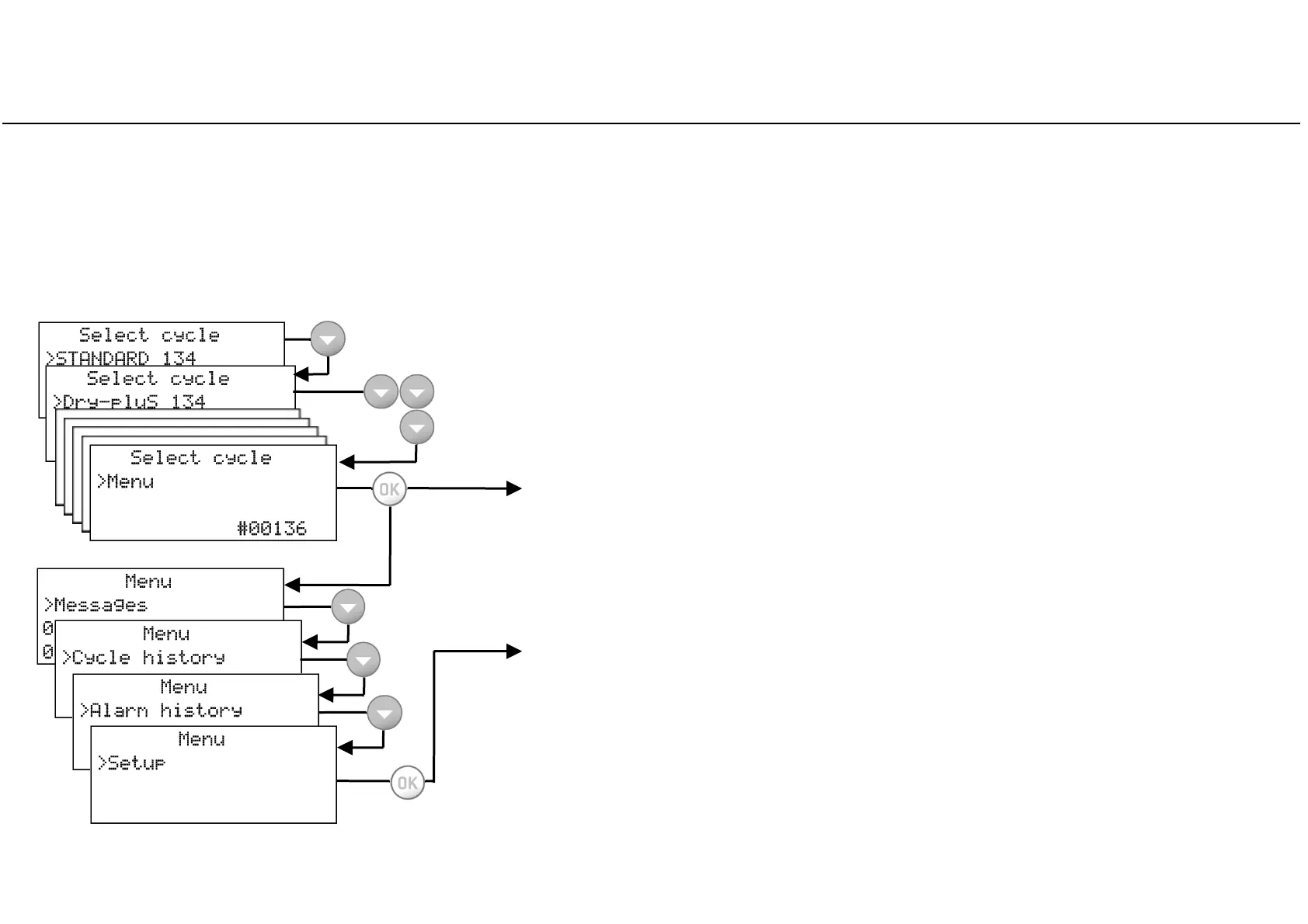
Menu
Confirm (OK) the MENU option to access all sub-menus and navigate through
sub-menus with the UP and DOWN buttons.
See the following pages for a complete description of the options available and
how to use them.
Setup
Scroll (DOWN) to SETUP and confirm (OK) to access and set the main parameters
of the sterilizer.
See the following pages for a complete description of the parameters you can set
and how to do it.
Start screen and menu options
When the sterilizer is switched ON, or when exiting from SLEEP mode, the default
cycle program is displayed, preceded by the cursor.
By pressing DOWN the other available cycle programs are displayed.
Continuously press DOWN until the MENU option appears.



 To Next Page