24
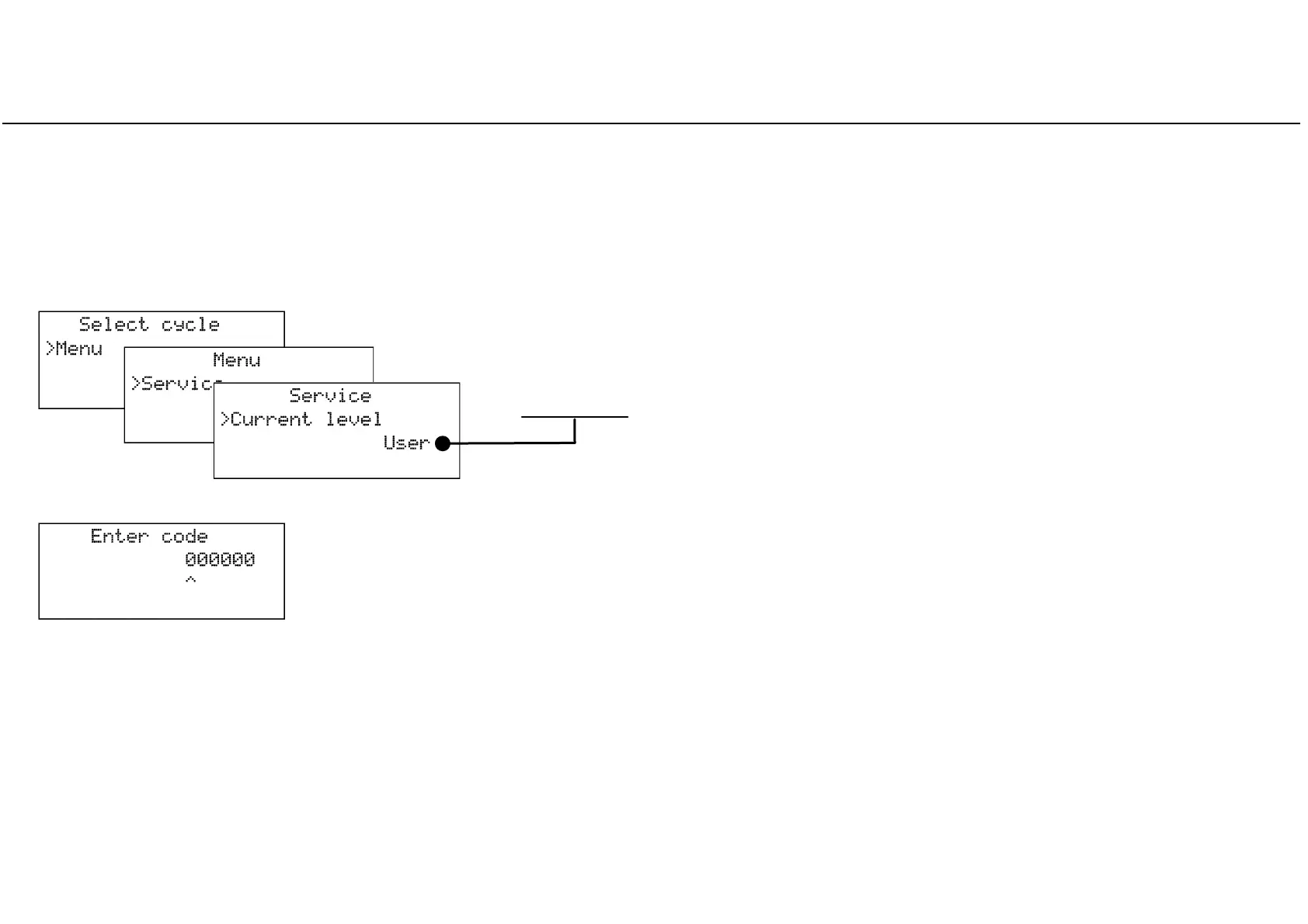
How to log on as an advanced user
^
Some programmable options of the MS sterilizer can be changed only after logging in as an advanced user.
This is to prevent accidental changes or unexpected operation of the sterilizer.
Hiding a cycle program, making it inaccessible to users, is an example of option that can be accessed by advanced users only.
The current level is now displayed. If you want to change it, press OK.
Use the UP, DOWN and OK buttons to browse the menu, choosing the following options
in sequence: MENU – SERVICE – CURRENT LEVEL.
Press OK on the LAST number to confirm the password.
Press BACK on the FIRST number to abort the procedure.
After making the desired changes in the advanced user level, return to the user level by setting all numbers to zero, or switch OFF the
sterilizer and then ON again.
The screen as shown to the left will appear: you can now type in the ADVANCED USER password
(000123) using the UP, DOWN, BACK and OK buttons as follows:
- UP/DOWN to increase/decrease the current number (indicated by the cursor );
- OK to save the number and move to the next one;
- BACK to move to the previous number.



 To Next Page