36
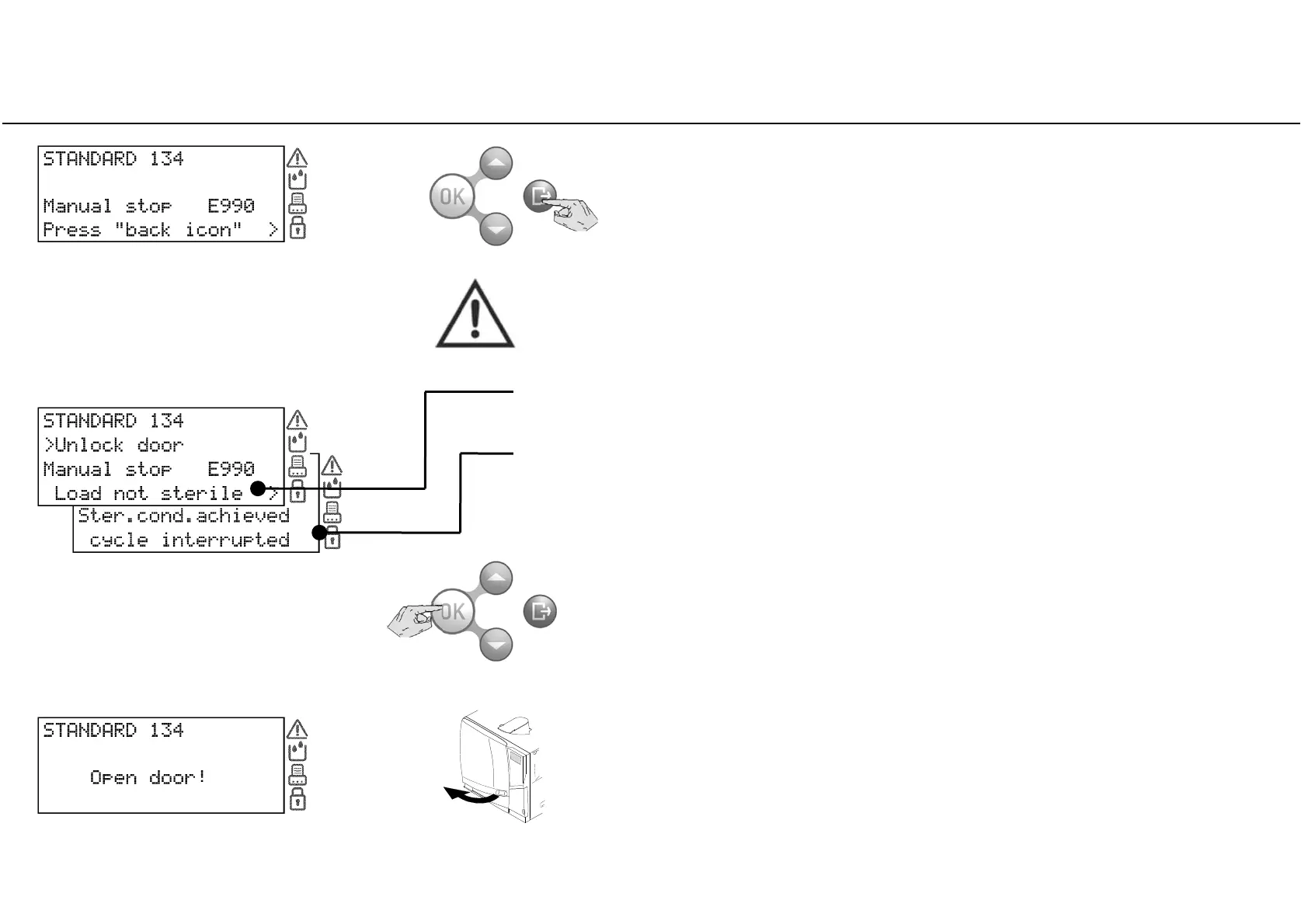
Manual stop
When the reset phase is over, press BACK
Press OK to unlock the door as requested in the second line of the screen.
(a waiting message appears wile the door is unlocking)
Open the chamber door and remove the load, or repeat the sterilization
cycle.
One of the following messages appears:
The message “LOAD NOT STERILE” means that the load is not sterile.
Do not use
items on patients!
The message “STERILE CONDITIONS ACHIEVED - CYCLE INTERRUPTED” means that
the load might be wet.
Wet items are for immediate use only!



 To Next Page