46
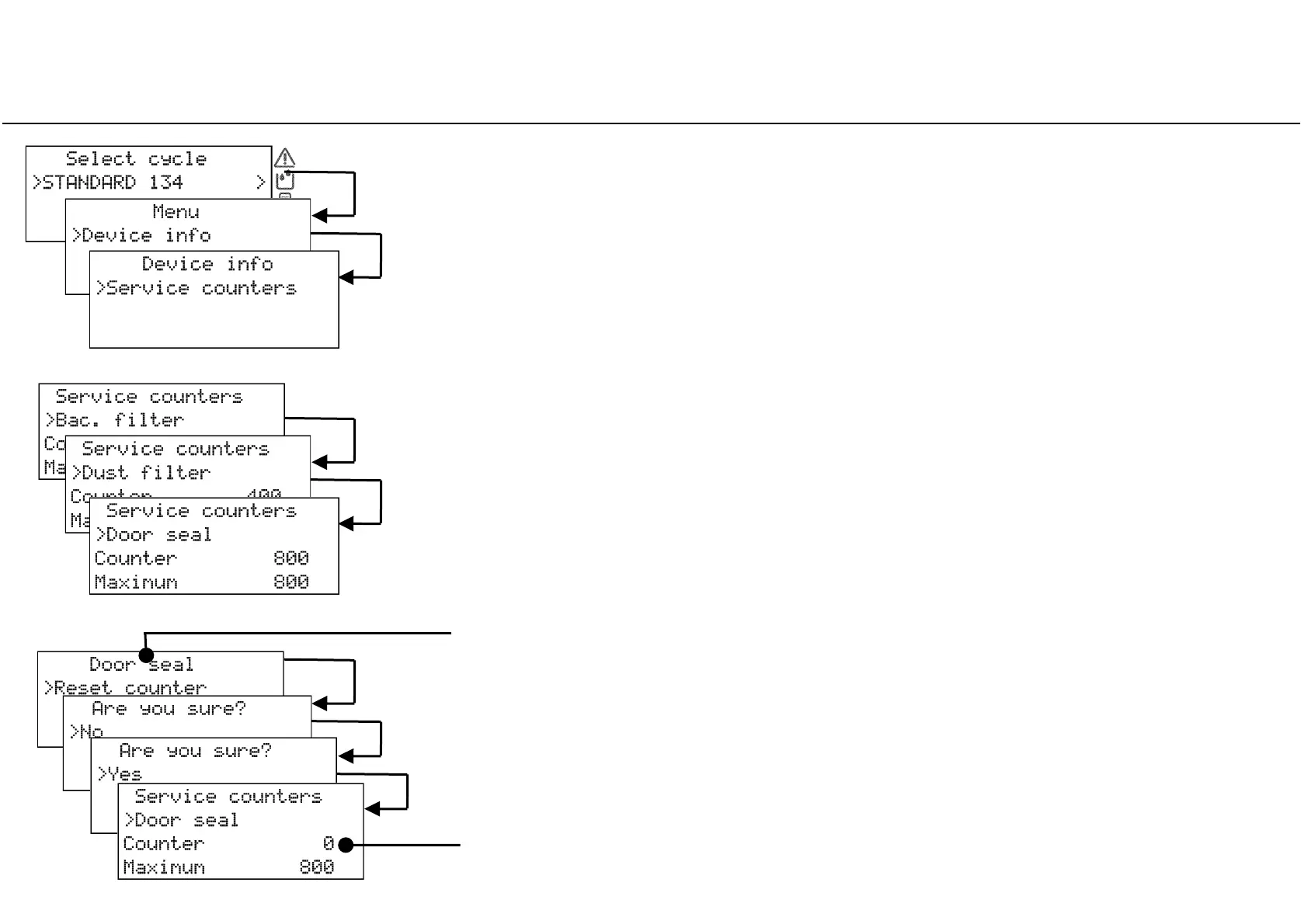
Resetting the maintenance counters
Use the UP, DOWN and OK buttons to browse the menu, choosing the following options in
sequence: MENU – DEVICE INFO – SERVICE COUNTERS
Scroll to the concerned consumable by pressing UP or DOWN.
The consumable status (number of cycles executed and maximum lifespan of the
consumable) is displayed in the third and fourth line of the display.
Press OK to select the concerned consumable.
The RESET COUNTER option is displayed: confirm it with OK.
A confirmation request appears: scroll the answer to YES by pressing UP or DOWN and
then confirm with OK.
After being reset, the consumable counter shows zero.
After selecting, the concerned consumable appears in the first line.



 To Next Page