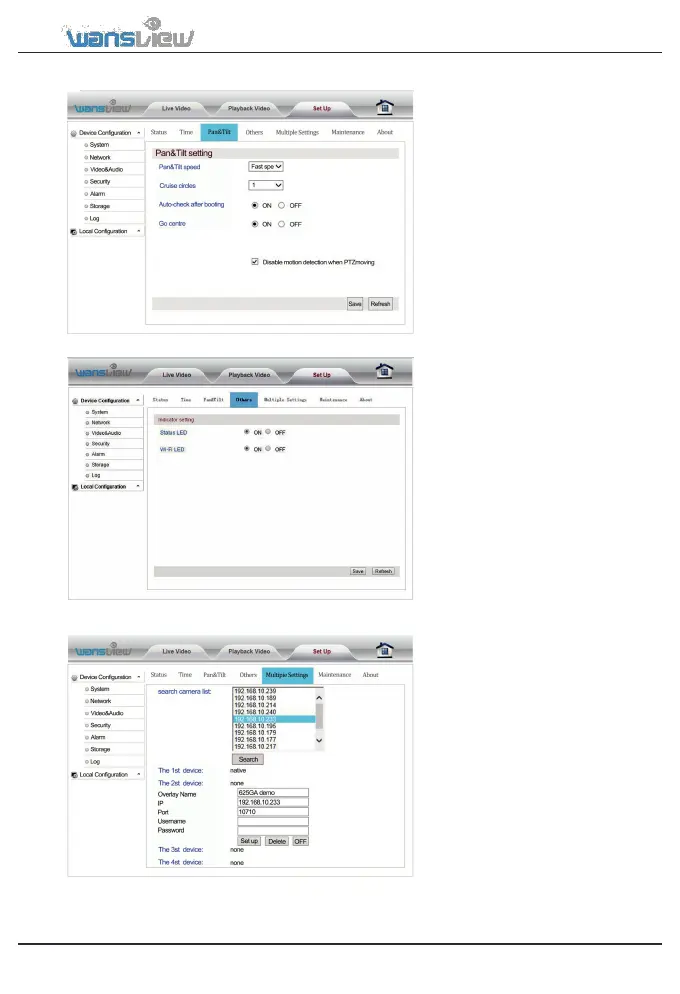
System > Pan & Tilt
Users can set the pan/tilt speed
(fast/medium/slow) and cruise
circles.
Users can disable motion detection
when the camera pan or tilt.
System > Other Settings
Turn off Led indicators at your choice.
System > Multiple Settings
Add up Cameras for multiple 4
view. Get their IP and Port, Input
User and Password. Name them.
www.wansview.com 24



 To Next Page