3.4.3 Video and Audio
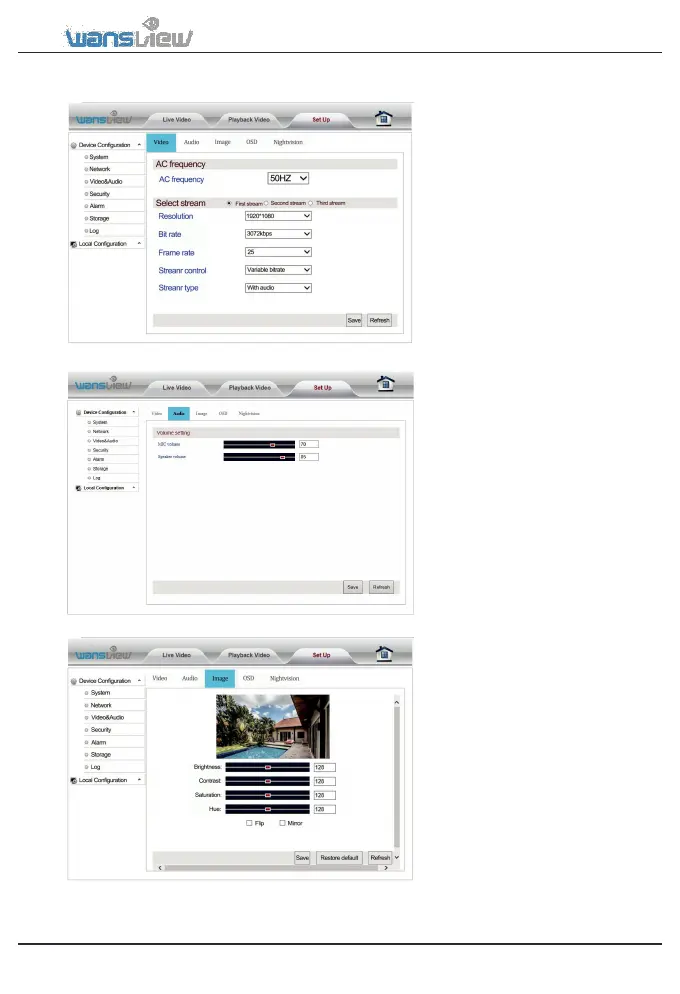
Video and Audio > Video
Users can set the exact
AC Frequency.
Bit stream settings include:
(256~4096kbps), Frame rate
Video and Audio > Audio Setting
Here you can adjust Microphone
and Speaker volume
Video and Audio > Image Setting
Here you can adjust the image
parameters brightness, contrast,
saturation and hue. You can also
flip and mirror the video image
when tick the options.
www.wansview.com 29



 To Next Page