7.FAQs/Troubleshooting
7.1 Compatibility Settings for Internet Explorer
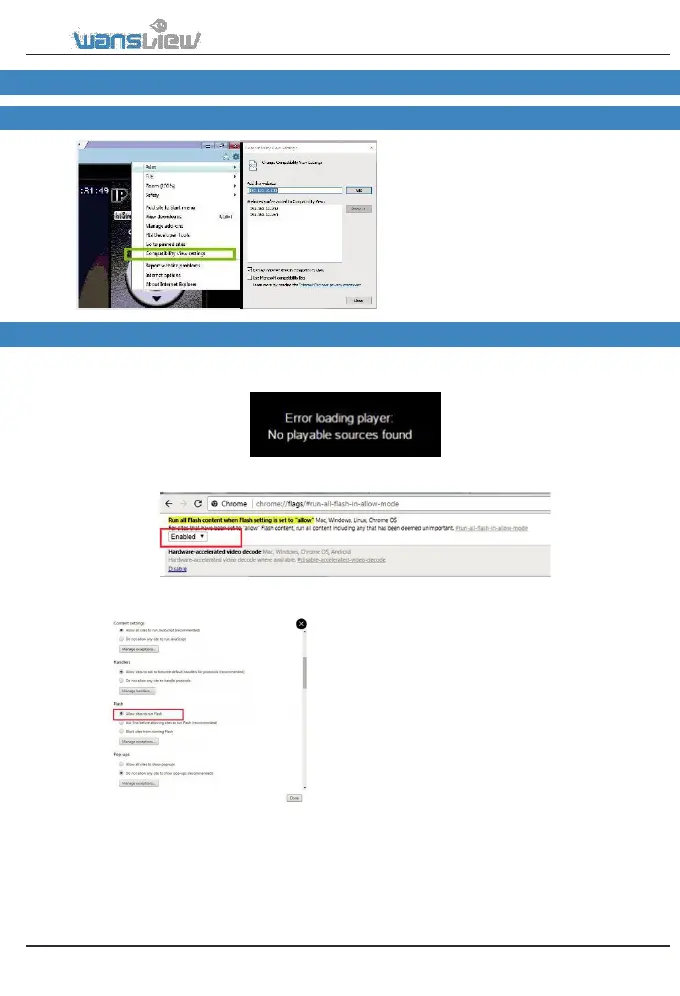
When using Internet Explorer 9 or higher
to view the camera, if you have already
downloaded a plug-in for camera, but still
have no live video, please perform the
following operations:
Click Compatibility View
Setting >Add> Close.
7.2 Unable to view the camera when using mode 2 on Chrome 58
When using chrome 58.0.3029.110 and choosing mode 2 to view the camera, if it shows “Error
laoding palyer, No playable sources found”, the problem is the flash player is disabled, please
follow below steps to enable the flash player.
1. Enter chrome://flags/#run-all-flash-in-allow-mode on chrome to “Enable” Run all Flash content
when Flash setting is set to “allow” as below.
2. Enter chrome://settings/content to chrome to
Enable “Allow website to run Flash” as below.
3. Exit the chrome and open again.
Tips: The chrome may prompt “The
flash player is not the latest version”,
please update the flash player to the
latest version.
www.wansview.com 49



 To Next Page