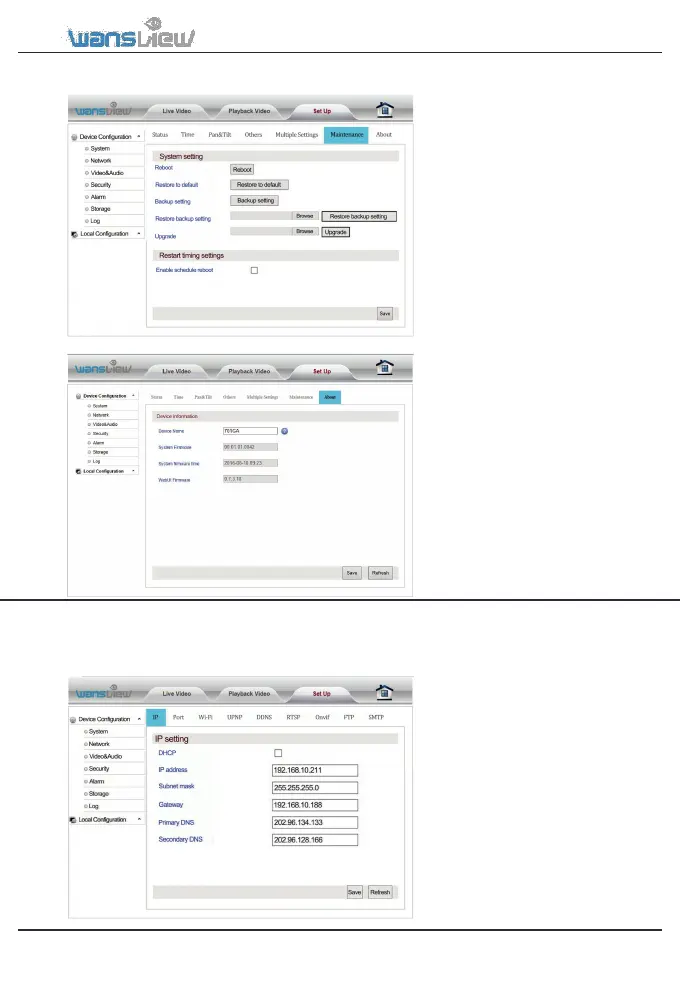
System > Maintenance
In System Maintenance users can
reboot/restore to default / backup
/upgrade camera.
System > About
In System About users can check the
latest camera’s firmware which can be
downloaded at www.wansview.com.
3.4.2 Network
These functions are meant to be managed by technical specialist except for FTP Server Settings and
SMTP Settings. Contact our friendly customer service for specific technical needs.
Network > IP setting
You can set the camera IP
address by your router(DHCP)
or you can manually set a fixed
address.
-IP address (for
example 192.168.x.x)
-Subnet mask(for example
255.255.255.0)
-Gateway(IP address of your
router; for example 192.168.x.1)
-Primary DNS(IP address of your
router; for example192.168.x.1)
-Secondary DNS(IP address of
your router; for
example192.168.x.1)



 To Next Page