ELT-01-XX-01 - Operating guide V1.0 © Warmup plc - 2013
Installer settings
These are settings that should be set by the installer of the thermostat and are unlikely to need to be changed again during the
product’s life.
To enter the installer setting mode, remove the thermostat from the wall plate. Press and hold the Main Button and, using a pointed
device, press and release the Reset Button on the back of the thermostat. After 5 seconds release the Main Button on the front of the
thermostat.
Once in the installer setting mode you can turn the Rotary Control to change your selection and press the Main Button to accept your
setting and proceed to the next step. Once you have completed all the steps you will automatically exit the installer setting mode.
Installer
Step
Setting Congured Default
Value
LCD Example
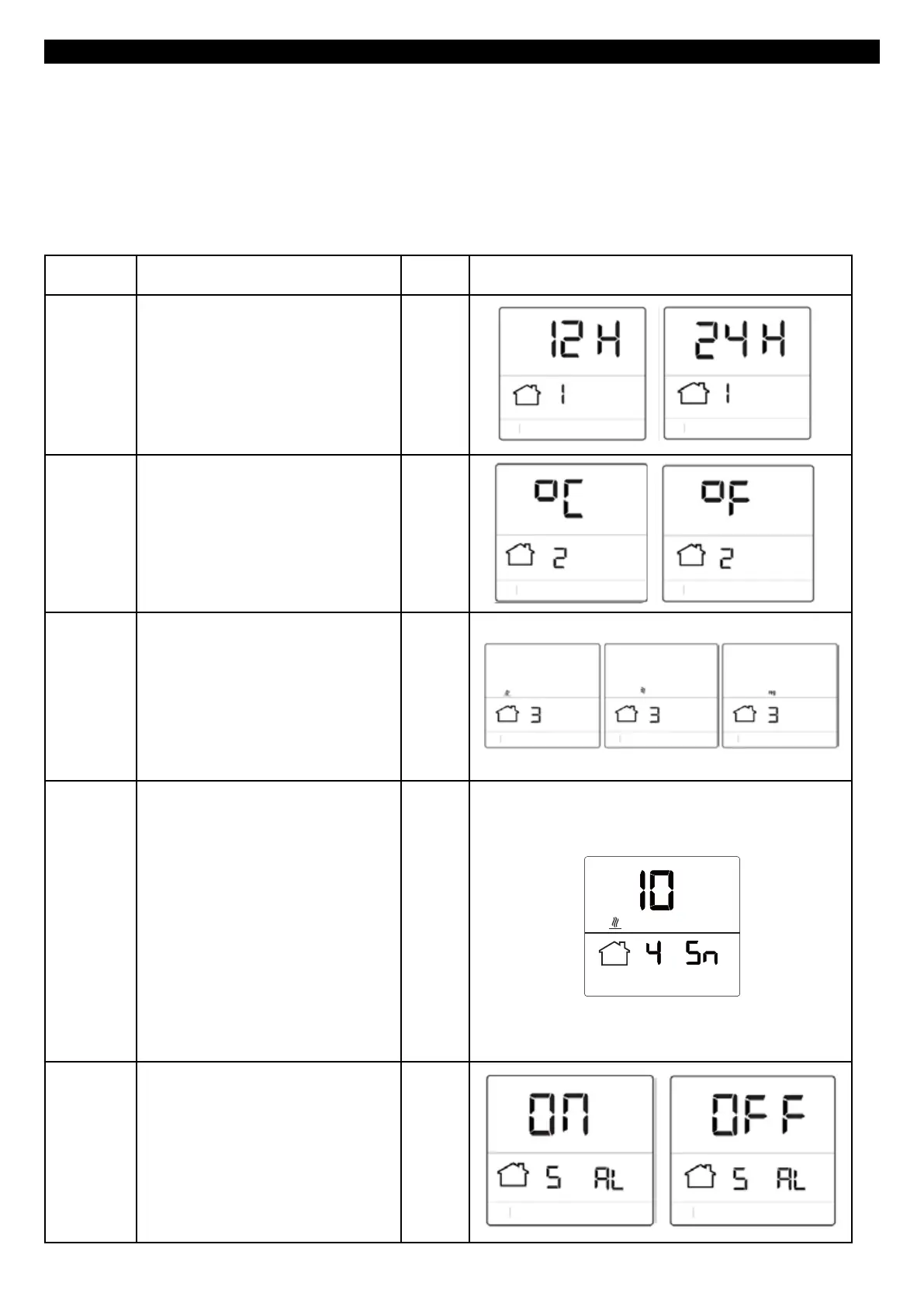
1. Change clock format (12hr/24hr) “24”
2. Change unit of measurement (Degree
C/F)
°C
3. Change sensor used to target
temperature (Floor/ Air/ Regulator)
Note: In regulator mode the thermostat
will run for a set number of minutes in a
10 minute cycle.
Floor
4. Set Floor Sensor Type
If you already have a sensor installed a
sensor for a different model thermostat
you can use this setting to change the
sensor value and allow the thermostat to
function. The possible options are NTC
10K (probe supplied with the tempo)
NTC 12K (probe supplied by Warmup
with previous models of thermostat).
Note: Warmup can only validate the
thermostats performance when used
with a Warmup probe supplied with the
tempo.
5. Decide whether the thermostat uses
Adaptive Learning to pre heat the room
for your schedule.
On



 To Next Page