CUBE Manual Page 56 - Revision: 5-24-2017
Always install indoors and place the Waterlogic CUBE Water Treatment System on a firm, flat and
stable surface.
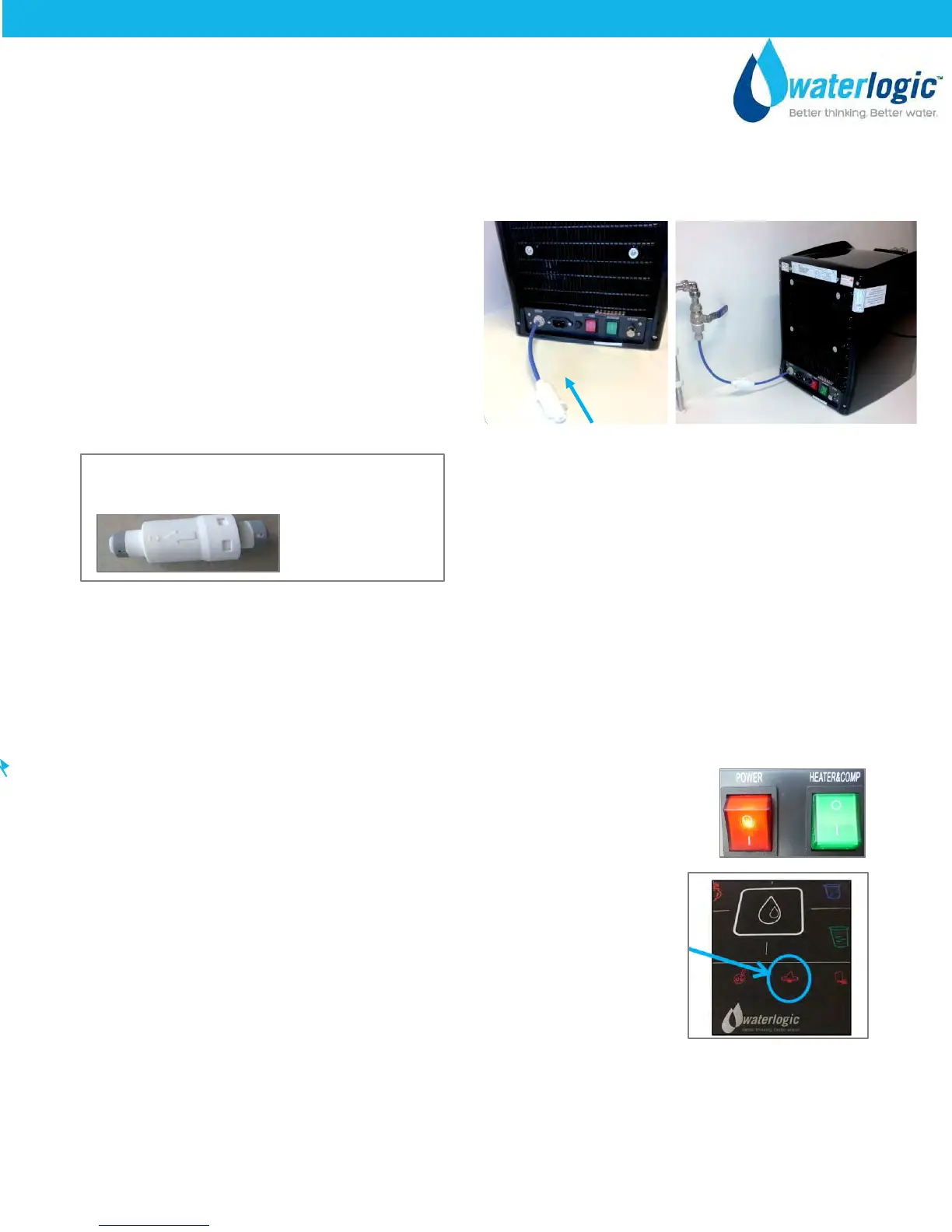
1. Attach the ¼” flexible tubing to the bulkhead
located at lower rear of unit.
Attach the Pressure Reducer located in the drip
tray with the Flow Arrow in correct orientation
to the tubing already attached to the Cube.
Connect ¼” flexible tubing to the Reducer and
the Water Supply.
Waterlogic requires the use of a water pressure regulator. Water feed pressure must be between
40-60 psi.
2. Turn on the water supply and check all of the connections for leaks.
3. Connect the power cord to the back of the Waterlogic CUBE Water Treatment System and to a 120
Volt supply.
4. Turn the Red Power Switch on - I=ON position.
5. The unit will run through a self-test cycle. Once the self-test cycle has
completed the icon will stop flashing.
Pressure Reducer is shipped in Drip Tray
Factory PN PU-0013-L00-00


 To Next Page