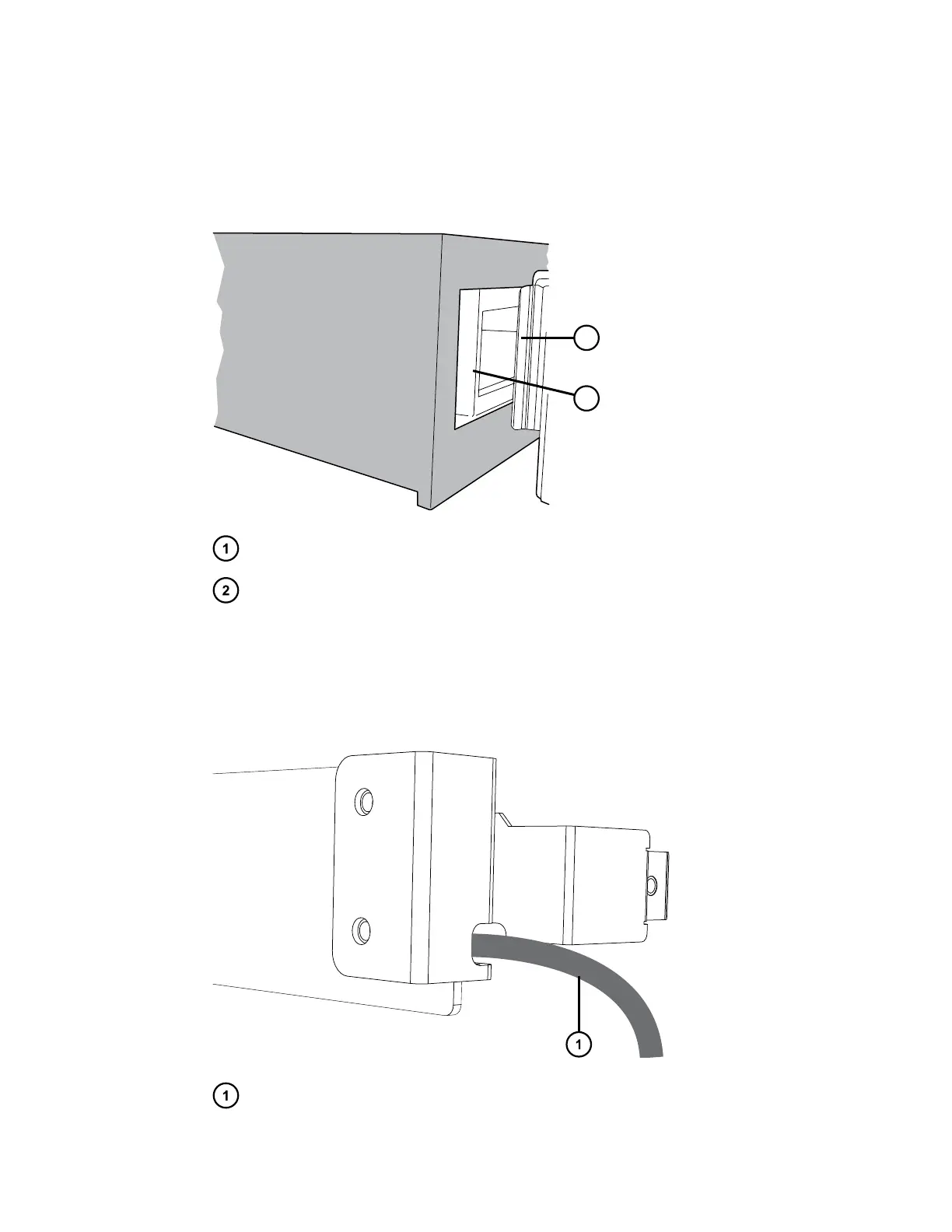
To install the MS-extension bracket and column-heater housing:
1. Insert the tab on the left-hand side of the MS-extension bracket into the slot in the left-hand
side of the CH-A rear enclosure that is installed on the sample manager chassis.
Figure 2–15: Inserting the MS-extension bracket tab into the CH-A rear enclosure
Tab on MS-extension bracket
Slot inside CH-A rear enclosure
2. While holding the MS-extension bracket inserted in the left-hand side of the housing, route
the CH-A interconnect cable with 25-pin connector that is coiled inside the CH-A rear
enclosure behind the extension bracket and through the slot on the right-hand side of the
bracket.
Figure 2–16: Routing the CH-A interconnect cable
CH-A interconnect cable being routed through slot in bracket
December 4, 2019, 715005052 Version 02 (previously released as Rev.B)
Page 31



 To Next Page