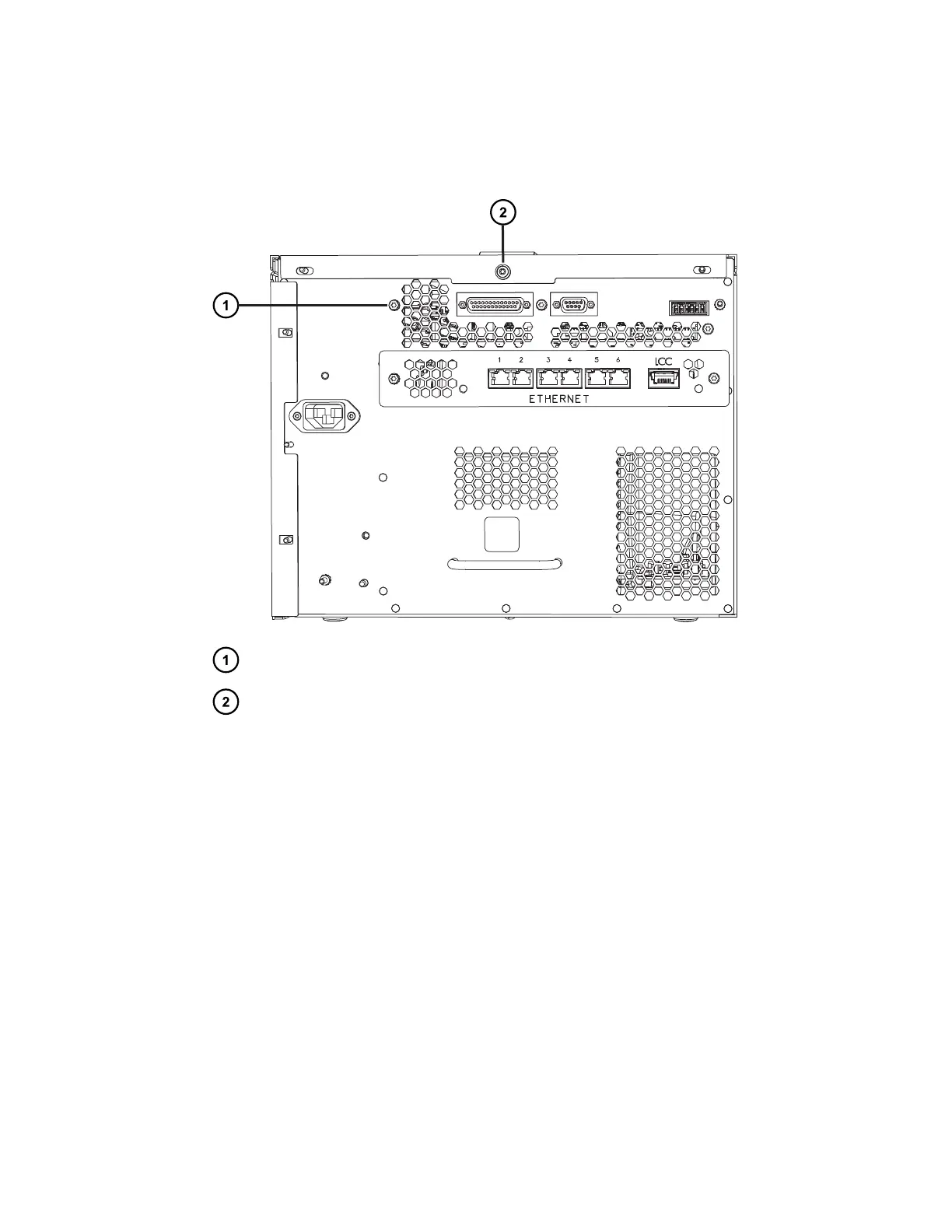
4. Using the T20 TORX driver, loosen the left T20 TORX screw and remove the center T20
TORX screw from the sample manager's rear panel.
Figure 2–44: Loosening and removing the TORX screws
Left T20 TORX screw
Center T20 TORX screw
5. Replace the center T20 TORX screw with the longer T20 TORX screw provided in the
Column Module Switch Box kit.
6. Position the mounting bracket screw slots behind the two loose T20 TORX screws, and
then tighten the T20 TORX screws to secure the mounting bracket.
December 4, 2019, 715005052 Version 02 (previously released as Rev.B)
Page 61



 To Next Page