Installing the optional ACQUITY UPC
2
Flow-splitter kits
September 26, 2013, 715004208 Rev. A 49
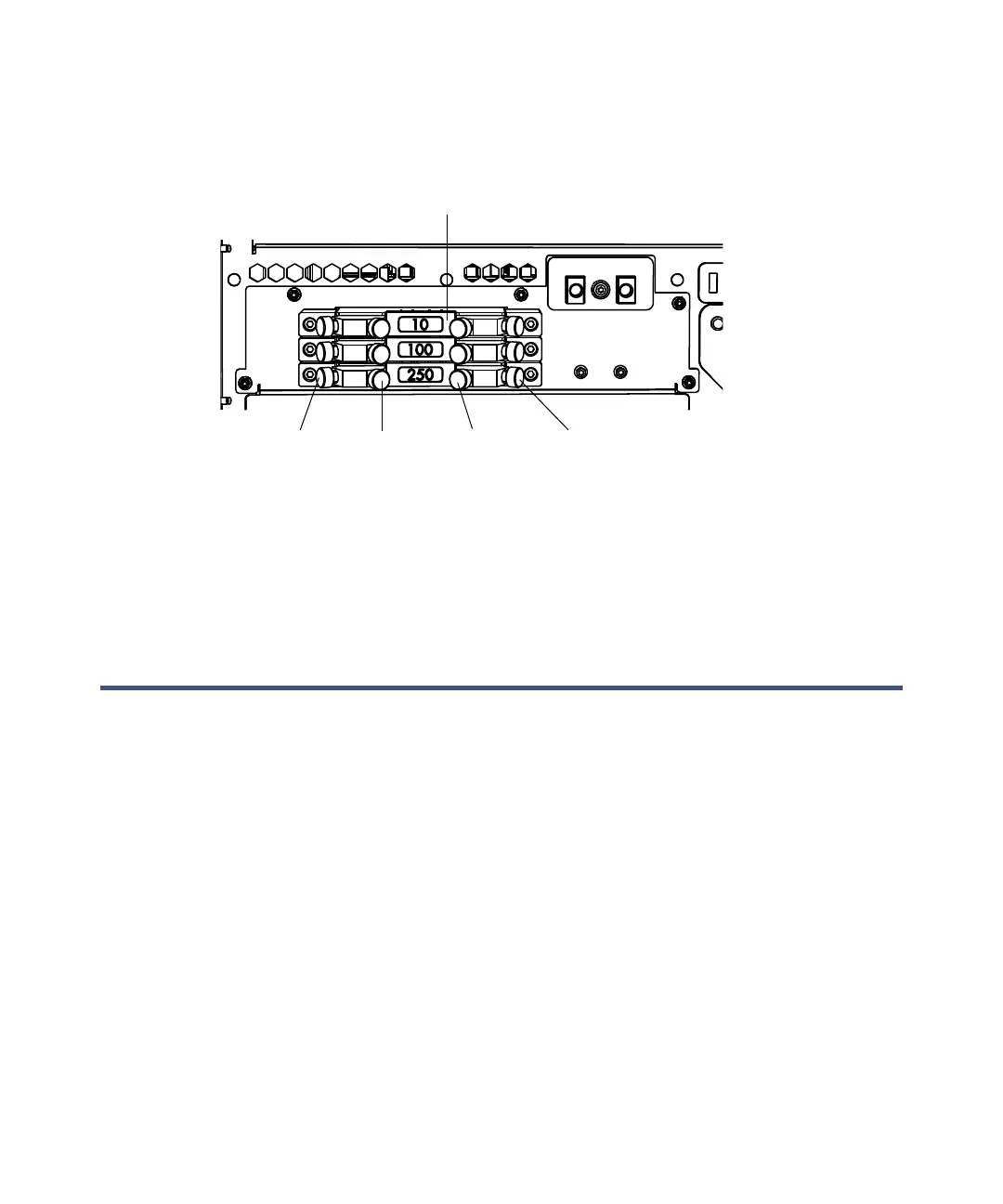
To change the split ratio:
1. Disconnect the inlet 1, outlet 1, inlet 2, and outlet 2 tubing from the
restrictor module.
2. Connect the inlet 1, outlet 1, inlet 2, and outlet 2 tubing to the desired
restrictor module.
Tip: To prevent contamination, install fluoropolymer plugs on any
unused restrictor modules.
Installing the optional ACQUITY UPC
2
Flow-splitter kits
Install the optional ACQUITY UPC
2
Flow-splitter kit to use an ACQUITY
QDa Detector in an ACQUITY UPC
2
system.
Note: To ensure compliance with Japan's High Pressure Gas Safety Act,
stainless steel versions of the ACQUITY UPC
2
Flow Splitter kits are
available.
Installing the optional ACQUITY UPC
2
Dual-Detection
Flow-splitter kit
Required materials
• Gloves: clean, powder-free, chemical-resistant
• ACQUITY UPC
2
Dual-Detection Flow-splitter kit
Restrictor module (3)
Inlet 1:
From
column
Outlet 1:
To optical
detector
Inlet 2:
From ISM
outlet
Outlet 2:
To QDa
detector source



 To Next Page