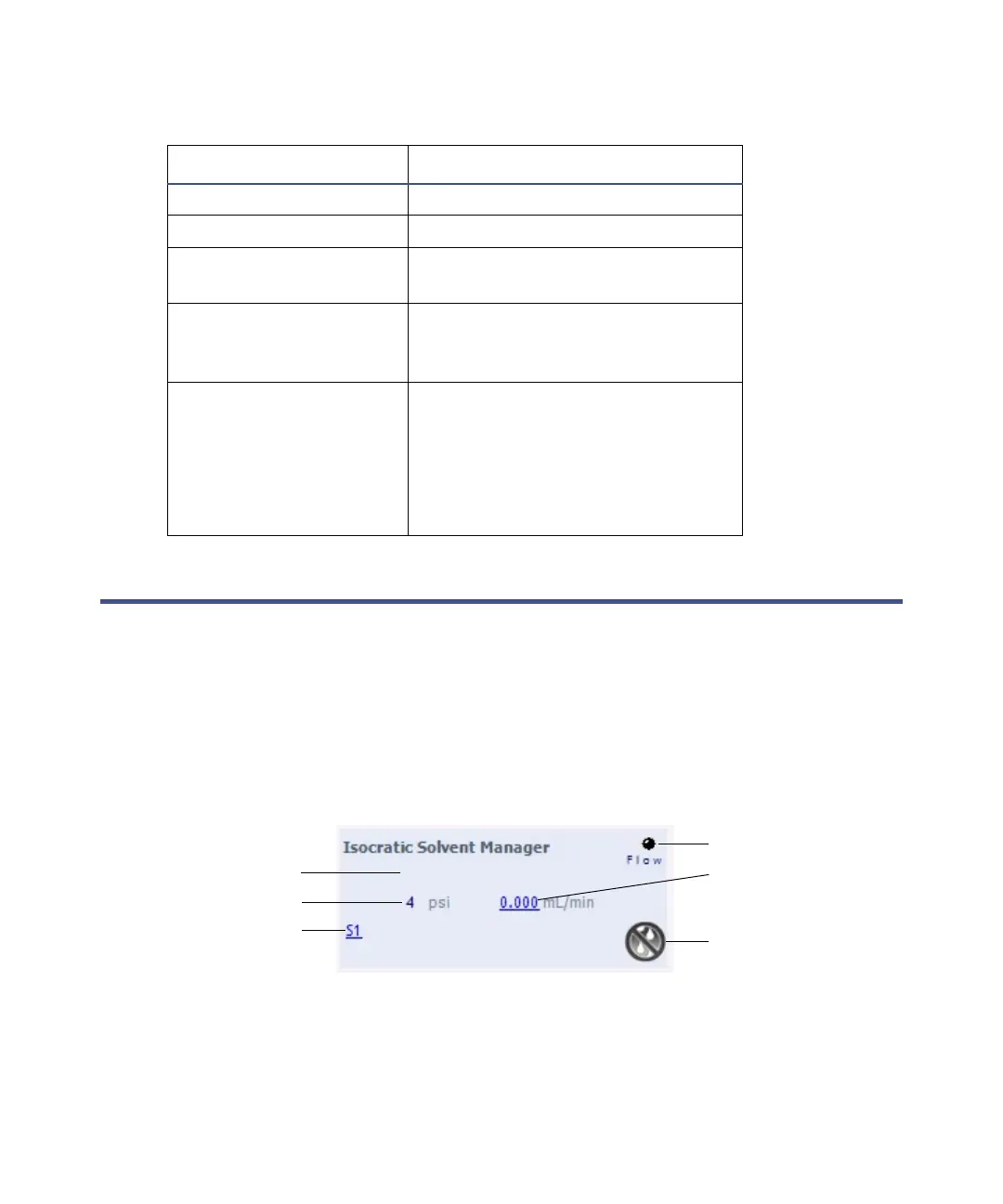
ISM control panel
September 26, 2013, 715004208 Rev. A 71
ISM control panel
The control panel of the ISM displays flow status, system pressure and total
flow rate.
Rule: You can edit these settings when the system is idle by clicking on the
underlined value. You cannot edit ISM settings while the system is running
samples.
ISM control panel:
Flow LED indications:
LED mode and color Description
Unlit ISM is idle.
Steady green Solvent is flowing.
Flashing green Initializing and preparing for
normal operation.
Flashing red Error state. Refer to the
instrument console for
information about the error.
Steady red Indicates a failure of the ISM that
prevents its further operation.
Power-off the module, and then
restart it. If the LED is still
steady red, contact your Waters
service representative.
Flow LED
System pressure
Flow rate
Stop flow
Location of status
Currently selected
solvent












 To Next Page