Technical data
Labware
compatible
Check the OneLab Domino Catalog
at andrewalliance.com/
domino-catalog
Relative humidity 80% at 37°C
Maximum
operating altitude
2000 m
Environment
temperature
operating range
+4 to +37°C
User interface Through OneLab software
Ingress protection IP20*
Dimensions
(W x L x H)
170 x 162 x 115 mm
(The specied dimensions are
subject to change according to the
labware)
Weight 1.65 kg
External power
supply
Input 100-240 VAC, 1.4 A
/ output 24 VDC, 5 A, 120 W
Power or
current rating
5 A
Overvoltage
category DC port
Cat I
Operating voltage 24 VDC
Network
connectivity
• Gigabit Ethernet
• Wi-Fi 2.4 GHz and 5 GHz
Pollution degree
of the intended
environment
Pollution degree 2
Cleaning Only with a wet tissue or isopro-
panol
Warranty 1 year
Certication CE, FCC, RoHS, WEEE
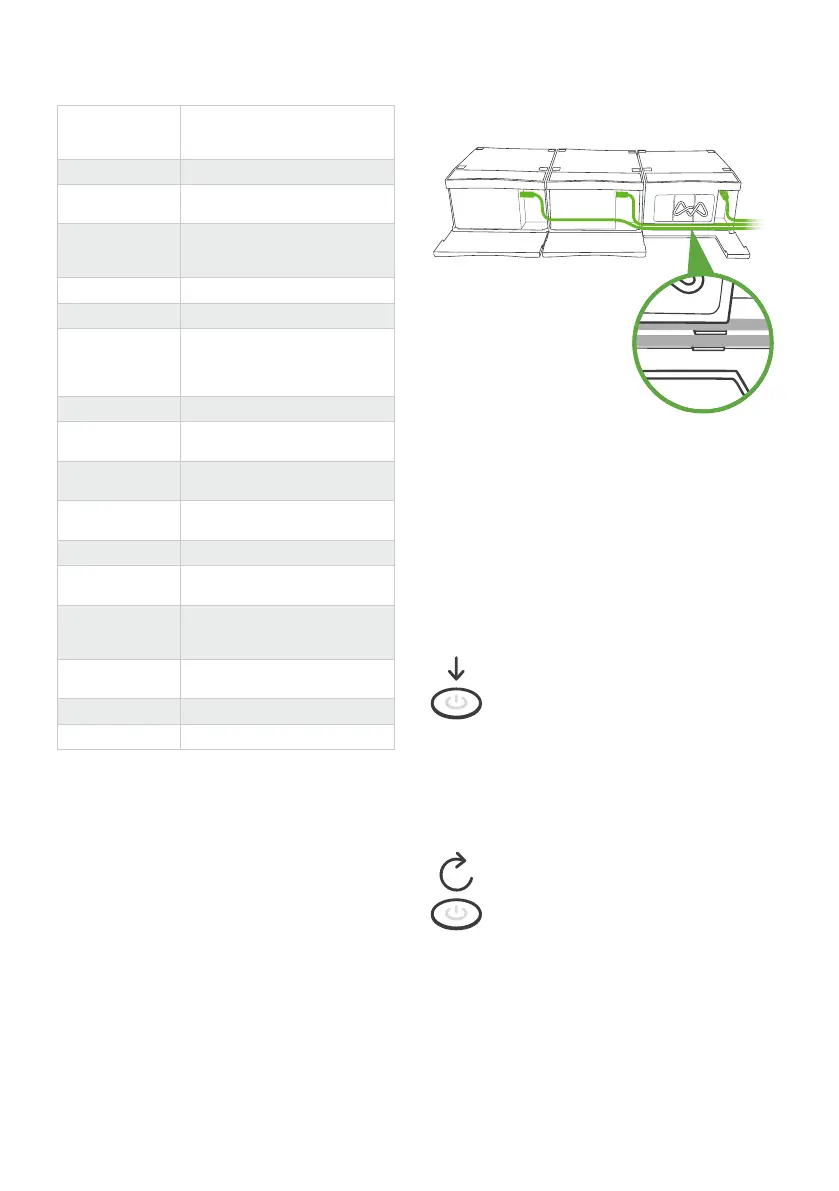
1. Place your connected
devices as indicated by
OneLab.
2. Open the hatches.
3. Plug the power cables
into your devices power socket.
4. Pass the cables in front of devices and then
insert them into the dedicated path.
5. Close the hatches.
Multiple connected devices
installation
Operating device
Power on
Power o
When the device is in standby mode
(plugged to power source but turned
o), press the power button to turn
on the device.
Note: The device will automatically
start up when you plug it to a power
source.
When the device is in its idle state
(no experiment running), press the
power button for 5 seconds to turn
o the device.
5s
*Avoid spilling liquid on the device.













 To Next Page