Watson-Marlow 620DuN and 620Du User Manual 73
23.9 Leak detection input
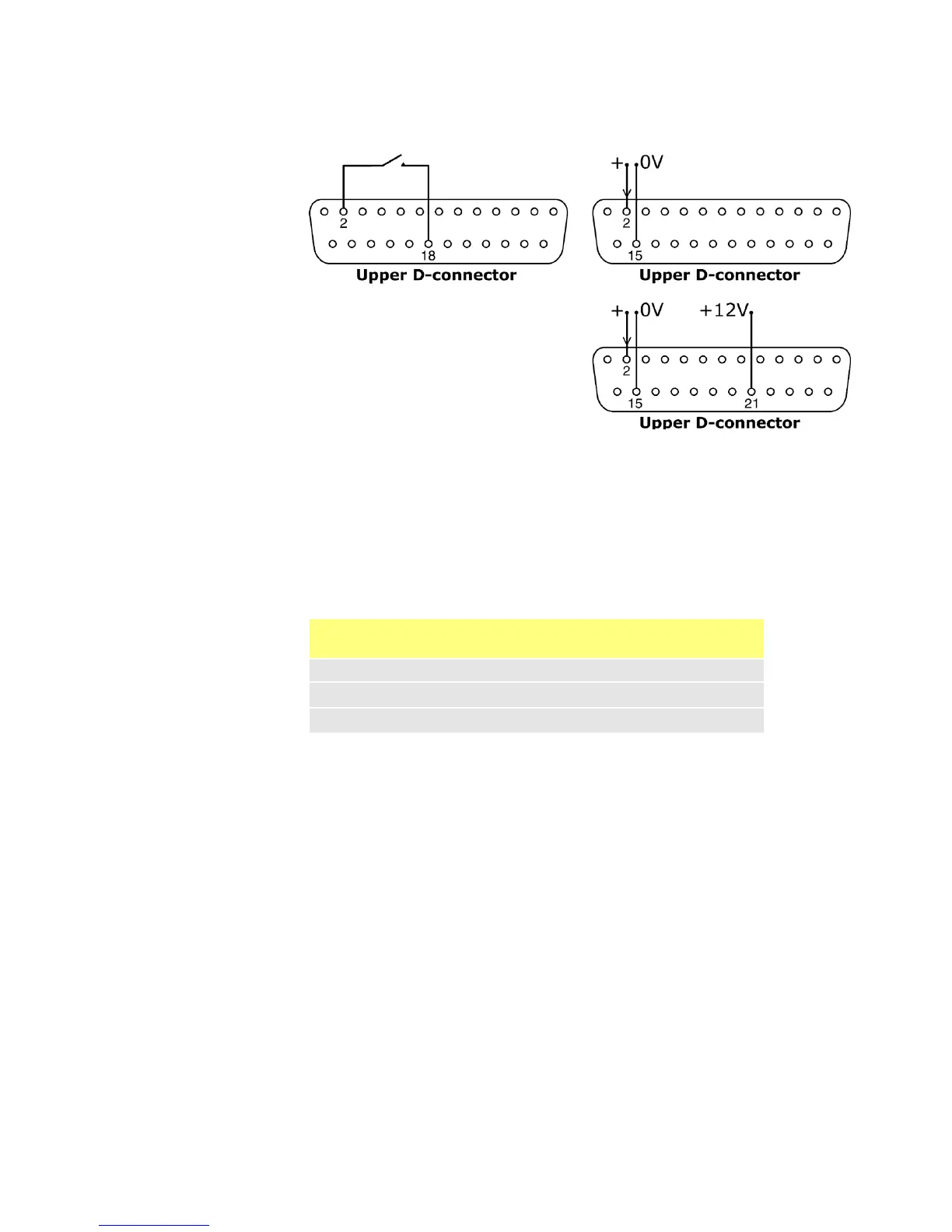
Connect a remote leak-detection device between pins 2 and 18 of the upper D-con-
nector. Closed circuit indicates a leak. Alternatively a logic input may be applied to
pin 2 of the upper D-connector, ground to pin 15. High input indicates a leak.
Connect a Watson-Marlow leak detector in the same way, drawing 12V to power it
from pin 21 of the upper D-connector.
Connect the cable of a Watson-Marlow Tube monitor leak detector as follows:
Note: Use only a Watson-Marlow 620 series tube monitor.
Tube monitor
wire colour
Pin number
upper D-connector
Blue 15
Yellow 2
Red 21









 To Next Page