8 9
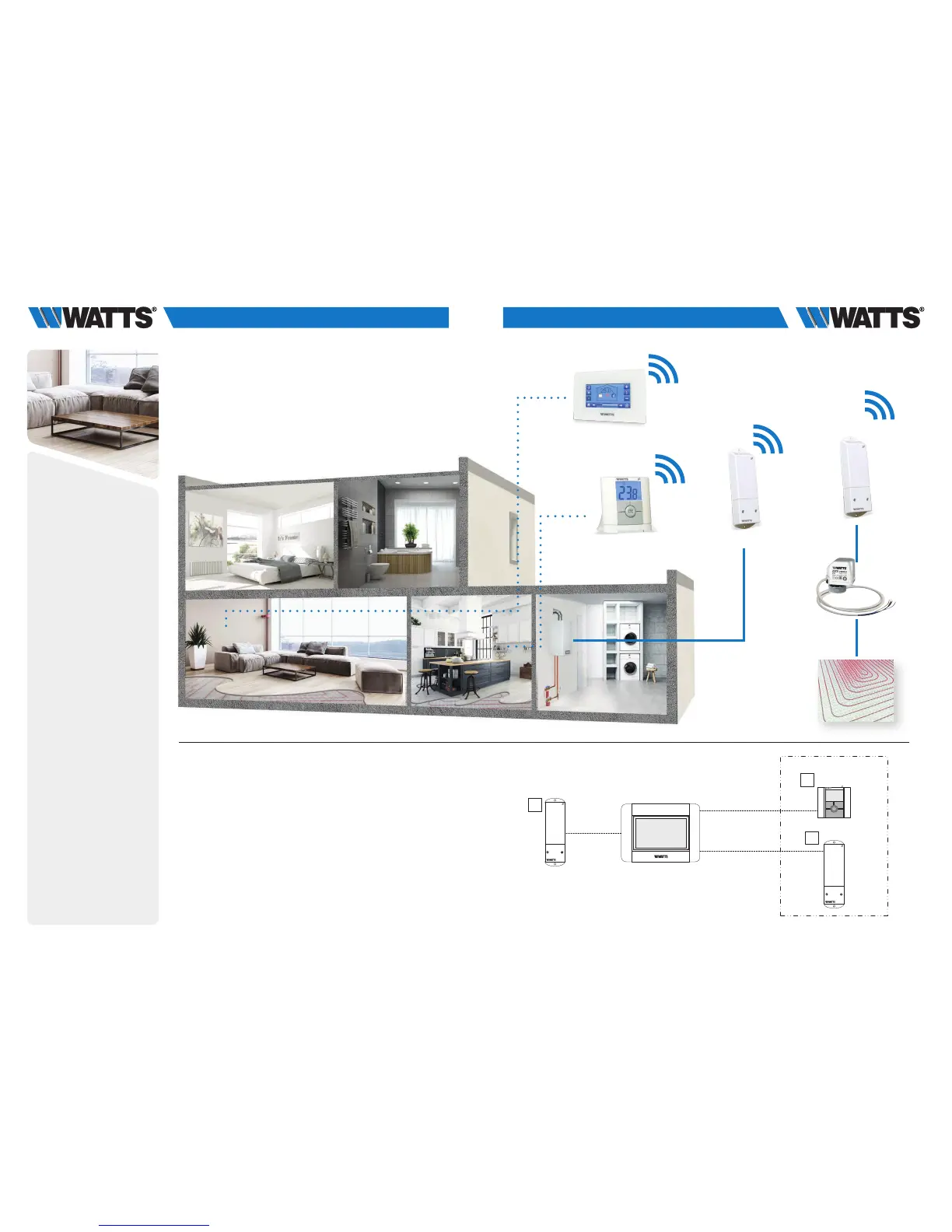
3.1.2 Water floor heating (mono zone) managing hydraulic circuit
and a boiler.
Equipments:
• 1 Thermostat BT-D02 RF (or BT-A02 or BT-DP02 RF)
• 1 Wall Receiver BT-WR02 RF (or BT-FR02 RF) for driving an actuator
• 1 Central Unit BT-CT02 RF
• 1 Receiver BT-WR02 HC RF for driving a boiler, or an heat pump
(BT-WR02 RF if driving a pump)
For a correct installation, refer to dedicated user guides of each product, then:
WIRING CONNECTION:
• Connect first receiver to the actuator (eg. 22C – 22CX series)
• Connect second receiver to the bolier (or pump)
VIRTUAL – RF CONNECTION:
• Create a virtual room (zone 1) on the Central Unit BT-CT02 RF
1. Pair as Heating Device the thermostat to the Central Unit BT-CT02 RF.
2. Pair as Heating Device the first receiver that drives the actuator
(BT-WR02 RF or BT-FR02 RF) to the Central Unit BT-CT02 RF
(Heating Parameter = Hydraulic).
3. Pair the other receiver BT-WR02 HC RF (or RF BT-WR02 RF if driving a
pump) to the Central Unit BT-CT02 RF as a hydraulic circuit then select
the hydraulic circuit.
Devices configuration: go in the zone, select the information menu,
select the receiver and the hydraulic type, then the hydraulic circuit
(refer to HYDRAULIC SYSTEM PAIRING chapter on Central Unit user guide).
Notes:
A thermostat can drive several receivers in the same zone. We can create
several zones in the Central Unit.
It is possible to link each receiver to a specific hydraulic circuit, managing its
pump by the Central Unit.
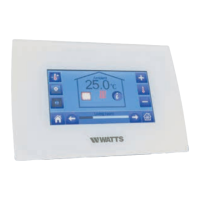
BT-CT02 RF
BT-WR02 HC RF
BT-WR02 HC RF
11
For a correct installation, refer to dedicated user guides of each product, then:
WIRING CONNECTION:
• Connect first receiver to the actuator (eg. 22C – 22CX series)
• Connect second receiver to the bolier (or pump)
VIRTUAL – RF CONNECTION:
• Create a virtual room (zone 1) on the Central Unit BT-CT02 RF
1. Pair as Heating Device the thermostat to the Central Unit BT-CT02 RF.
2. Pair as Heating Device the first receiver that drives the actuator (BT-WR02 RF or BT-FR02
RF) to the Central Unit BT-CT02 RF (Heating Parameter = Hydraulic).
3. Pair the other receiver BT-WR02 HC RF (or RF BT-WR02 RF if driving a pump) to the
Central Unit BT-CT02 RF as a hydraulic circuit then select the hydraulic circuit.
Devices configuration: go in the zone, select the information menu, select the receiver
and the hydraulic type, then the hydraulic circuit (refer to HYDRAULIC SYSTEM PAIRING
chapter on Central Unit user guide).


 To Next Page