CHAPTER 14 CLICK 201/202/204 153
rectly wire the Click 201/202/204.
Note
Ensure power to AC mains is disconnected while wiring the AC input.
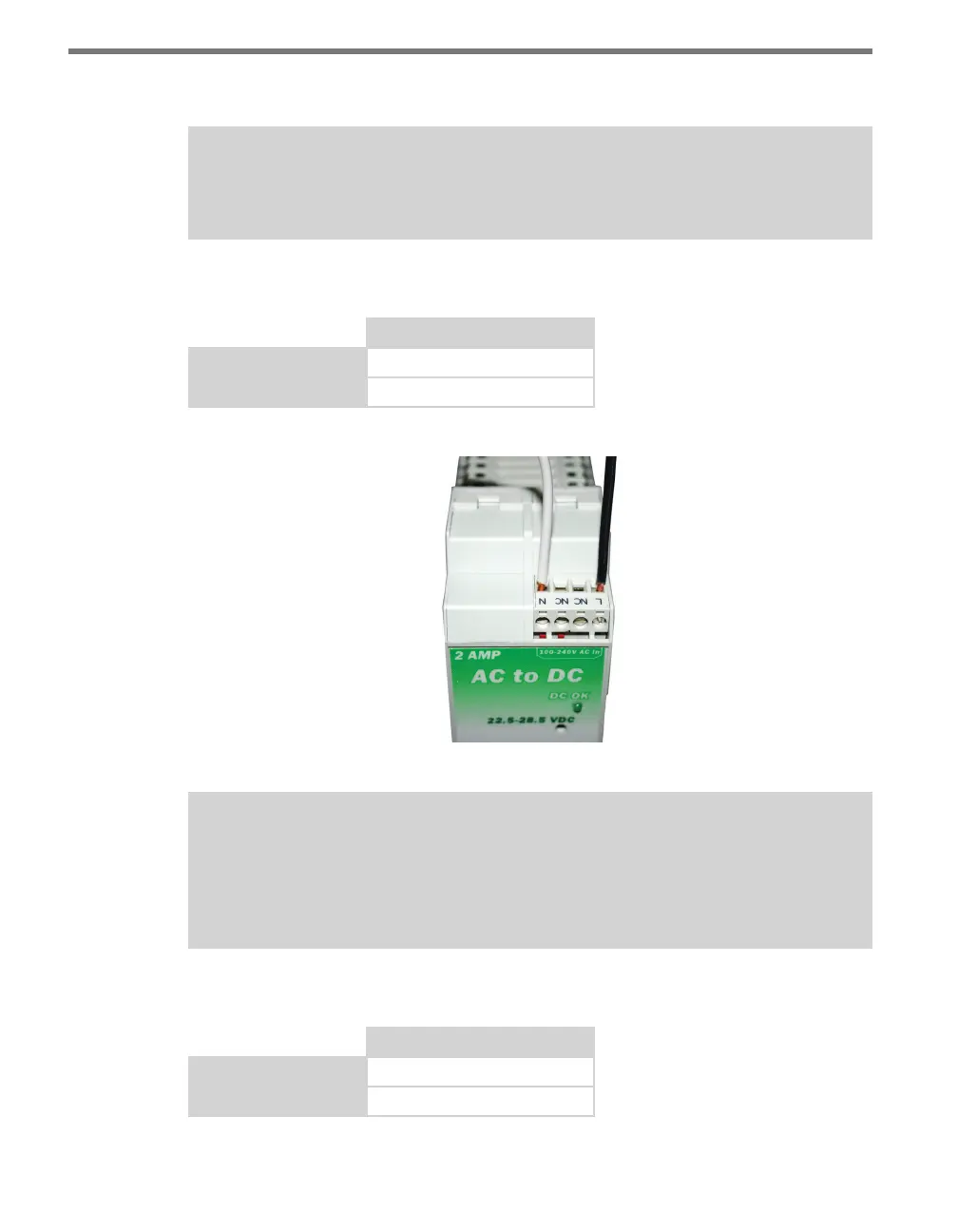
Wiring AC Power Into the Click 201/202/204
Click 201/202/204 AC In
Line (black)
L
Neutral (white)
N
Table 14.1 – Wiring AC+ Power In
Figure 14.3 – Wiring AC Power into the Click 201/202/204
Note
The NC screw terminals found in the Click 201 and 202 are not connected internally.
Connecting a wire to a no connect (NC) terminal simply gives it a convenient termina-
tion point.
Wiring DC Power out of the Click 201/202/204
Click 201/202/204 DC Out
+DC (red)
L
-DC (black)
N
Table 14.2 – Wiring AC Power Out



 To Next Page