CHAPTER 17 CLICK 211 165
Wiring the Power Plant
1 Install the Click 210 and Click 230 as outlined in Chapter 1.
2 Attach two ST 2.5 twin terminal blocks to the DIN rail next to the Click 230.
3 Attach the Click 201/202/204 (or 203, if you prefer to use that as a power supply) to the
DIN rail next to the twin terminal blocks.
4 Attach 14 AWG wires that are stripped 3/8” on both ends to the N and L screw terminal
connections on the OUT side of the Click 230 (the standard is to use white and black
wires, respectively).
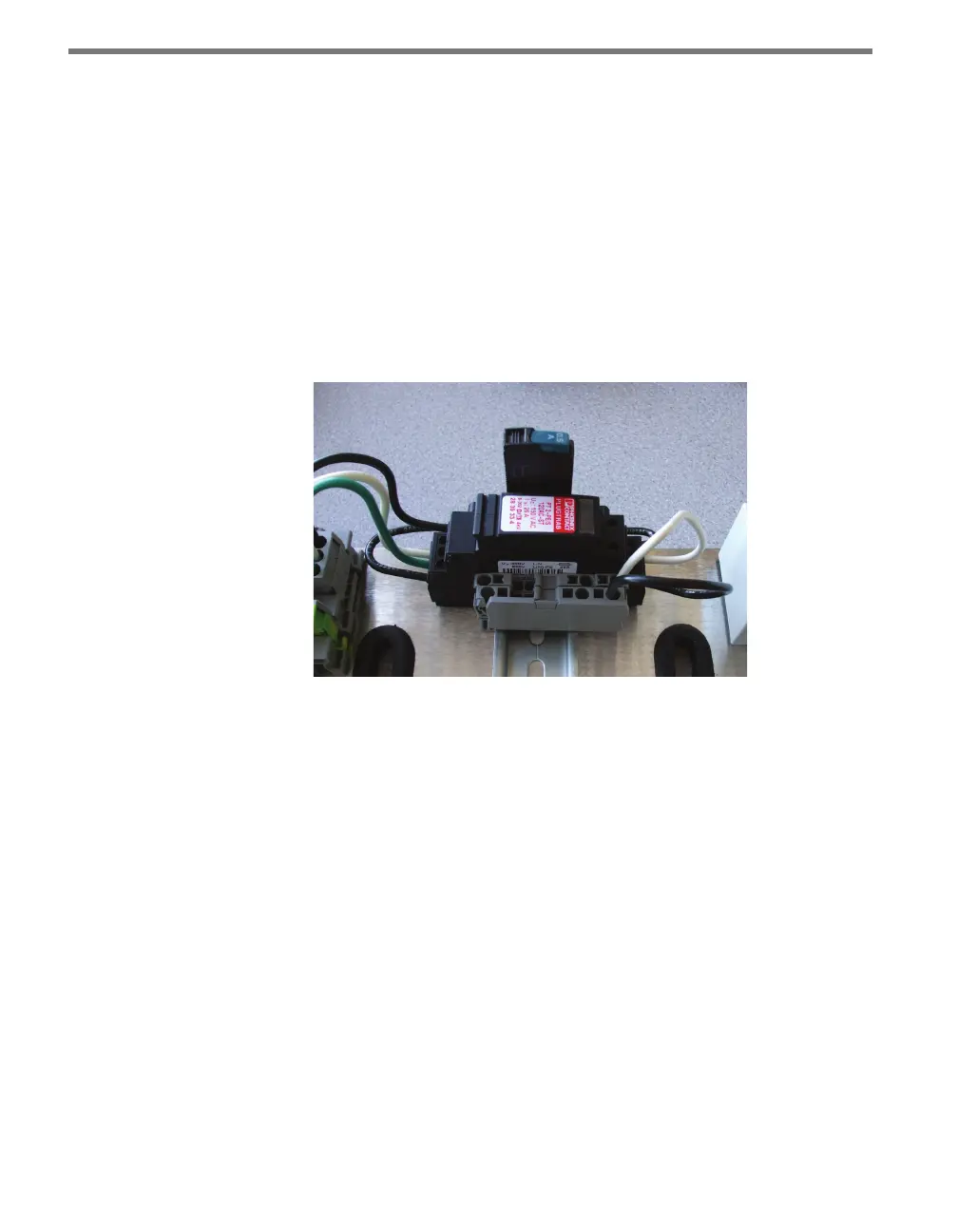
5 Terminate the white, or neutral, wire into one of the ports on the rst twin terminal
block. Terminate the black, or line, wire into one of the ports on the second twin termi-
nal block (see Figure 17.3). For ease in wiring, use the same port on each block.
Figure 17.3 – Wiring into Twin Terminal Blocks
6 Attach 14 AWG wires that are stripped 3/8” on both ends to the second set of ports on
each of the twin terminal blocks, following the coloring of the wires coming in.
7 Terminate the white, or neutral, wire in the N screw terminal connection on the AC In
side of the Click 201/202/204. Terminate the black, or line, wire in the L screw terminal
connection (see Figure 17.4).



 To Next Page