202 CHAPTER 23 CLICK 301
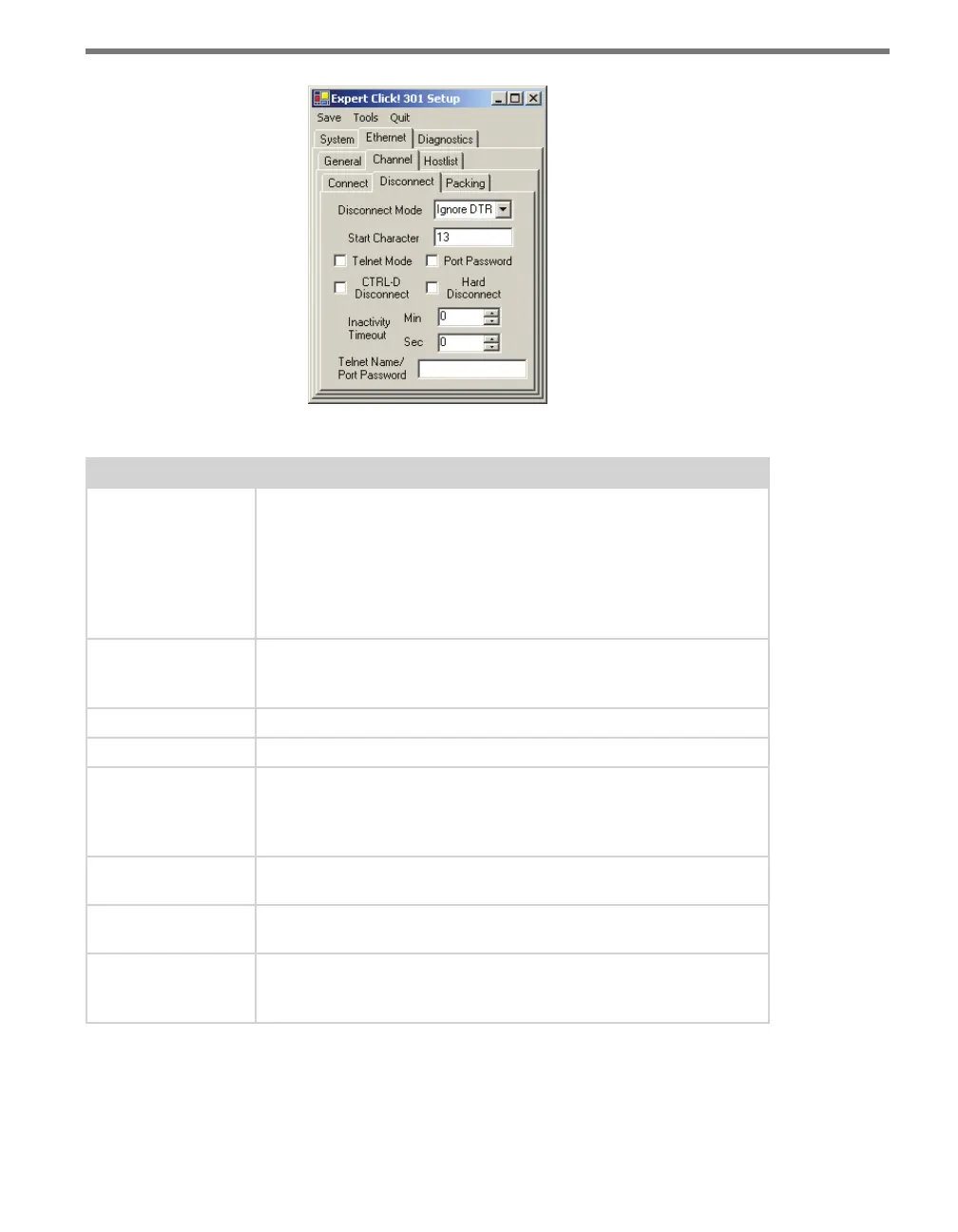
Figure 23.13 – Expert Driver Disconnect Tab
Setting Description
Disconnect Mode
Allows you to set conditions under which the device should drop a con-
nection.
Ignore DTR, the default, indicates that the Modem Control In doesn’t
aect the connection.
DTR Drop sets the network connection to or from the serial port to
disconnect (drop) when Modem Control In transitions from an asserted
state to not asserted state.
Start Character
Provides a place to enter the start character that is used to signal the
active startup function (found under the Connect tab) to attempt to
connect.
Telnet Mode
Enables Telnet mode.
Port Password
Enables the use of a password on the serial port.
CTRL-D Disconnect
Drops the connection when Ctrl-D or Hex 04 is detected. Both Telnet
Com Port Cntrl and Check EOT (Ctrl+D) must be enabled for Disconnect
with EOT to function properly. Ctrl+D is only detected going from the
serial port to the network.
Hard Disconnect
Closes the TCP connection even if the remote site does not acknowl-
edge the disconnect request.
Inactivity Timeout
Sets the amount of time there can be no activity on the serial line
before the device drops the connection.
Telnet Name/Port
Password
Lets you enter either the Telnet name you’re using or the password for
the serial port, depending on which of those two boxes—Telnet Mode or
Port Password—is checked.
Table 23.11 – Expert Driver Disconnect Tab
e Ethernet > Channel > Packing tab allows you to congure packing settings, as well as
to set other options (see Figure 23.14 and Table 23.12).



 To Next Page