CHAPTER 23 CLICK 301 203
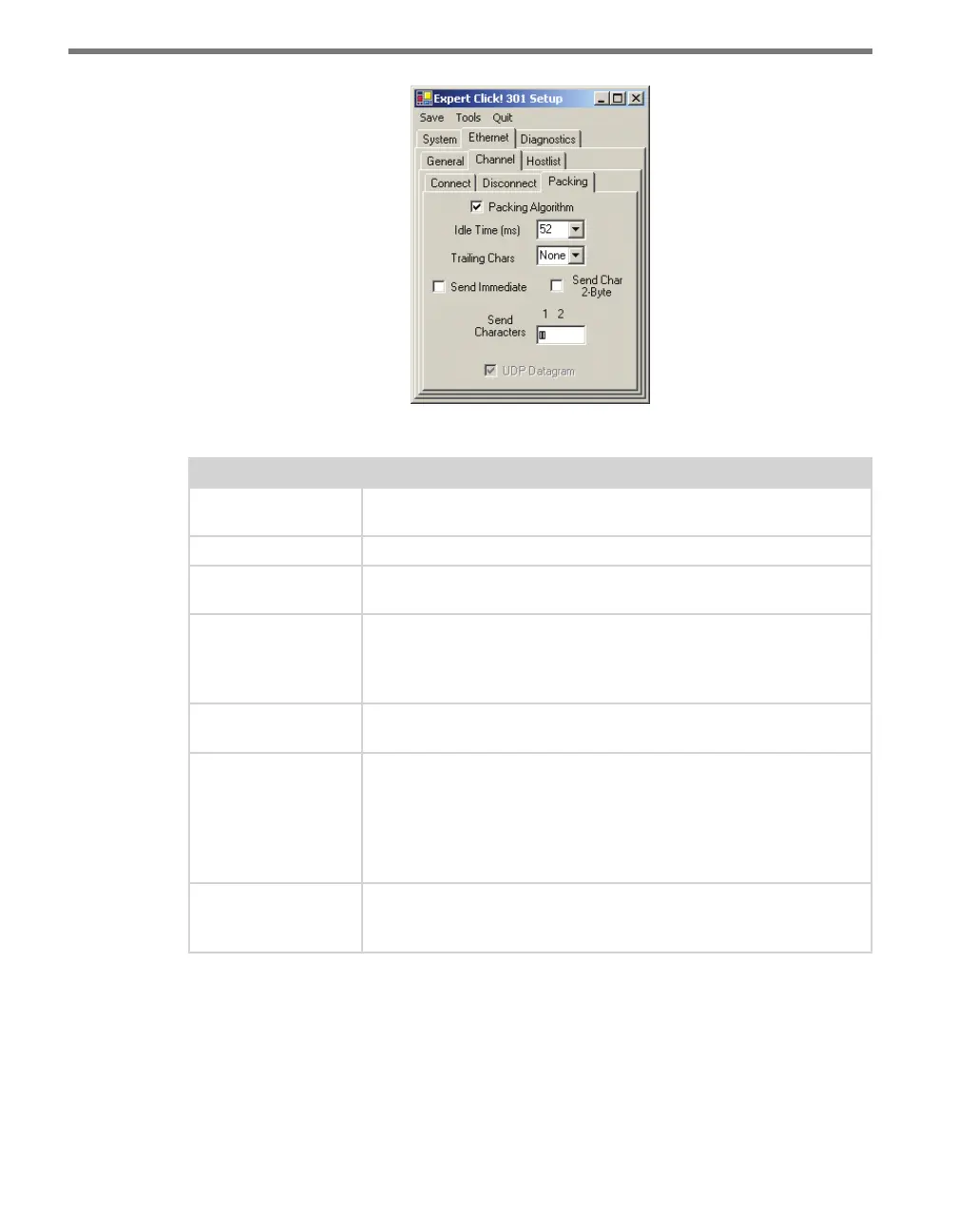
Figure 23.14 – Expert Driver Packing Tab
Setting Description
Packing Algorithm
Enables packing, which defines how long the unit should wait before
sending accumulated characters.
Idle Time (ms)
Allows you to set the maximum time for inactivity.
Trailing Chars
Lets you select the number of bytes to send after the end-of-sequence
characters. The default is None.
Send Immediate
Causes the module to send immediately after recognizing the transmit
condition (sendchar or timeout). If it is not set, any characters already
in the serial buer are included in the transmission after a “transmit”
condition is found.
Send Char 2-Byte
Causes the device to interpret the sendchars as a 2-byte sequence; if
this option is not enabled, the module interprets them independently.
Send Characters
Lets you enter up to two characters in hexadecimal. If the module
receives a character on the serial line that matches one of these
characters, it sends the character immediately, along with any awaiting
characters, to the TCP connection. This action minimizes the response
time for specific protocol characters on the serial line (for example,
ETX, EOT).
UDP Datagram
Enables the use of UPD datagrams. This option cannot be changed
here; it is enabled when you open one of the two point to multipoint
drivers and save that driver to the device.
Table 23.12 – Expert Driver Packing Tab
e Ethernet > Hostlist tab allows you to set up and use a host list. When the host list is
enabled, the Click 301 scrolls through the host list until it makes a successful connection to
one of the addresses. Aer a successful connection, the unit stops trying to connect to any
others. If this connection fails, the unit continues to scroll through the table until the next
successful connection.



 To Next Page