72 CHAPTER 4 CLICK 104
Note
This parameter can also be changed using Click Supervisor.
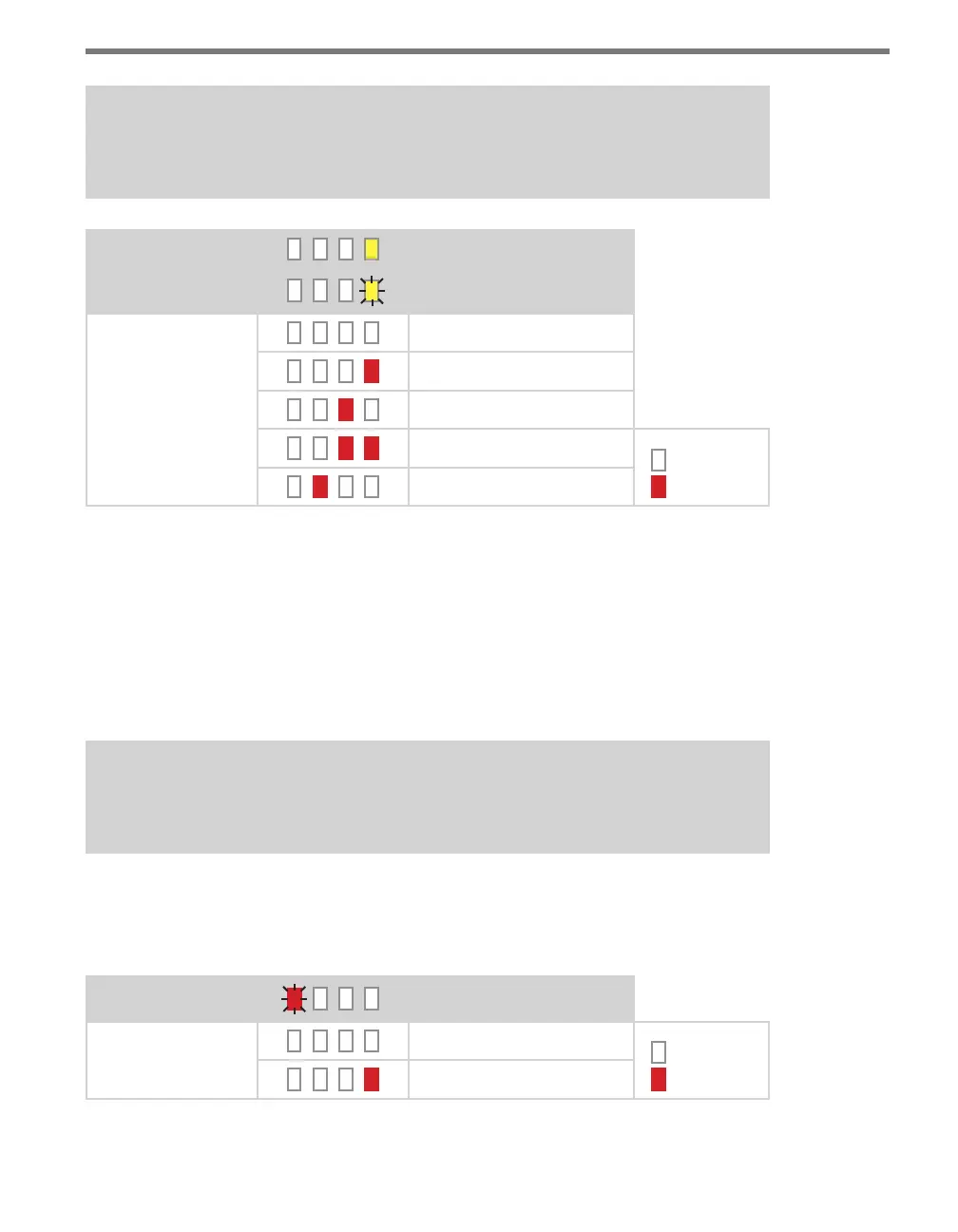
Level 1 LEDs
Baud rate for bus 1
Baud rate for bus 2
Level 2 LEDs
Cancel and exit menu
9600 bps (default)
19200 bps
38400 bps
LED o
LED on
57600 bps
Table 8.6 – Front Panel Menu Baud Rate Settings
See the earlier Navigating through the Menu and the Menu Operation Example sections for
how to congure this parameter.
Reset to Default Settings
e nal option that comes up in the menu is Reset to Default Settings. To select this func-
tion, release the mode switch when the red LED starts ashing.
Note
Resetting to default settings can also be done using Click Supervisor.
is function will restore all conguration settings to factory defaults, even those param-
eters not congured using the front panel menu: baud rate, channel input map, description
eld, location eld, and device ID.
Level 1 LEDs
Reset to Default Settings
Level 2 LEDs
Cancel and exit menu
LED o
LED on
Reset to default settings
Table 8.7 – Front Panel Menu Reset to Default Settings



 To Next Page