CHAPTER 3 INSTALLING SMARTSENSOR MANAGER ADVANCE 37
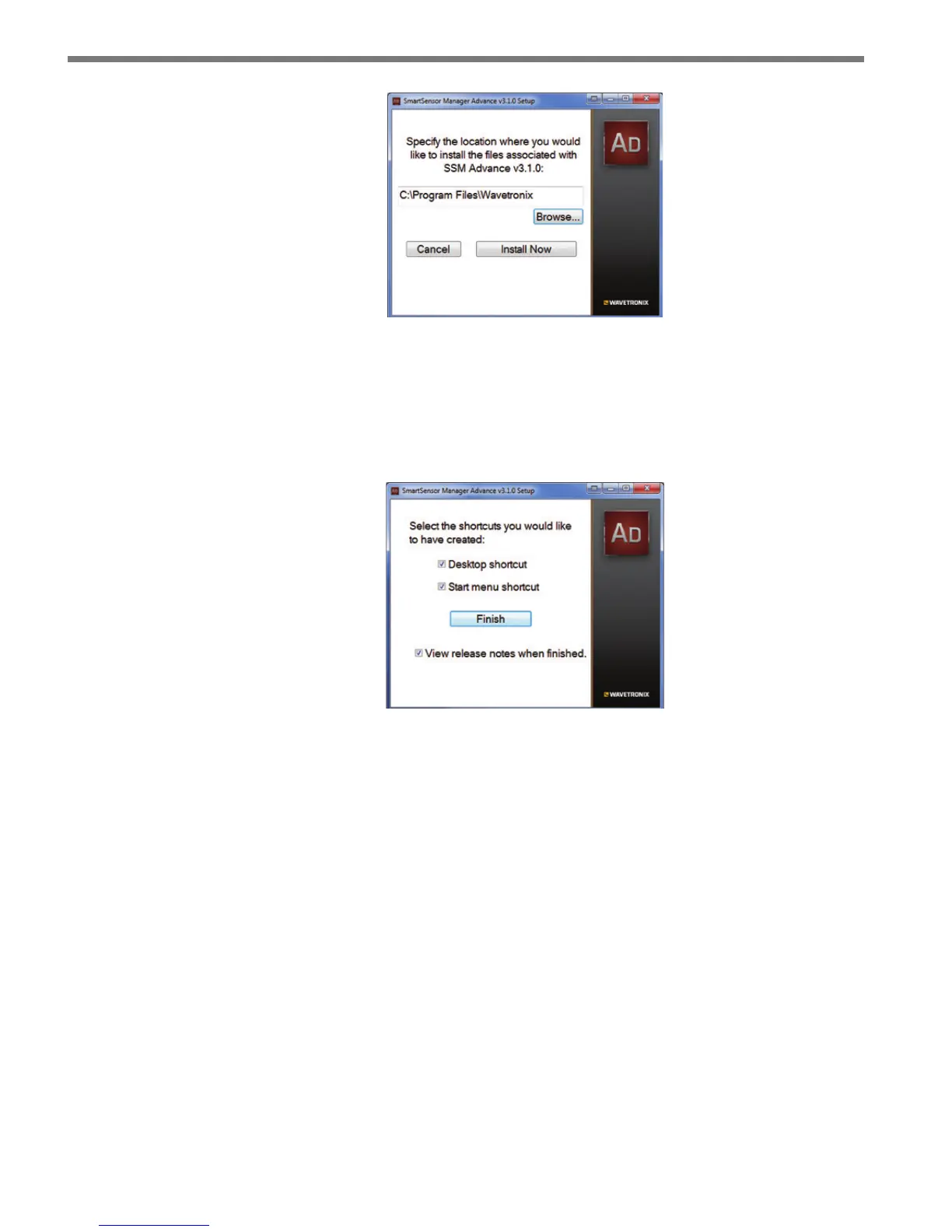
Figure 3.2 – Location Installation
8 Click the Install Now button.
9 After SSMA is installed, you can create shortcuts to the SSMA software on the desk-
top and in the start menu using the corresponding checkboxes (see Figure 3.3). If no
shortcuts are desired, uncheck the corresponding boxes.
Figure 3.3 – Shortcut Options
10 Click in the View release notes when nished checkbox to view the SSMA v3 release
notes. e release notes contain additional information about the current version of
the SSMA software. A PDF reader program (i.e. Adobe Acrobat Reader) is required
to view the release notes.
11 Click Finish to complete the setup process.
Installing SSMA on a Handheld Computer
If you would like to run SSMA on a handheld computer, consider purchasing a Wavetronix
Install Kit, which includes a Socket Mobile SoMo 650 handheld computer that comes
precongured with SmartSensor Manager Advance, as well as Click Supervisor and the
SmartSensor Manager software programs for the other Wavetronix sensors. ese software
programs are tested for and supported on the SoMo 650.
SSMA can also be installed and will function on a handheld computer other than the
SoMo 650. However, because of diering handheld computer technology, Wavetronix does
not support any other handheld devices.



 To Next Page