42 CHAPTER 4 COMMUNICATION
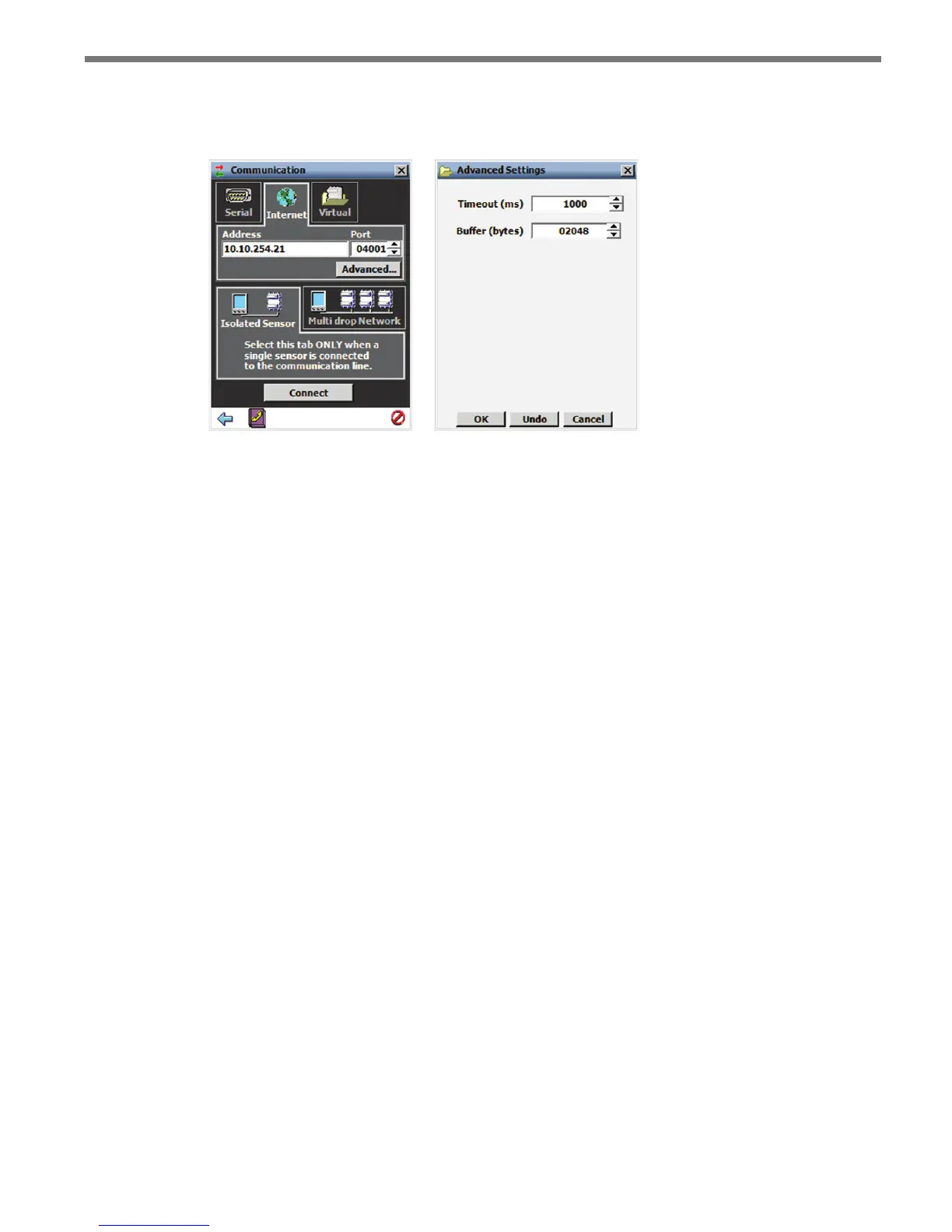
ditional Internet settings.
5 Click the Connect button.
Figure 4.3 – Internet Connection (left) and Advanced Settings (right)
e Advanced Settings screen contains the following elds:
Timeout (ms) – Allows you to set an additional amount of time (in milliseconds) that
SSMA will wait for a response when communicating with the sensor.
Buer (bytes) – Contains the number of bytes used by SSMA to store data received
from the sensor.
Virtual Connection
A virtual connection allows you to use the SSMA software without being connected to an
actual sensor. Making a virtual connection can be useful for the following reasons:
To view a saved sensor setup le.
To play back previously logged trac.
To demonstrate functionality for dierent applications.
To create channel templates.
To review how the software works.
To make a virtual connection:
1 Click the Communication button.
2 Select the Virtual tab (see Figure 4.4).
3 Select a virtual sensor le by clicking the magnifying glass icon. Click the Options…
button to select a tracker log le.
4 Click the Connect button.



 To Next Page