CHAPTER 4 COMMUNICATION 49
Uploading the Sensor’s Embedded Software
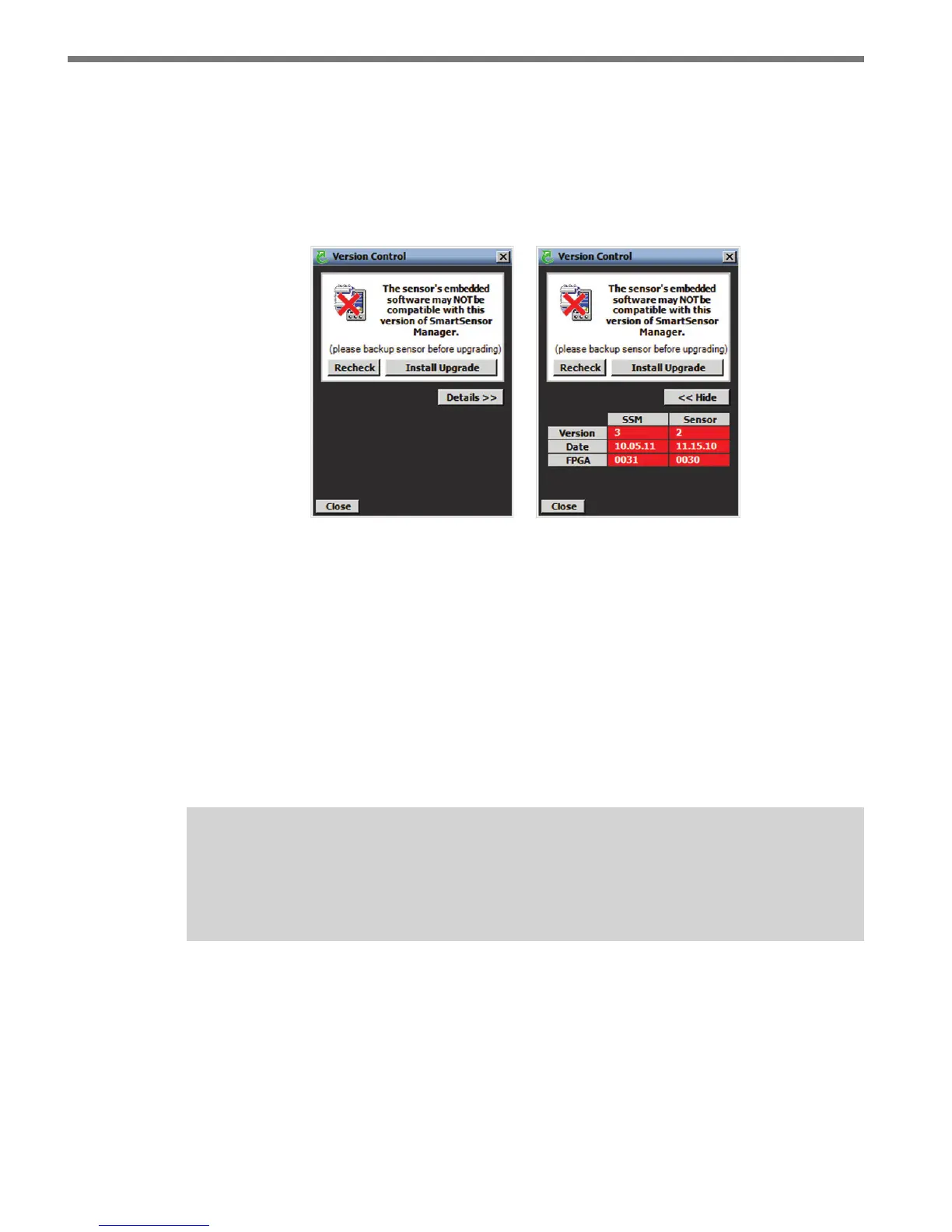
After clicking the Connect button, the Version Control screen may appear notifying you
that the sensor’s embedded software and the rmware embedded in the SSMA software
are not the same version (see Figure 4.15). To view more software version information,
right-click on the SSMA main menu page and select from the options that appear.
Figure 4.15 – Sensor’s Embedded Software Upgrade (left) and Details Table (right)
Click the Details button to view the rmware versions of both the SSMA software and
the sensor.
Once the Version Control screen appears, you can do one of the following:
1 Upgrade the sensor’s embedded software by clicking the INSTALL UPGRADE but-
ton.
2 Click the close button and continue the conguration process.
3 Find the version of SSMA software that is compatible with the sensor’s embedded
software.
Note
Clicking the close button and continuing configuration without upgrading may cause
problems with functionality.
Install the rmware upgrade if the SSMA rmware version date is more recent than the
sensor’s embedded software version date. If the sensor’s rmware date is more recent than
the SSMA rmware version date, a warning will appear notifying the user that the sensor
rmware could be downgraded (see Figure 4.16).



 To Next Page