98 CHAPTER 8 VERIFY CHANNELS-ALERTS-ZONES
Left Sidebar
e left sidebar allows you to view the scale of the roadway and create a tracker log le.
Click on the left sidebar selector to cycle through the available views or click and hold on
the selector to open the view menu. Below is a list and description of the three views con-
tained in the left sidebar:
Hidden View – Hides the left sidebar and is used to simplify the overall appearance of
the Verify CAZ screen.
Scale View – Shows a distance scale relative to the stop bar. e sensor is always dis-
played at the bottom and is oriented to point towards the top of the screen.
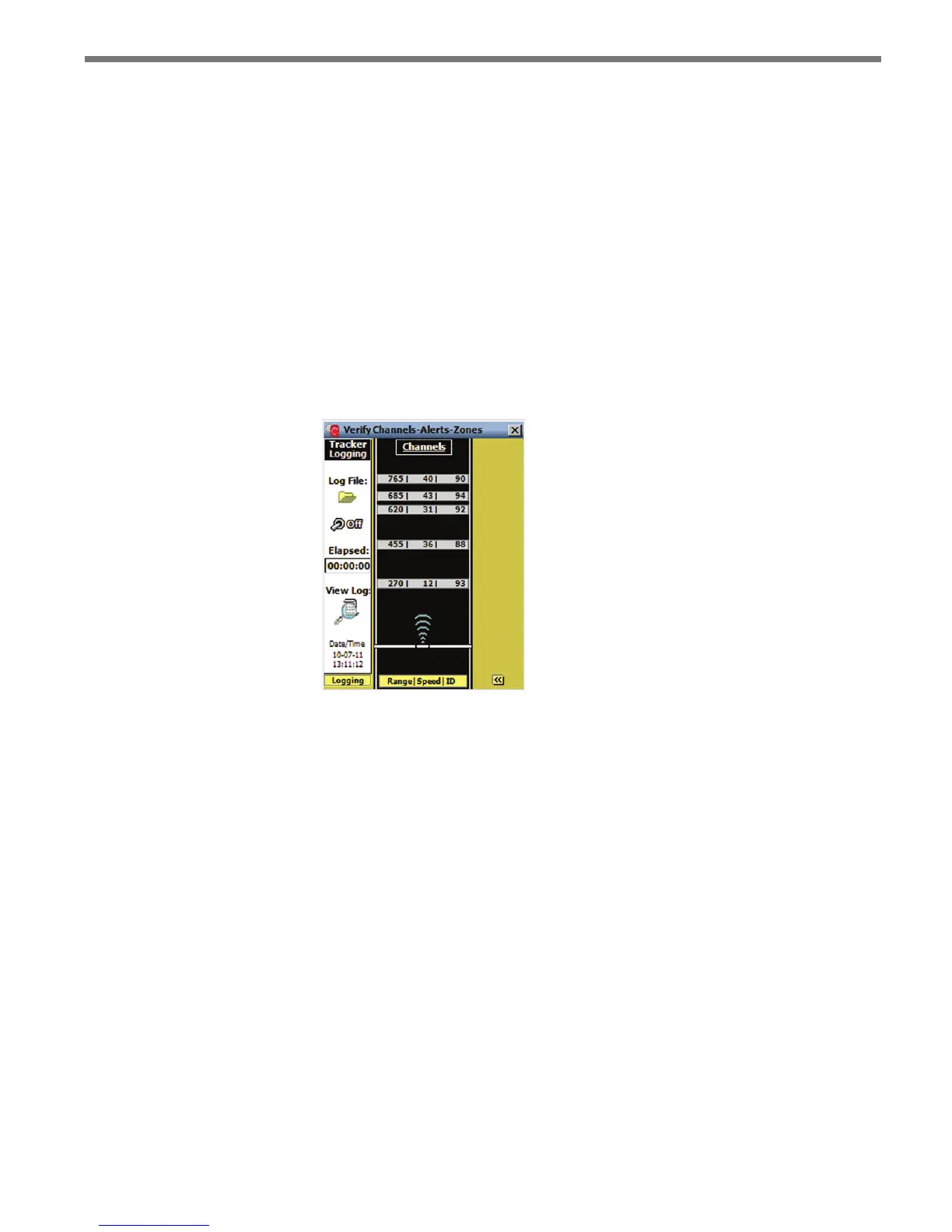
Logging View – Allows you to create a log le (see Figure 8.21). e data can then be
post-processed for performance analysis and can be used as the tracker data source
when establishing a virtual connection.
Figure 8.21 – Tracker Logging View
Creating a Tracker Log File
Click on the Log File icon to select a log le. e Select Tracker Log File screen allows you
to specify the name of an existing log le or to create a new le (see Figure 8.22).



 To Next Page