12
ATTACHING WEIGHTS TO THE LEG LEVER
To use the Leg Lever (3), slide the desired amount of
weight (not included) onto the Weight Tube (E).
WARNING: Do not place more than 130 pounds
on the Leg Lever (3).
E
3
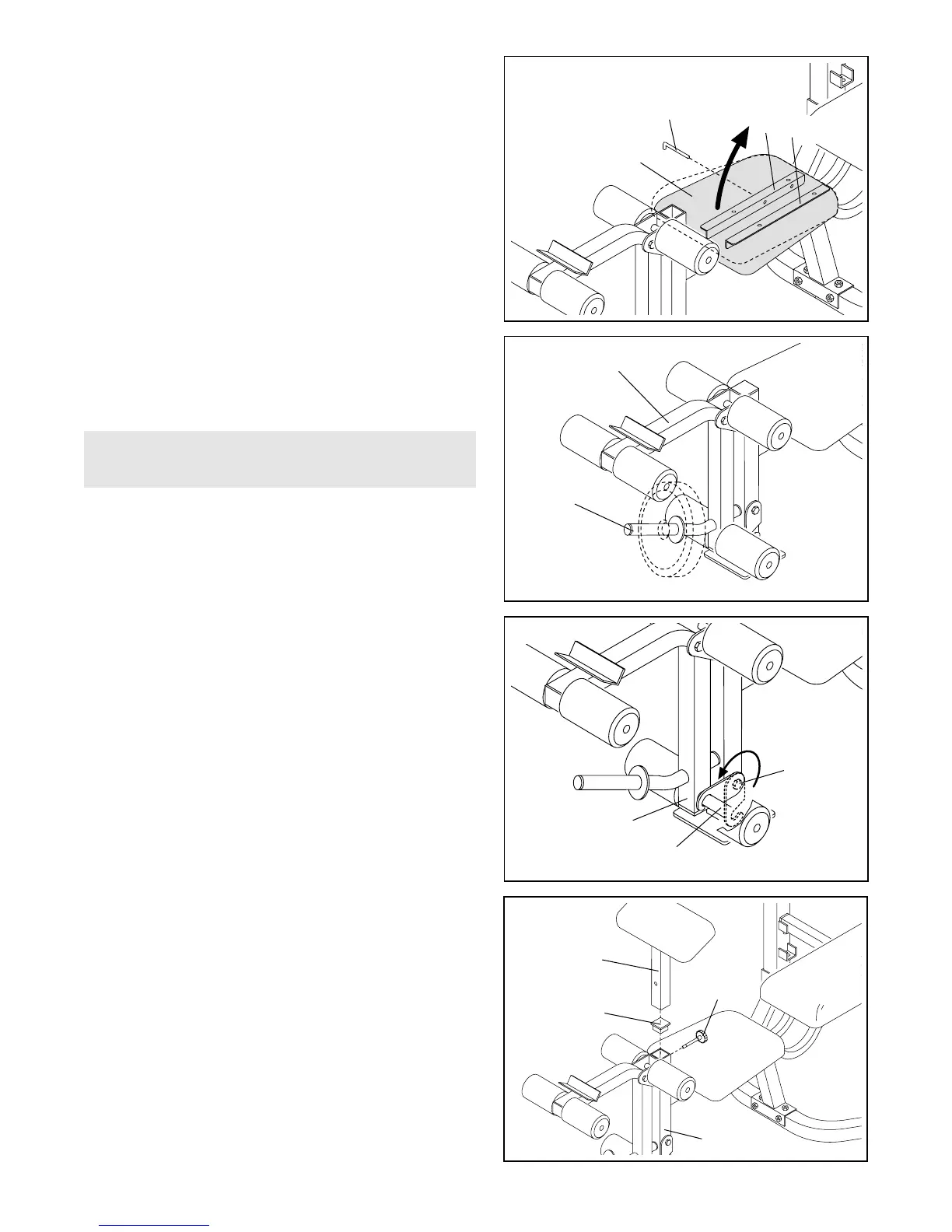
ADJUSTING THE SEAT INCLINE
Some exercises can be performed more comfortably
when the Seat (22) has a slight incline. To incline the
Seat, first pull out the Seat Pin (15). Lift the wide end of
the Seat and insert the Seat Pin (15) through the holes
in the Seat Brackets (1, 19), but not through the holes
in the Bench Frame (not shown). Then lower the Seat.
To remove the incline, pull out the Seat Pin (15), lower
the Seat (22), and re-insert the Seat Pin through the
holes in the Seat Brackets (1, 19) and the Bench
Frame.
15
22
1
19
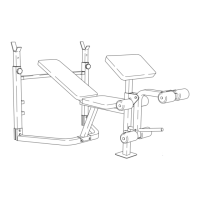
ATTACHING THE CURL POST
For some exercises, the Curl Post (10) must be
attached to the weight bench. Remove the Front Leg
Endcap (27) and insert the Curl Post into the indicated
hole in the Front Leg (4). Align the holes in the Front
Leg and the Curl Post. Secure the Curl Post with the
M8 Adjustment Knob (26). Make sure that you fully
tighten the Adjustment Knob.
When the Curl Post (10) is not in use, insert the Front
Leg Endcap (27) halfway into the top of the Front Leg
(4). Store the Curl Post away from the weight bench so
that it does not interfere with your exercise.
LOCKING THE LEG LEVER
Some exercises, such as sit-ups, can be performed
more comfortably with the Leg Lever (3) locked. To lock
the Leg Lever, turn the Leg lever Lock (2) until it
engages the Short Pad Tube (17).
10
27
3
17
4
26
2




 To Next Page