34
January, 2017
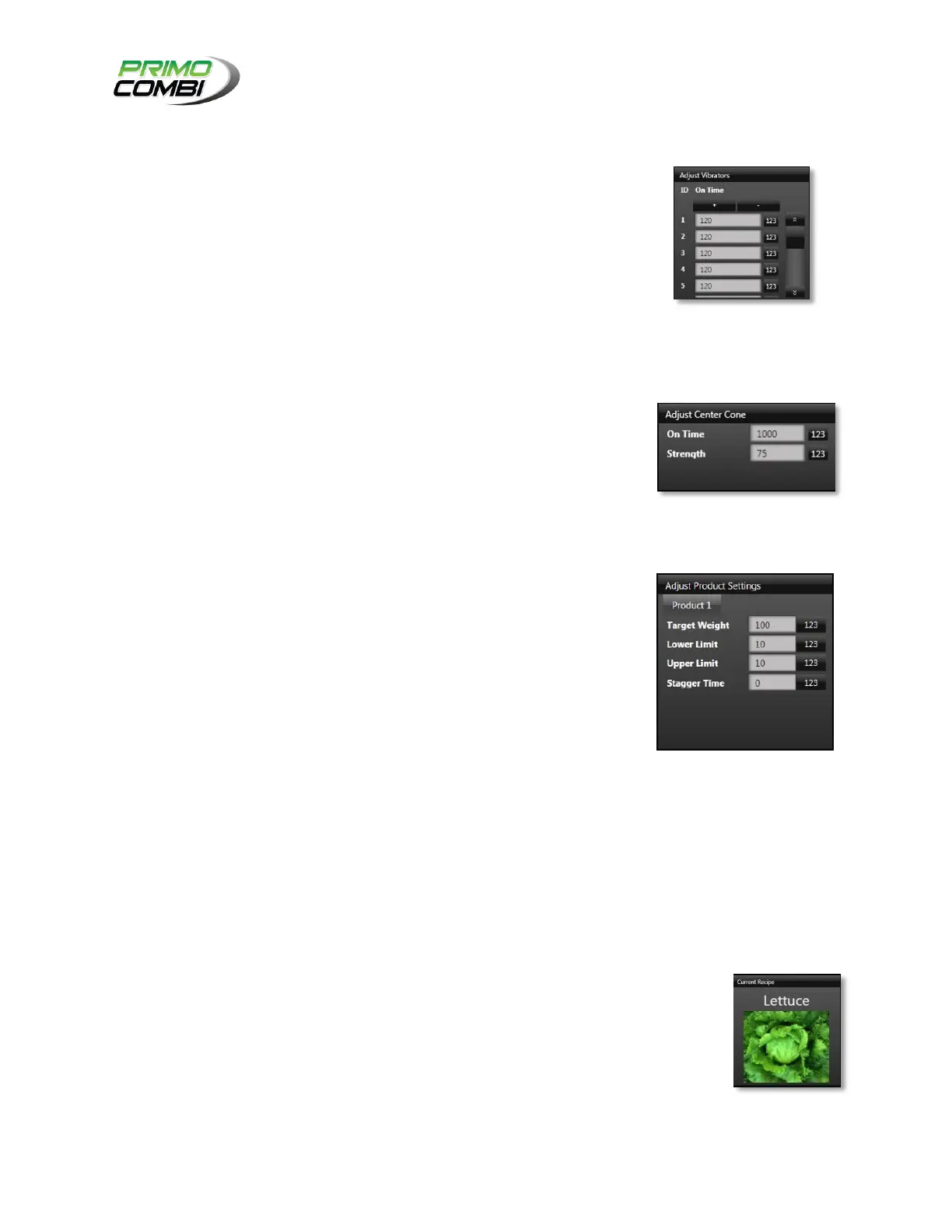
ADJUST VIBRATOR ON TIME:
PLUS SIGN: Clicking the “+” button will increase all vibrator On times
by 5%.
MINUS SIGN: Clicking the “-“ button will decrease all vibrator On
times by 5%.
VALUE FIELDS: Clicking on a value field will bring up the number pad
where you can enter the On time value you desire.
ADJUST CENTER CONE:
ON TIME: Adjust the On time of the center cone.
STRENGTH: Adjust the strength of the center cone.
ADJUST PRODUCT SETTINGS:
TARGET WEIGHT: Adjust the target weight for the PrimoCombi.
LOWER LIMIT: Adjust the lower limit for the PrimoCombi.
UPPER LIMIT: Adjust the upper limit for the PrimoCombi.
STAGGER TIME: The total time delay from the first head opening in a
combination to the last head opening in a combination.
CYCLES PER MINUTE:
CURRENT SPEED: The current speed is the calculated speed from one dump to another.
TARGET SPEED: The target speed is the speed at which you wish to run the PrimoCombi at. You
can modify the speed in real-time by clicking on the numerical speed value. This will open a
speed adjustment control where you can modify the speed. Clicking on the numerical speed
value will close this window.
CURRENT RECIPE:
The current recipe indicates the recipe that is currently loaded into the PrimoCombi



 To Next Page