47
January, 2017
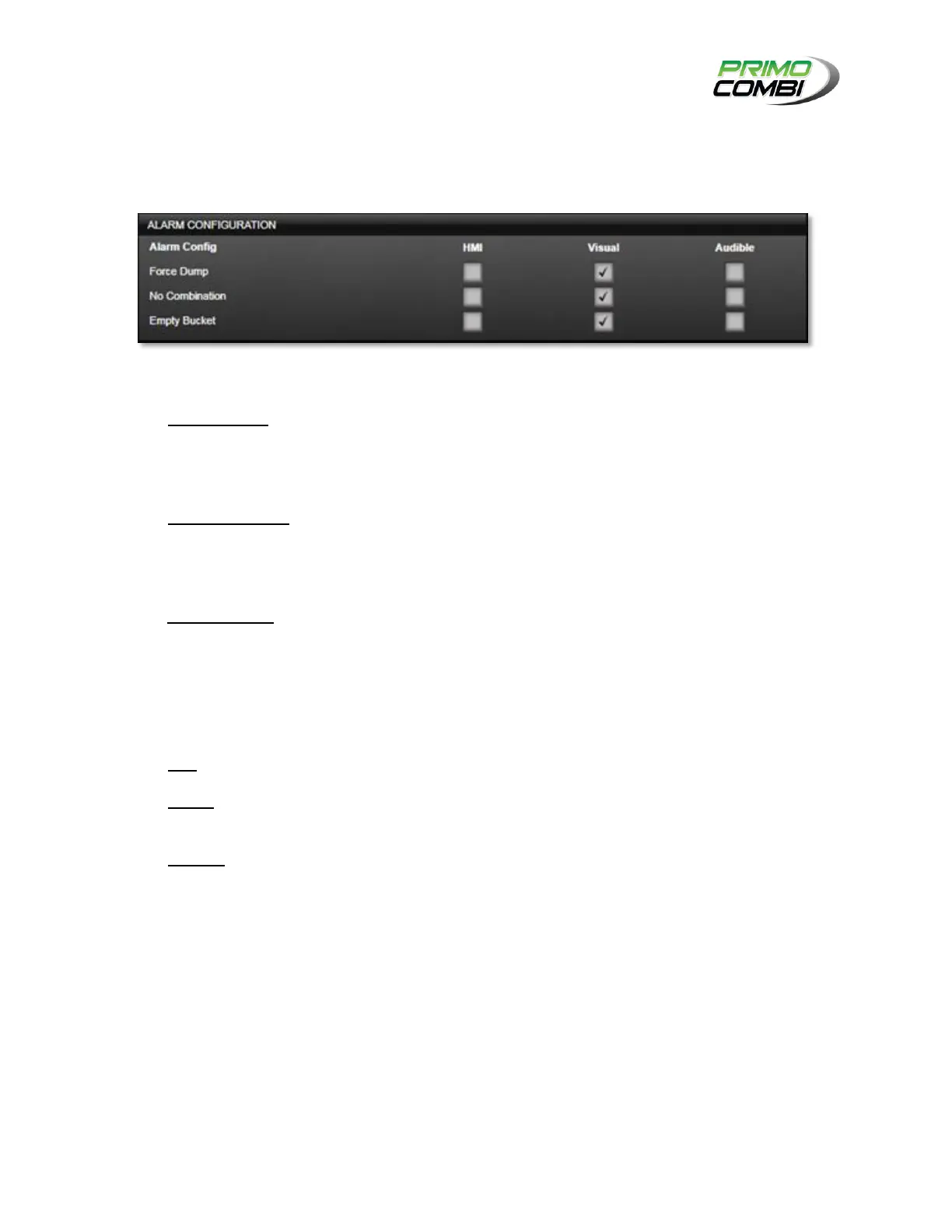
ALARM CONFIGURATIONS
The alarm configuration section allows the operator to choose which notifications the operator will receive
from the scale and how that information should be presented.
ALARM TYPES
Force Dump – Will inform the operator each time the scale needed to reject the weight in a
weigh bucket. This can be caused by a weight being above the Maximum Load, or if the
operator is running in Speed mode. The action taken when a forced dump occurs is based on the
operator’s choice.
No Combination – Will inform the operator each time the scale is unable to find a combination
within the specified range. This alarm will only occur if the operator is running in Accuracy mode.
An alarm of this nature will put the PrimoCombi in Pause mode and requires manual intervention
to resolve.
Empty Bucket – Will inform the operator each time a bucket is filled and does not meet the
Minimum Load requirements. The empty bucket alarm is for informational purposes only and
does not affect the operation of the scale. Multiple Empty Bucket alarms in a row might indicate
poor product feeding, a clog in the weigh bucket, or a malfunctioning vibrator.
METHODS OF NOTIFICATION
HMI – Enabling alarms on the HMI will send alarms to the HMI.
Visual – A visual alarm is any light emitting device that is connected to the main board. Enabling
Visual alarms will activate the device connected to the main board.
Audible – An audible alarm is any sound-producing device connected to the main board.
Enabling Audible alarms will activate the device connected to the main board.



 To Next Page