48
January, 2017
DUMP CONFIGURATIONS
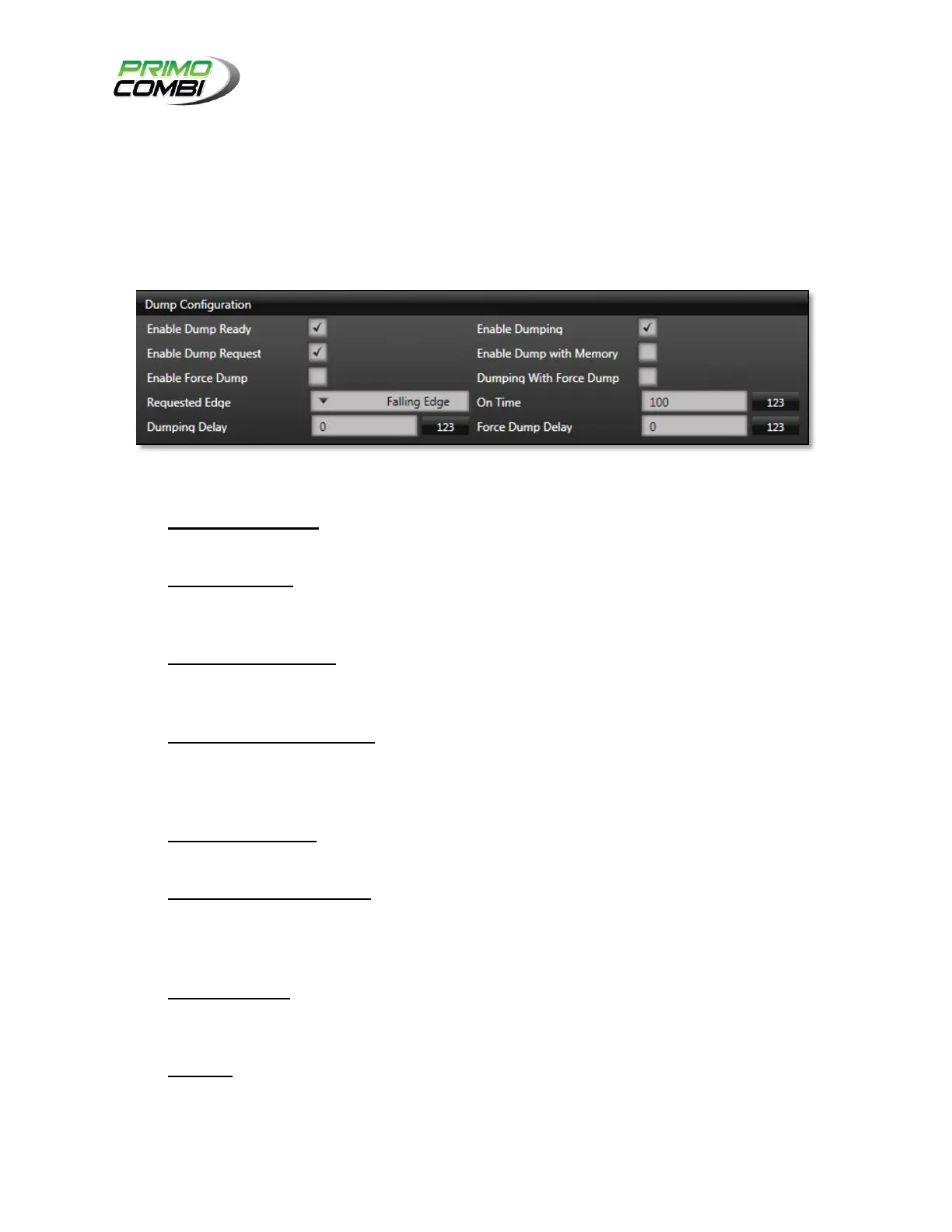
The Dump Configuration section allows operators to interface their ancillary devices to the PrimoCombi.
The PrimoCombi supports Master, Slave, or Co-operative configurations depending on the type of
ancillary device being connected. Unless the operator is an experienced PrimoCombi user, you should
consult your service provider for help on configuring ancillary devices.
Input and Output specifications can be found on the main board schematics.
CONFIGURATION OPTIONS
Enable Dump Ready – Enabling this output will signal to the ancillary device, indicating that the
scale is ready to dump. This should be used in a Co-operative manner with the ancillary device.
Enable Dumping – Enabling this output will signal to the ancillary device indicating that the
scale is dumping a combination. This should be used in a Master or Co-operative manner with
the ancillary device.
Enable Dump Request – Enabling this input will tell the PrimoCombi to wait until the ancillary
device requests the combination to be dumped. This should be used in a Co-operative or Slave
manner with the ancillary device.
Enable Dump with Memory – Enabling this input will tell the PrimoCombi to remember if a
dump request has been made. If this is disabled and an ancillary device requests a dump while
the PrimoCombi is not ready to dump, the PrimoCombi will disregard the request and wait for a
new request. This is useful for a very specific Co-operative setup with an ancillary device.
Enable Force Dump – Enabling this output will signal that a force dump has occurred. This is
useful if you have a reject/recycle mechanism between the PrimoCombi and the ancillary device.
Dumping with Force Dump – Enabling this output will indicate that a force dump occurred. It
will send a signal indicating it is force dumping and dumping. This is useful if the ancillary device
has a method to handle forced dumps inherently (i.e. create a double bag on forced dumps; label
the dump as bad, etc.).
Requested Edge – This field indicates to the PrimoCombi if a dump request should be executed
when the signal goes to a high signal or drops to a low signal. Please refer to the manufacturer of
the ancillary device for the proper configuration of this setting.
On Time – This field indicates how many milliseconds the Dumping and Forced Dump signals
should stay on for (100 by default.) Please refer to the manufacturer of the ancillary device for the
proper configuration of this setting.



 To Next Page